

Update, October 8, 2026: Google opened Googlebook pre-orders on September 21 for five models from Acer, ASUS, Dell, HP, and Lenovo, starting at $899, and the first Googlebooks reached US store shelves on October 4. Our Googlebook explainer covers the launch lineup. Google still has not given a date for cheaper models.
With Googlebook on shelves from $899 and cheaper models still undated, is it dumb to spend $800 on a Chromebook Plus?
In late May, Chrome Unboxed published a quote from Google VP John Maletis, recorded in a May 12 interview, explicitly saying the platform is launching on premium devices first, with cheaper options arriving later. Google also has a Googlebook developer hub on Android Developers live, telling app builders what Googlebook apps should handle.
Google committed to a premium-first launch and a developer hub
The months of Googlebook news before May included Atria timelines, Aluminium OS codenames, and leaked Snapdragon SKUs, and Google has confirmed few of those details on the record. The two May events came from Google directly, so they are the ones to buy a laptop against.
The first is the Maletis quote Chrome Unboxed published on May 25, 2026, from its May 12 sit-down interview with him. Maletis said: “We’ve always been about enabling technology and the ability to be productive and access information regardless of your price point. And so over time we will come down, but these first devices are super premium.” The quote names no price brackets, no model names, and no ship date for either tier. The season comes from Google’s own May 12 Googlebook announcement, which says Google will “share more when devices become available this fall.”
The second is the Googlebook developer hub Google stood up, reported on May 21, 2026 by Chrome Unboxed. Pull it up at developer.android.com/googlebook and read it for yourself. The hub is a developer playbook covering Jetpack Compose adaptive layouts, multi-instance side-by-side apps, drag and drop between windows, contextual cursors that change shape on hover, native file and print management, and a desktop emulator inside Android Studio Canary so developers could test all of it before any hardware shipped. This all builds on the native Android app change coming with Googlebook; once apps stop passing through a translation layer, windowing and input guidance starts to read like desktop-app advice.
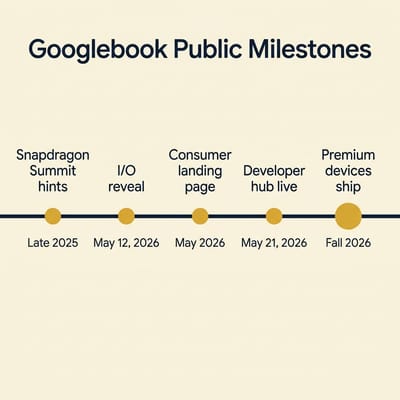
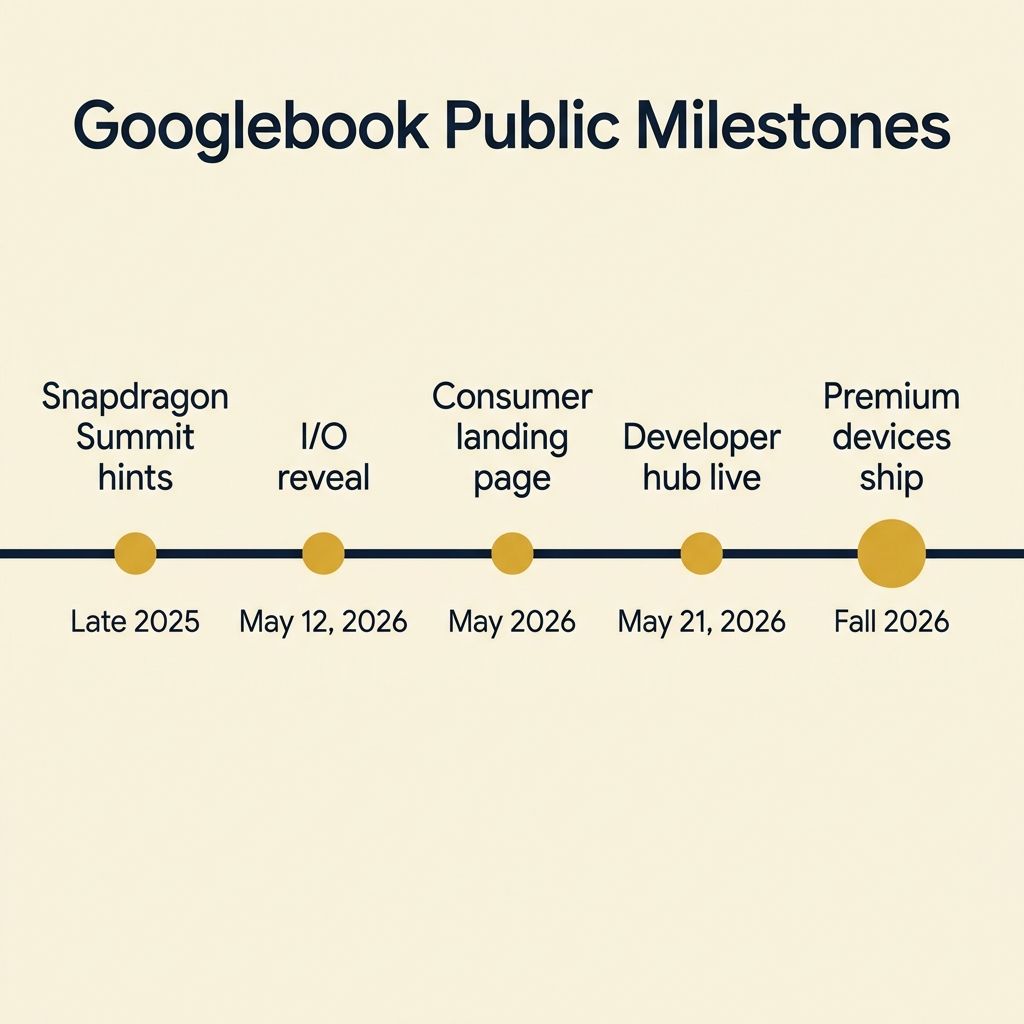
Google has told developers what to build for and told the press the first wave will not be cheap. Everything else you are reading about Googlebook (the $400 mid-range bracket, the Snapdragon X Plus speculation, the Atria hardware timing) comes from leaks and reporting; Google has not confirmed it.
The dev hub favors good screens, good input, and enough RAM
The Android Developers page leans on multi-instance side-by-side apps, and those want more RAM, because side-by-side means two windows of the same app stay live at once, alongside whatever else is running. Contextual cursors and Jetpack Compose adaptive layouts assume a screen with enough pixel density and color depth that micro-cursor states and multi-pane layouts read as polish instead of clutter. The explicit emphasis on keyboard, mouse, trackpad, stylus, and game controller input means devices that ship with cheap rubber-dome keyboards and stiff trackpads will feel out of step. And the desktop emulator Google shipped inside Android Studio Canary is, indirectly, a confirmation that windowing behavior is being treated as a first-class design constraint rather than something the OS layers on later.
Google has not published a Googlebook hardware spec. A “super premium” first wave also points to fast, NPU-equipped silicon on top of the screen, input, and RAM needs above. Of the Chromebook Plus tiers on sale now, the premium tier matches that description most closely.
The current Chromebook Plus tier map
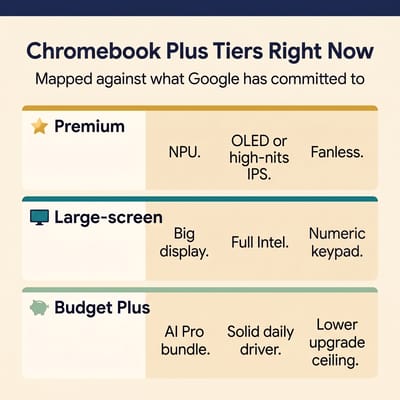
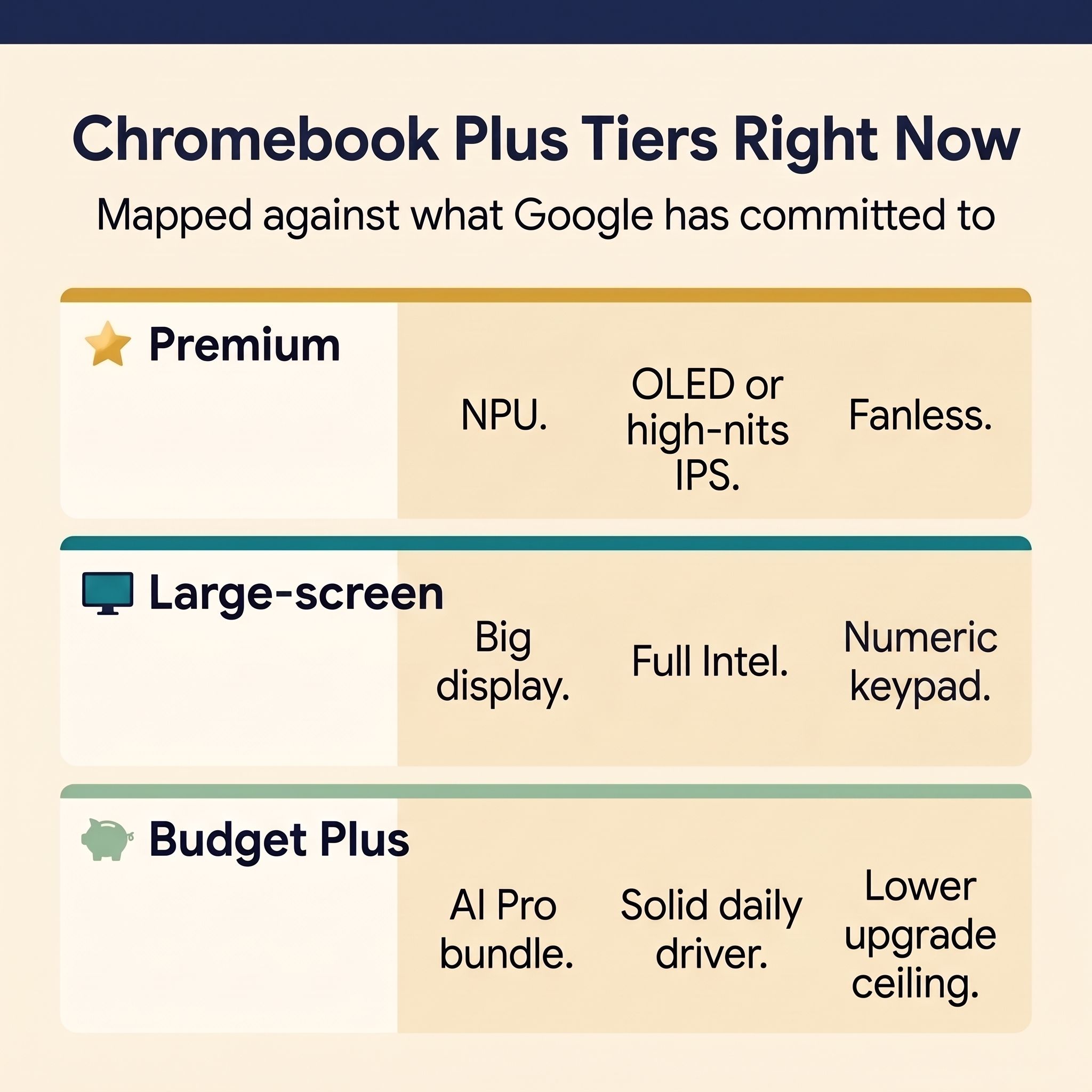
Stand back from the model-number salad for a second and the Chromebook Plus catalog sorts into three tiers: a premium tier built around NPU-grade silicon and high-contrast panels, a mid tier built around larger conventional IPS screens and standard Intel chips, and a budget tier where the bundled AI Pro subscription (which comes with every new Chromebook Plus) carries more of the value than the hardware does.
Premium tier: Lenovo Chromebook Plus 14” OLED and Acer Chromebook Plus Spin 714
Both of these devices already do, in current ChromeOS, most of what the Android Developers page is asking new apps to optimize for. They have the screens, the silicon, and the keyboards and trackpads that multi-pane Jetpack Compose layouts are designed around.
Lenovo Chromebook Plus 14" OLED
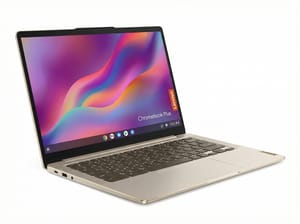
- ✓MediaTek Kompanio Ultra 910 with 50 TOPS NPU
- ✓14-inch OLED touchscreen
- ✓fanless
- ✓17-hour battery
- ✓AUE through June 2035
- ✗ARM-on-Chrome means a small set of legacy x86 Linux apps still need workarounds; 1920x1200 panel rather than 2.8K
The Kompanio Ultra 910’s 50 TOPS NPU is more than four times the 11 TOPS in the Spin 714’s Core Ultra 5, which matters for the on-device AI workflows Google is building the Googlebook story around. The OLED panel suits the multi-pane layouts the dev hub describes, and the fanless build stays silent through long side-by-side sessions. The June 2035 auto-update expiration means it gets Google Play and ChromeOS updates for the better part of a decade, which is more runway than any of the affordable Googlebook scenarios in editorial play right now.
Acer Chromebook Plus Spin 714
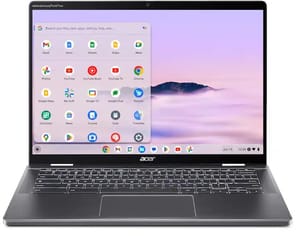
- ✓Intel Core Ultra 5 115U with NPU
- ✓Thunderbolt 4
- ✓garaged stylus
- ✓convertible 2-in-1
- ✓AUE through June 2034
- ✗Spinning hinge adds weight versus the Lenovo clamshell; battery life shorter than the OLED's 17 hours
The Spin 714 is the right answer in this tier if you want pen input or a convertible form factor. The Intel Core Ultra 5 115U handles on-device AI workloads competently via its Intel AI Boost NPU, even though the 11 TOPS figure sits well below the Kompanio Ultra 910’s 50 TOPS; the Thunderbolt 4 ports cover external display and storage in a way the budget tier does not, and the garaged stylus directly matches one of the input modes the Googlebook developer hub lists by name alongside keyboard, mouse, trackpad, and game controller.
Skip this tier if you are buying a backup laptop for the kitchen or a kid’s homework machine. It is overspending for that use case. It is the right tier if this is your daily driver for the next three to five years. For a deeper look at how these two devices stack up against other premium options, the Pixelbook replacement guide covers the full premium field.
Large-screen tier: HP Chromebook Plus 15a
This tier trades NPU acceleration and premium materials for screen real estate and a full desk keyboard. The HP Chromebook Plus 15a pairs a 15.6-inch Full HD display with a numeric keypad, a combination aimed at people who work at a desk more than they carry the laptop. At 3.81 pounds it is heavy, so daily commuters, and anyone who mostly works in one app at a time, are better served by the 14-inch premium picks.
HP Chromebook Plus 15a
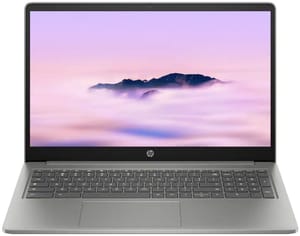
- ✓15.6-inch Full HD display
- ✓8-core Intel Core i3-N305
- ✓full numeric keypad
- ✓1080p webcam
- ✓microSD slot
- ✓AUE through June 2033
- ✗No dedicated NPU
- ✗250-nit screen is dim next to the premium tier
- ✗no HDMI port
- ✗3.81 lbs
If you spend most of your day with two documents pinned side by side, the 15.6-inch panel on the 15a gives you more room than a 14-inch screen. The 8-core Core i3-N305 is a conventional Intel chip; it lacks an NPU but covers tab-heavy browsing and document work in ChromeOS today. The June 2033 auto-update expiration is shorter than either premium pick, so the larger, cheaper screen comes with less update runway.
Budget Plus tier: ASUS Chromebook Plus CX34
Maletis said affordable Googlebooks are coming “over time,” and that timing matters most to budget Chromebook Plus buyers. He did not say when. If you cannot wait, buy from this tier.
ASUS Chromebook Plus CX34 (CX3402)
- ✓Intel Core i3-1215U
- ✓8GB RAM
- ✓256GB storage
- ✓AI Pro bundle included
- ✓lowest list price in this guide
- ✗No dedicated NPU
- ✗non-touch conventional IPS panel
- ✗AUE in June 2032 is the shortest of the four
The CX34’s value story is the bundled Google AI Pro subscription more than the silicon. The Core i3-1215U is a 12th Gen Intel part with no NPU; it runs current ChromeOS and current Android apps fine, but it is behind a Kompanio Ultra or a Core Ultra for the on-device AI features Google is building Googlebook around. The June 2032 AUE gives you years of updates, but the case for ageing this device gracefully into a Googlebook-style workload is the weakest of the four picks.
Buy this if the alternative is no Chromebook, or if you want to bank the savings against the eventual Googlebook upgrade. Skip it if your real budget is closer to $700 and you would just be talking yourself into the cheaper option to feel disciplined.
What Google has not committed to
Google’s May 12 announcement named the five OEM partners (Acer, ASUS, Dell, HP, and Lenovo) and a reaffirmed Chromebook commitment in the meantime, and it said devices would become available this fall, without a specific date.
Google’s May announcement did not commit to specific Googlebook SKUs, prices, RAM floors, screen sizes, or any ship date more specific than “this fall.” The affordable tier has no date (“over time” is the only on-record phrasing). A Pixelbook-style first-party Googlebook is unconfirmed (Maletis could not confirm any first-party hardware plans or a launch date in Chrome Unboxed’s May 12 Q&A with him). And it said nothing about whether existing Chromebook Plus devices would get any subset of the Googlebook software features.
Google has since set the starting price at $899, but Google has not said when sub-$500 Googlebooks will ship.
When to revisit this decision
The next signal is review coverage of the first Googlebooks. Google’s launch post puts the starting price at $899, so reviews will show whether an entry Googlebook is worth the stretch from a Lenovo Chromebook Plus 14 OLED, or whether the OLED’s update window plus a year of bundled AI Pro still favors staying put.
For the budget tier, the signal to watch is whatever follow-up Maletis or his team gives about when the “over time” cheaper Googlebooks actually become buyable. Until then, a sub-$600 buyer gets a Chromebook Plus with the bundled year of AI Pro, and no Googlebook has been announced at that price.
To compare current Chromebook Plus specs side by side before you decide, the Chromebook Comparison Chart has every model in one place.


