
MSI EdgeMesa N AI+
Published on

The MSI EdgeMesa N AI+ is a 1.2-liter Windows 11 desktop built on NVIDIA’s RTX Spark N1X, an Arm chip with a Blackwell GPU and one shared memory pool. It is for people who want to run large AI models, image generators, and local agents on their own hardware without moving to Linux, and it can play games on the side. Laptops with the same chip run it at 45 to 80 watts; NVIDIA rates the desktop version at 140 watts, and MSI cools it with a vapor chamber and two fans. Before buying, check that your software runs well on Windows on Arm, and pick between the 64GB and 128GB builds with care, since the memory is soldered and fixed at purchase.
Pros and cons
| Pros | Cons |
|---|---|
| Up to 128GB of unified memory, most of it assignable to the GPU | Windows on Arm runs x86 apps and games through emulation, and some anti-cheat games will not run |
| Full 140W chip rating, 4 to 11 percent faster than N1X laptops in sustained CPU work (StorageReview) | No USB-A port and no audio jack |
| Reviewers found it very quiet under sustained load | Single SSD slot takes the short M.2 2242 length |
| 10GbE, Wi-Fi 7, and up to four displays | No ConnectX-7 or second network port for linking units, unlike the DGX Spark |
| Gen5 SSD read at 13,315MB/s in StorageReview’s test | CPU peaks reached 107.3C in StorageReview’s 30-minute loop |
| Powered by one 240W USB-C adapter | Memory is soldered; no official Linux option |
Related Videos
MSI EdgeMesa N AI+ Comparison Chart
 MSI EdgeMesa N AI+ | MSI EdgeMesa N AI+ | |
| Price | List Price: $7,499.00 Amazon Prices: Loading prices... | List Price: $4,399.00 Amazon Prices: Loading prices... |
| Version | 128GB/4TB/RTX Spark N1X | 64GB/1TB/RTX Spark N1X |
| Performance Rating | 7.0 | 7.0 |
| CPU Mark | 41,617 | 41,617 |
| Operating System | Windows 11 Pro | Windows 11 Pro |
| Processor | Twenty-core NVIDIA RTX Spark N1X | Twenty-core NVIDIA RTX Spark N1X |
| GPU | Integrated NVIDIA RTX Spark N1X Blackwell RTX GPU | Integrated NVIDIA RTX Spark N1X Blackwell RTX GPU |
| RAM | 128 GB LPDDR5X (128GB unified, shared by CPU and GPU) | 64 GB LPDDR5X (64GB unified, shared by CPU and GPU) |
| Internal Storage | 2 TB NVMe Gen5 SSD | 1 TB NVMe Gen5 SSD |
| Dimensions width x length x thickness | 5.98 x 5.79 x 2.09 inches (151.89 x 147.07 x 53.09 mm) | 5.98 x 5.79 x 2.09 inches (151.89 x 147.07 x 53.09 mm) |
| Weight | 2.91 lbs (1.32 kg) | 2.91 lbs (1.32 kg) |
| WiFi | Wi-Fi 7 (802.11be) | Wi-Fi 7 (802.11be) |
| Bluetooth | Bluetooth 5.4 | Bluetooth 5.4 |
| Ethernet | 1 Ethernet port at 10 Gbps | 1 Ethernet port at 10 Gbps |
| HDMI | 1 Full-Size HDMI Port | 1 Full-Size HDMI Port |
| DisplayPort | DP Alt Mode via 3 USB-C ports | DP Alt Mode via 3 USB-C ports |
| VGA | No VGA Ports | No VGA Ports |
| USB Ports | 4 USB-C 4x USB-C 20Gbps, one is the power input | 4 USB-C 4x USB-C 20Gbps, one is the power input |
| Thunderbolt Ports | No | No |
| OCuLink | No | No |
| Internal SATA Ports | No SATA ports | No SATA ports |
| Card Reader | No Card Reader | No Card Reader |
| Headphone Jack | none | none |
| Fanless | No | No |
| VESA Mount | No | No |
| In the Box | Main unit, 240W USB-C power adapter, user manual. | Main unit, 240W USB-C power adapter, user manual. |
| Expandability | Unified LPDDR5X is soldered (64GB or 128GB). One M.2 2242 Gen5 slot, factory filled. | Unified LPDDR5X is soldered (64GB or 128GB). One M.2 2242 Gen5 slot, factory filled. |
See every NVIDIA RTX Spark N1X configuration in the chart
Related Mini PCs
-
 GMKtec EVO-X5 ProAn upright mini PC built on AMD's Ryzen AI Max+ PRO 495 with 192GB of soldered LPDDR5X-8533, up to…
-
 GMKtec EVO-X3A vertical, full-metal AI workstation built on the AMD Ryzen AI Max+ 395 with 128GB of soldered…
-
 Beelink GTR9 ProA high-performance AI Mini PC featuring the AMD Ryzen AI Max+ 395 processor with 126 AI TOPS, 128GB…
-
 Mac mini (2026)A quiet 5-inch macOS desktop for photo work, development, and home servers, with soldered memory…
-
 MSI EdgeXpert MS-C931MSI's build of the NVIDIA DGX Spark platform puts the GB10 Grace Blackwell Superchip and 128GB of…
-
 MSI Cubi NUC AI+ 3MGThe MSI Cubi NUC AI+ 3MG is a 0.51-liter business mini PC with Intel Panther Lake chips up to the…
An aluminum box with every port on the back

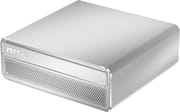
The EdgeMesa measures about 6.0 x 5.8 x 2.1 inches and weighs about 2.9 pounds, in an aluminum shell with a polished front band, an embossed MSI logo, and a perforated intake grille. The front carries no ports. The rear panel holds four USB-C ports at 20Gbps, a full-size HDMI 2.1 output (4K at 120Hz or 8K at 60Hz per MSI), a 10GbE RJ45 jack on a Realtek RTL8127 controller, and a Kensington lock slot. One of the four USB-C ports is the power input for the 240W USB-C adapter, and the other three carry DisplayPort alt mode, which with HDMI gives MSI’s four-display support. Wireless is Wi-Fi 7 and Bluetooth 5.4 on an AzureWave module.
That port list is short for a desktop. StorageReview wrote, “There is no USB Type-A port and no audio jack, so a hub or dock is needed for most desks.” HotHardware ran into the same limit: “we immediately filled all of the ports with a keyboard, mouse, and external SSD and we suspect most users will do the same.” The networking is also simpler than on NVIDIA’s own DGX Spark and MSI’s EdgeXpert MS-C931, which add ConnectX-7 QSFP ports to link two units; the EdgeMesa has one 10GbE port and no USB4 or Thunderbolt.
The RTX Spark N1X at 140 watts
The chip is NVIDIA’s desktop RTX Spark N1X: 10 Cortex-X925 performance cores and 10 Cortex-A725 efficiency cores, a Blackwell RTX GPU with 6,144 CUDA cores, fourth-generation RT cores, and fifth-generation Tensor cores, and a 256-bit LPDDR5X interface. NVIDIA rates it at 1 petaflop of AI performance, which MSI specifies at FP4, a peak figure rather than a measured one. It scores 41,617 on PassMark’s CPU Mark list. NVIDIA lists the laptop N1X at 45 to 80 watts and the desktop at 140 watts, and MSI says its AI Pulse cooler, a vapor chamber with dual fans, sustains that 140 watts for round-the-clock agent work. The desktop version has no NPU listed in NVIDIA’s specifications, where the laptop chips do.
MSI lists 273 GB/s of memory bandwidth. How-To Geek put it at about 300GB/s and noted that an RTX 5090 moves about 1.8TB/s. So a model that fits in a high-end graphics card’s VRAM produces tokens faster on that card, while the EdgeMesa can hold much larger models in its shared pool. On the 128GB build, ETA PRIME’s NVIDIA app slider went up to 96GB for the GPU (How-To Geek reports up to 105GB), and StorageReview measured the default allocation at 62.5GB of dedicated GPU memory on the 128GB systems against 30.5GB on the 64GB ones. Both builds use the same chip and memory speed, so choose by the size of the models you need to fit.
Storage is one M.2 slot running at PCIe Gen5 x4. StorageReview found that “the 4TB Samsung module in our unit is the short M.2 2242 format,” which narrows the replacement options compared with the common 2280 length. That drive read at 13,315MB/s and wrote at 12,910MB/s in their test, at least twice the rate of the Gen4 drives in the ASUS ProArt GR1X and the XPS 16 they tested alongside it.
Windows and CUDA without Linux
The EdgeMesa ships with Windows 11 Pro on Arm, and x86 programs run through Microsoft’s Prism translation layer. That is the main reason it is a different purchase from the Linux-based GB10 boxes such as the ASUS Ascent GX10: you get Windows, CUDA, and NVIDIA’s Studio and Game Ready drivers, but software that has no Arm build runs emulated or not at all. How-To Geek listed no official Linux option as a con and said some anti-cheat systems will not run, though XDA wrote that running Windows games, including ones that need anti-cheat, was a plus. If your work depends on x86-only tools, an AMD Ryzen AI Max+ 395 box such as the GMKtec EVO-X2 keeps everything native, with less GPU speed for image work. Our overview of the DGX Spark and local AI hardware in 2026 and our roundup of mini PCs for running local LLMs cover the AMD and Apple alternatives.
Reviewer Insights

Reviews appeared on November 18 and 19, 2026, from several outlets that tested the 128GB, 4TB configuration. XDA notes that NVIDIA supplied its unit.
ETA PRIME
ETA PRIME spent a couple of days with the EdgeMesa for a first-look video. On cooling he said, “I’ve had this thing maxed out for at least two hours straight at 130 to 140 watts, and it never once sounded like a jet engine,” and added, “It’s actually really quiet, even at those higher wattages.” He set the memory split to 64GB for the GPU and 64GB for the system in the NVIDIA app, and ran a local agent, a document-reading model, and ComfyUI image generation with Wi-Fi off and Ethernet unplugged to show the work stays on the machine.
In 3DMark Time Spy he measured 14,086 against an average of about 13,255 for an RTX 5070 laptop, and 3,453 in Steel Nomad against about 2,944. Geekbench single-core came in below the Ryzen AI Max+ 395, while multi-core came out well ahead. Cyberpunk 2077 at 1440p high with DLSS Quality and multi-frame generation ran in the low 60s. He also saw problems in Forza Horizon 6: “I still notice a few hiccups here or there,” which he put down to the Prism layer, and he said of the platform, “I think the translation layer between Windows and ARM right now isn’t 100%.” He wished MSI Center offered the TDP controls MSI’s x86 systems have.
StorageReview
StorageReview compared the EdgeMesa with two RTX Spark laptops and the ASUS ProArt GR1X. Brian Beeler concluded that “The desktop chassis is worth 4 to 11 percent in sustained CPU work,” and measured 8 to 13 percent faster x265 encoding and 18 to 25 percent more output when eight requests hit a 27B model. The CPU averaged 88.4C across a 30-minute loop against 97C for the laptops. The review also lists the downside: “The limits are peak CPU readings above 100C in a few tests and a single M.2 2242 slot.” Short tasks showed no gain: “Single-request AI work and short tasks run essentially the same on all four,” and “Image generation is the one AI test where the EdgeMesa trailed the laptops.” The laptops ran an earlier release of StorageReview’s test suite, and the GR1X, on the current release, matched the EdgeMesa, which the review says suggests the suite release caused the gap.
How-To Geek
Patrick Campanale at How-To Geek scored it 8/10 and wrote, “After just a week with the MSI EdgeMesa, I have now moved all of my local AI workload to the EdgeMesa and its RTX Spark with 128GB of RAM.” Against a Strix Halo machine, it generated 65.7 tokens per second in a 35B Qwen mixture-of-experts model versus 62.3, processed prompts on a 70B Llama model at 382.9 tokens per second versus 148, and made an SDXL 1024px image in 21.9 seconds versus 37.7. He found it “essentially whisper-quiet” and ran Forza Horizon 6 at 1440p on the extreme preset at over 60 FPS without frame generation. His objection was the platform: “Windows on Arm is the single reason why I couldn’t make the EdgeMesa my main desktop, as I rely on too many apps and features that aren’t native on Arm yet, and I really don’t want to have to deal with the emulation that comes with running x86 apps on Arm.” He also wrote, “I really wish there were more port options here, or at least one faster port option to link multiple RTX Sparks together to run larger models, but it’s just not possible here.”
HotHardware
HotHardware called it “a gorgeous NVIDIA RTX Spark-powered mini workstation that packs serious horsepower into a compact, sleek, premium chassis,” and added, “It is downright tiny, has impeccable build quality, excellent cooling and its out-of-box experience is top notch.” Its pros list named the quiet, cool running, leading AI performance, and faster performance than the mobile RTX Spark chips. Its cons were limited external I/O, low random 4K storage performance, and Windows-on-Arm compatibility concerns.
XDA Developers
Joe Rice-Jones at XDA also scored it 8/10. His unit scored 3,033 single-core and 19,249 multi-core in Geekbench 6, and 13,776 in 3DMark Time Spy. On noise he wrote, “I couldn’t tell if the fan was on or not, and temperatures in HWINFO64 stayed low.” On gaming he was measured: “No, it’s not a gaming behemoth.” He listed the lack of ConnectX-7 networking and the rough edges of Windows on Arm as cons, and he credited the machine with changing how he works: “I’m hooked on running local agents, fully offline, with the added privacy that creates, and my workflow has changed as a result.”
Wccftech
Wccftech praised the graphics side and wrote, “GPU performance is where NVIDIA’s RTX Spark really flexes its muscles.” Hassan Mujtaba wrote that “MSI has done an exceptional job with the craftsmanship,” and listed the price, a CPU that still lags x86 chips in some workloads, and only four USB ports as the cons. The review ran the system at its full 140W rating and found MSI’s cooling quiet in both gaming and AI work.
Should you buy it?
The EdgeMesa fits a Windows user who wants to keep large language models, image generation, and local agents running on their own desk, and who wants CUDA without moving to Linux. Start with the 64GB build unless a model you already plan to run needs more than it can hold; the 128GB build adds a 4TB SSD along with the memory, at a much higher list price.
Skip it if you rely on x86-only software or on games whose anti-cheat does not run on Arm, want Linux as the main system, or plan to link several units for larger models: the NVIDIA DGX Spark and ASUS Ascent GX10 run Linux and carry ConnectX-7 ports for that, and the GMKtec EVO-X2 keeps x86 compatibility. Our Mini PC Comparison Chart lists the rest of the field.
Frequently Asked Questions
What processor does the MSI EdgeMesa N AI+ use?
It uses the desktop NVIDIA RTX Spark N1X: a 20-core Grace CPU with 10 Cortex-X925 and 10 Cortex-A725 cores, and a Blackwell RTX GPU with 6,144 CUDA cores on the same chip. Its 140-watt desktop rating is well above the 45 to 80 watts laptops give the same chip.
Can I upgrade the memory or storage in the EdgeMesa N AI+?
The memory cannot be upgraded. The LPDDR5X is soldered and comes as 64GB or 128GB, so choose at purchase. Storage is one M.2 slot at PCIe Gen5 x4 that ships filled with a 1TB or 4TB drive, and StorageReview found it takes the short M.2 2242 length, so a replacement must be a 2242 drive.
What ports does the MSI EdgeMesa N AI+ have?
There is no USB-A port, no audio jack, no card reader, and no USB4 or Thunderbolt. The back panel has four 20Gbps USB-C ports (one is the power input, three carry DisplayPort), an HDMI 2.1 output, and a 10GbE jack. The three DisplayPort USB-C ports and the HDMI output drive up to four displays. Wireless is Wi-Fi 7 and Bluetooth 5.4.
Does the EdgeMesa N AI+ run Linux?
It ships with Windows 11 Pro on Arm, and How-To Geek listed the lack of an official Linux option as a con. The DGX Spark and other GB10 systems ship with NVIDIA DGX OS, a Linux system.
Is the MSI EdgeMesa N AI+ loud?
Reviewers found it very quiet. ETA PRIME ran it at 130 to 140 watts for two hours and said it never sounded like a jet engine, How-To Geek called it essentially whisper-quiet, and XDA could not tell whether the fan was on. MSI’s spec sheet lists noise levels of 28 at idle and 32 at full load without naming a unit. StorageReview did record CPU peaks above 100C in a few tests, with an 88.4C average over a 30-minute loop.
Can it play games?
Yes, with limits. ETA PRIME measured 3DMark Time Spy and Steel Nomad scores above the average RTX 5070 laptop and ran Cyberpunk 2077 at 1440p high in the low 60s with DLSS and frame generation, and How-To Geek ran Forza Horizon 6 at 1440p above 60 FPS without frame generation. x86 games run through emulation, ETA PRIME saw occasional stutter in Forza Horizon 6, and How-To Geek notes that some anti-cheat systems will not run.
What is the difference between the X-005US and X-006US models?
The X-005US has 128GB of unified memory and a 4TB Gen5 SSD; the X-006US has 64GB and a 1TB Gen5 SSD. Both use the same RTX Spark N1X chip, chassis, and ports. The extra memory sets how large a model the GPU can hold, and the 4TB drive leaves room for more model files.
What comes in the box?
ETA PRIME’s unit came with the EdgeMesa itself, a user manual, and a 240W USB-C power supply that plugs into one of the rear USB-C ports.