
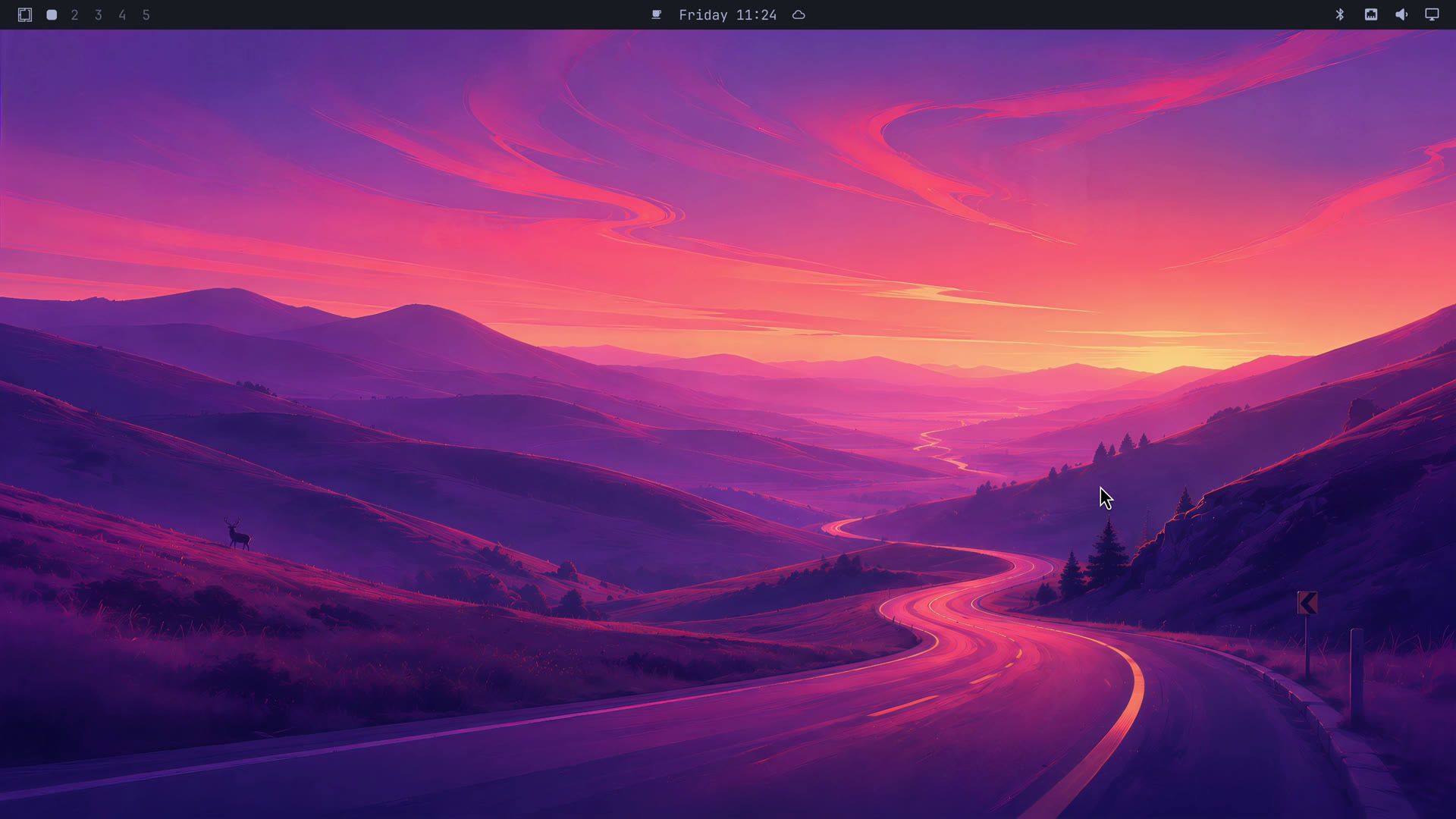
Omarchy looks like one finished product: tiled windows, a thin bar across the top, and bright color themes you switch with one menu entry. Under that, it is a stack of separate projects. Omarchy comes from David Heinemeier Hansson (DHH), the creator of Ruby on Rails. At the start of his Omarchy 4 launch video, he calls it “a beautiful, modern, and opinionated Linux system built on top of Arch, Hyprland, and now Quickshell.”
The layers and numbers in this guide are from release 4.0.4. Release 4.0.5, a fix release, came out on October 17, 2026, and the text notes each place where it changed something. Release 4.0.6 followed on October 19 with fixes for problems some users hit after 4.0.5, mostly updates that stopped partway through.
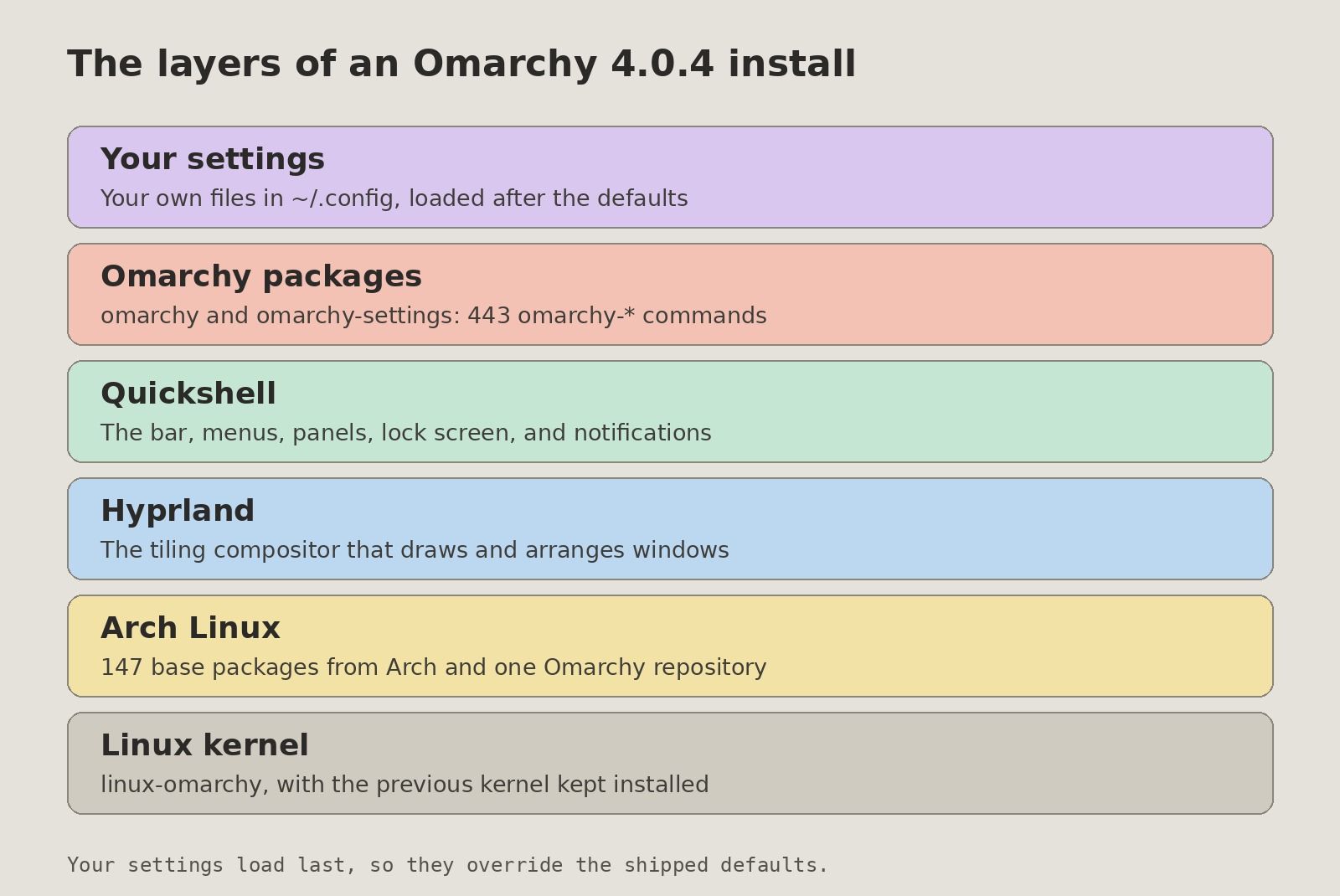
The layers, from Arch Linux up to your settings
Arch Linux is the base
At the bottom is Arch Linux, the distribution everything else is built on. Arch is popular with people who like to build and customize their systems by hand: a plain Arch install gives you a command line and leaves the rest of the choices to you. Omarchy makes those choices and does that setup work for you. You install it from one ISO and get a finished desktop.
Hyprland draws the windows and Quickshell draws the desktop
Hyprland runs on top of Arch. It is a tiling compositor: the program that draws every window and arranges them side by side, with nothing overlapping. Omarchy does not build its own copy. The hyprland package is Arch’s own build from its extra repository, which Omarchy serves through its own mirror.
On its own, Hyprland comes bare. When DHH launched Omarchy in 2025, he wrote on his blog that “You have to figure out everything yourself. Even how to get a lock screen or idle timing or a menu bar or bluetooth setting or… you get the idea.” Quickshell supplies those parts. It is a toolkit for building a desktop’s bar, menus, and panels, and in Omarchy 4 it draws all of them: the bar, the launcher, notifications, on-screen pop-ups, control panels, and the lock screen, all in one long-running process.
Omarchy’s own code ships as packages with 443 commands
Omarchy’s 4.0.4 base package list has 147 packages, the separate pieces of software that make up the system. Of those, 127 come from Arch’s own repositories. The other 20 come from one extra repository that the Omarchy project runs itself, which holds its own apps (Omawrite, Omacut, Omacalc), some fonts, and prebuilt copies of tools such as the yay helper. Since 4.0.5, pacman checks the Omarchy repository before Arch’s, so a package that both carry, such as quickshell, now comes from the Omarchy build.
None of the base packages come from the AUR, the Arch User Repository of community build scripts. That has been true since Omarchy 2.0, which added the project’s own repository as a replacement. DHH still repeats it on X: “Omarchy doesn’t use AUR for install or any of its recommended options.” A default install builds nothing from community scripts: every package arrives prebuilt from Arch’s repositories or the Omarchy one.
The project’s own scripts ship in two ordinary Arch packages, omarchy and omarchy-settings, and install into /usr/bin, where programs live, each named omarchy- and then what it does. Release 4.0.4 has 443 of them, and 438 are bash scripts. Most of the other files live in one system folder, /usr/share/omarchy.
You rarely type those script names. A single omarchy command routes to them, so omarchy theme set runs the omarchy-theme-set script. For people who prefer menus, the Omarchy menu opens with Super and Space; it also searches your apps, and all 333 of its entries are defined in one file. The six shortcuts to learn first start with that menu.
Omarchy 4.0.4 ships its own kernel
Below Arch sits one more layer, the Linux kernel, the core that talks to the hardware. Release 4.0.4 installs the project’s own kernel, linux-omarchy, and makes it the default boot entry on every x86 PC except Intel T2 Macs, which keep their own kernel. Release 4.0.5 moved it to Linux 7.2.8 with the BORE scheduler. The 4.0.4 release notes say it is “tuned to keep the desktop responsive and multitasking smooth, even under heavy load or memory pressure.”
On machines that update to 4.0.4, the previous kernel stays installed, so you can pick it from the boot menu if the new one cannot boot on your machine. The kernel’s lead developer, Krzysztof Wilczyński, was the first full-time hire of the foundation behind the project.
Your settings load after the defaults
Your own settings are the top layer. Hyprland’s main config file (written in Lua, a small scripting language, since version 4) reads Omarchy’s shipped files first, then the files in your ~/.config/hypr folder. A comment in the file itself says your overrides are “loaded after Omarchy’s defaults so package updates can improve the defaults without rewriting your ~/.config/hypr files.”
New defaults do not reach your existing config files on their own. The project’s file layout notes say existing users who want them must run a resync command, and a resync resets your files to the defaults, so copy out anything you changed first. A few system files under /etc work the other way. Files such as nsswitch.conf and faillock.conf are copied over on every omarchy-settings upgrade, and any edits you made to them are lost.
Why Omarchy is built this way
DHH moved from Ubuntu to Arch to stop fighting the platform
Omarchy is DHH’s second try. The first, Omakub, arrived in June 2024: a script that turned a fresh Ubuntu 24.04 install into a full web development setup. Ubuntu lacked many of the tools he wanted. He wrote on X that “I had to monkey package a million tools myself in sorta janky ways. Arch really solves this.” On the Omakub page of the Omarchy site, he says the ideas he cared about, tiling and a keyboard-first desktop, “kept fighting the platform instead of flowing from it.”
He compared Ubuntu to building blocks when he talked with Mischa van den Burg: “if I want the perfect computer, I have to start from the smallest Lego blocks. And the blocks that Ubuntu gave me were not small enough. They were Duplos, not Legos.” Arch, with its small packages and nothing preset, gave him those smaller blocks.
Omarchy is built around keyboard-driven tiling
He released Omarchy in June 2025 and described it as an “opinionated setup of the Arch Linux distribution and the Hyprland tiling window manager.” Each new window takes a share of the screen, and the keyboard moves you between them. DHH calls tiling window managers “an acquired taste like champagne or coffee.” He told NetworkChuck that it is “a really alien way of using a computer if you’re used to using a mouse and dragging little windows around, but once you get the hang of it, it’s like a superpower.” If you come from a mouse-first desktop, expect a period of getting used to it.
Strong defaults, with the options still there
“Opinions are about defaults, not options,” DHH wrote on X. Out of the box that means the foot terminal, the Chromium browser, the Neovim editor, and HEY for email links. In his launch video he uses the Japanese word omakase, the meal where the chef picks every course, and says that once it is installed “you can tweak it exactly how you like it,” with a reset to his defaults if you make a mistake.
You can swap the terminal, the browser, or the theme (the Aether app even makes one from a photo); you do not have to choose any of them on day one. The Remove menu takes out the apps you do not want, one at a time or all of the preinstalled apps at once.
AI coding agents are built into version 4
No agent is set by default; you pick which one to use. Agents launched from the menu or a keybinding “run unattended”, which means they act without stopping to ask you first. Since 4.0.1, Claude and Codex start in an auto-review mode instead of a full bypass. DHH told Mischa van den Burg that “Linux is the perfect fit for AI. Everything is a CLI, everything is a config file, everything can be scripted.” Plugins can add more, such as five AI plugins for search, chat, and agent tools.
Omarchy is for people moving from Windows and Mac
“Omarchy wasn’t built to win over existing Linux users,” DHH posted. “It was built to grow the pie.” In the launch video he calls it “a mission to give people on Windows and Mac a different, better, more malleable alternative as their operating system.” If you already run a hand-tuned Arch or Hyprland setup, Omarchy mostly gives you someone else’s choices for things you have already decided.
Version 4 rebuilt the desktop and moved Omarchy into packages
Version 4.0 came out on August 14, 2026, about 14 months after the first release, and DHH called it “one of the greatest software releases in my professional career.” He said on X that Omarchy 4 was downloaded more than 300,000 times in its first month, a figure from the project, not an outside count.
The biggest change was the desktop. Before 4.0, eight programs handled it: Waybar for the bar, Walker for the launcher, Mako for notifications, SwayOSD for volume pop-ups, and hyprlock, hypridle, swaybg, and polkit-gnome for the lock screen, the idle timer, the wallpaper, and password prompts. Version 4.0 replaced all eight with one Quickshell process, the 4.0 release notes say. That process starts with Hyprland, and a launcher script restarts it if it exits with an error; after more than five restarts in a minute, it gives up. In 4.0.4 the shell is nearly 42,000 lines of code, and version 3 had almost none of it, so nearly all of it is new.
Every part of that shell is a plugin. Omarchy ships 23 of them built in, and anyone can add more from a link to the plugin’s code. The project reported that over a thousand plugins were created in the first week after the launch. Plugins run as your user with no sandbox, so read a plugin’s code before you install it, or have an AI coding agent read it for you.
Version 4 also changed where Omarchy lives on your disk. Up to version 3, it was a downloaded copy of the code in a hidden folder in your home directory. Version 4 moved it into system packages, “for safely separating user modifications,” in the release notes’ words. Since 4.0 you install it only from an ISO, the disk image you write to a USB stick. The release notes say installs got about 30 percent faster and the ISO shrank by over a gigabyte. Moving from version 3 is opt-in, through the Update menu.
Before you boot that USB stick, turn off Secure Boot, a PC setting that starts only signed software; the manual says you must. Arch has the same limit. It does not ship a boot loader signed with Microsoft’s key, which most PCs need to boot with Secure Boot on, and the Arch wiki says “The official installation image does not support Secure Boot.” Ubuntu, Fedora, openSUSE, and Debian since version 10 install with it on. If your workplace requires Secure Boot, Omarchy is not an option on that machine.
omarchy update takes a snapshot before it changes anything
Updates run through one command, omarchy update, which needs at least 10 GiB of free space. It first saves a snapshot, a copy of the system files as they are at that moment. Then it updates the packages and runs migrations, small scripts that fix up existing installs; 4.0.4 carries 106 of them.
The usual Arch upgrade command, sudo pacman -Syu, does not run here. A pacman hook, a check that runs before the upgrade starts, blocks it with a message that begins “Woah partner…” and points you back to omarchy update. An environment variable, OMARCHY_ALLOW_DIRECT_PACMAN=1, gets past the hook when you need it, but then you skip the snapshot and the migrations.
If an update goes wrong, you can go back. Snapper, the snapshot tool, keeps the last five snapshots, all taken at update time. The Limine boot menu lists them, so you can start the computer as it was before the update. That rollback has been there since version 2.0. You can also make a snapshot yourself and boot it from Limine before a risky change.
There are four update channels: stable, a release candidate channel, edge, and dev. The channel script describes dev as “exclusively intended for developers working on Omarchy itself.” Stay on stable unless you want to test new work before it ships.
DHH writes most of the code, and a foundation pays for it
The code started on June 1, 2025, with one commit from DHH of 836 lines. By 4.0.4 it had grown to about 140,000 lines, about 170 times the size of that first commit. DHH still makes most of the commits, about 72 percent of the history behind 4.0.4, and Ryan Hughes is second with about 12 percent. The history behind 4.0.4 names 518 authors, and the development branch named 605 by mid-October. Nearly 800 commits on the development branch also name an AI model as a co-author, most often Claude, and DHH has said that version 4 “has almost exclusively been built by agents.”
DHH posted in August 2026 that it “was never sustainable with just Ryan and me running everything.” A core team formed that month, including Ryan Hughes and Tobi Lütke, and later added a kernel lead, a lead for the shell, and a head of security. ThePrimeagen, one of the hosts of The Standup podcast, joined in September to lead testing with AI agents that boot the desktop in virtual machines and drive it the way a person would.
The Omacom Foundation, a nonprofit that launched on August 21, 2026, handles the money. It holds the trademarks and pays for infrastructure and for the open-source developers the project depends on. As of mid-October 2026, its page lists about $23.7 million in pledges and donations, including $1.5 million in Grok tokens from SpaceX’s AI arm, with DigitalOcean, Alibaba Cloud, Meta Superintelligence Labs, and OpenAI among the corporate patrons. Some of that money goes to the layers underneath: the foundation is the exclusive sponsor of Hyprland and its creator, Vaxry, for three years.
Critics call it dotfiles and fragile scripts
Dotfiles are the hidden config files people keep for their own setups, and several critics on X say that is all Omarchy is. One post called it “just an Arch installer + a Hyprland rice + DHH’s favorite apps preinstalled,” where a rice is a custom desktop look. Christian Lempa wrote that “It’s Arch, a tiling compositor, and someone else’s defaults with a famous name on the ISO.” DHH has conceded that the dotfiles label “wasn’t entirely wrong at the time.” On the Tech Over Tea podcast he applied it to his own machine: “I don’t have dot files anymore. The dot files is the distro.”
The project has changed since the label first stuck: version 3 was a copy of the code in your home folder, and version 4 is system packages, a desktop of about 42,000 lines, and an ISO installer. DHH also says his audience is not the crowd Arch first drew. He told Lex Fridman that the people first attracted to Arch “were the ones who were attracted to building everything by hand themselves,” and that he is “building the polar opposite of that.”
Another critic wrote that version 4 “moved the pretty bits into one Quickshell process, but the glue that installs, updates, migrates, and pokes the hardware is still just a pile of fragile scripts and no real interfaces.” The count supports the description: 438 of the 443 commands in 4.0.4 are bash scripts. Shantanu Goel called it “a lot of hype for ai slop wrappers,” a charge that leans on the AI co-author count above.
Security defaults changed after the 4.0 launch
Up to 4.0.0, the installer put you in the docker group, and a post with over 2,000 likes from @sammwy, in Spanish, warned that this let a local user get root. Membership in that group amounts to full control of the system; the opt-in script now labels it “root-equivalent!” Release 4.0.1, mostly security fixes checked by a new security team, made it opt-in.
The project’s package repository also accepted packages without a signature, the digital stamp that proves where a package came from. Shantanu Goel criticized that in the same post. Release 4.0.2 made signatures required. Since then, the foundation has funded a $100,000 bug bounty that pays people who report security holes.
The stable release runs on x86 PCs, with Apple and Snapdragon support in development
Support for Macs with Apple’s own chips is not finished, but Omarchy M, a separate installer, can already put Omarchy next to macOS on an M1 or M2 Mac. Other changes are in development for a future version: support for laptops with Qualcomm Snapdragon chips, a dock for floating workspaces, and the desktop translated into 50 languages. None of them are in the current stable release, so the standard ISO is for x86 PCs and Intel Macs. The Omarchy 4 hardware guide lists the mini PCs and laptops that run it cleanly and what the new kernel changed for them.
Omarchy is a finished Arch desktop you can still make your own
If you would rather pick every piece yourself, plain Arch with Hyprland is the same base without the defaults.


