

A Mac mini and a Mac Studio can cost the same $2,499, so the choice comes down to what the Studio’s bigger chip, larger cooler, and extra ports do for your work. The 2026 Mac mini runs either the M6 or the M5 Pro in a 5-inch square box. The 2026 Mac Studio runs either the M5 Max or the M5 Ultra in a 7.7-inch square box. Apple announced the new Mac mini and the new Mac Studio on August 25, 2026, and both went on sale September 22.
The current Mac mini and Mac Studio side by side
Each column shows Apple’s US starting price from its September 22 announcement and the base configuration from Apple’s Mac mini and Mac Studio spec pages, with the most you can order in parentheses.
| Mac mini M6 | Mac mini M5 Pro | Mac Studio M5 Max | Mac Studio M5 Ultra | |
|---|---|---|---|---|
| Apple starting price | $899 | $1,699 | $2,499 | $5,499 |
| CPU cores | 12 | 15 (up to 18) | 18 | 30 (up to 36) |
| GPU cores | 12 | 16 (up to 20) | 32 (up to 40) | 64 (up to 80) |
| Memory | 16GB (up to 32GB) | 24GB (up to 64GB) | 36GB (up to 128GB) | 96GB (up to 512GB) |
| Memory bandwidth | 153GB/s, 170GB/s from 24GB | 307GB/s | 460GB/s, 614GB/s with the 40-core GPU | 1.2TB/s |
| Storage | 256GB (up to 2TB) | 512GB (up to 8TB) | 512GB (up to 8TB) | 1TB (up to 16TB) |
| Back ports | 3 Thunderbolt 4, HDMI, Ethernet | 3 Thunderbolt 5, HDMI, Ethernet | 4 Thunderbolt 5, 2 USB-A, HDMI 2.1, Ethernet, headphone jack | Same as M5 Max |
| Front ports | 2 USB-C (10Gb/s), headphone jack | Same as M6 | 2 USB-C (10Gb/s), SD card slot | 2 Thunderbolt 5, SD card slot |
| Ethernet | 2.5Gb (10Gb for $100 more) | 2.5Gb (10Gb for $100 more) | 10Gb | 10Gb |
| External displays | Up to 3 | Up to 3 | Up to 5 | Up to 8 |
| Size | 5 x 5 x 2 inches | 5 x 5 x 2 inches | 7.7 x 7.7 x 3.7 inches | 7.7 x 7.7 x 3.7 inches |
| Weight | 1.5 pounds | 1.6 pounds | 6 pounds | 8 pounds |
Every model has Wi-Fi 7 and Bluetooth 6 through Apple’s N1 chip. Memory is part of the chip package on all four, so the amount you order is the amount you keep. Storage is fixed on the Mac mini. The Mac Studio’s SSD is a removable module. Apple lists replacement modules only as repair parts and sells no storage upgrades, and Macworld wrote that upgrading it yourself is possible but “not a simple task.”
The price ranges overlap from $2,499 to about $6,800
A fully loaded Mac mini (the 18-core M5 Pro with 64GB of memory, 8TB of storage, and 10Gb Ethernet) costs about $6,800, more than a base M5 Ultra Mac Studio. The Mac Studio starts at $2,499, the same price as an 18-core M5 Pro Mac mini with 48GB of memory. The prices below add Apple’s US upgrade prices, as tabulated by Daring Fireball, to Apple’s starting prices.
| What you want | Mac mini | Mac Studio |
|---|---|---|
| $2,499 | M5 Pro, 18-core CPU, 20-core GPU, 48GB, 512GB | M5 Max, 18-core CPU, 32-core GPU, 36GB, 512GB |
| 64GB of memory, 512GB SSD | $2,699 (15-core M5 Pro) | $3,499 (M5 Max, 40-core GPU) |
| 64GB of memory, 1TB SSD, top chip | $3,199 (18-core M5 Pro) | $3,799 (M5 Max, 40-core GPU) |
| 128GB of memory | Not offered | $5,099 with 512GB, $5,399 with 1TB |
At $2,499, the Mac mini gives you 12GB more memory. The Mac Studio gives you 12 more GPU cores, 50 percent more memory bandwidth, a second video encode engine, a fourth Thunderbolt 5 port, two USB-A ports, an SD card slot, and 10Gb Ethernet, which costs $100 extra on the mini. In an r/MacStudio thread titled “Why a Mac Mini is a bad purchase compared to Studio”, u/vimaillig wrote that for a buyer moving up to the M5 Pro range, “the m5 max studio is the better option for price to performance on the base model configuration.” u/NoProblemMrAI gave the other side in the same thread: “I need 48gb ram more than the compute delta between the m5 pro on the Mac mini vs m5 max on Studio.”
The base M5 Max comes only with 36GB of memory. Any other amount requires the 40-core GPU, which adds $600 and moves you to 48GB. That is why the Mac mini reaches 64GB for $800 less than the Studio. At the top, Apple’s prices put a 128GB M5 Max with a 1TB SSD at $5,399, only $100 under the M5 Ultra with 96GB, a doubled chip, and 1TB. GregsGadgets pointed out that gap and advised buyers who do not need 128GB in one machine to take the Ultra.
The Mac Studio’s GPU and second encoder speed up exports and renders
The CPU gap between the two lines is small, and the GPU gap is large. The M5 Pro and M5 Max use the same CPU core design, so single-core speed, which most everyday tasks depend on, is close. Adam Talks Tech tested the base M5 Pro Mac mini (15-core CPU, 16-core GPU, 24GB) against the base M5 Max Mac Studio (18-core CPU, 32-core GPU, 36GB). He measured Geekbench single-core scores only about 6 percent apart, 3,741 for the Studio and 3,513 for the mini. In GPU benchmarks the Studio scored close to double the mini.
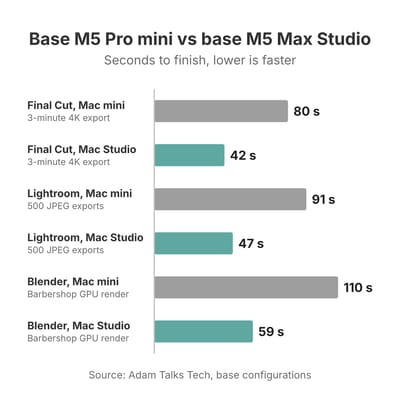
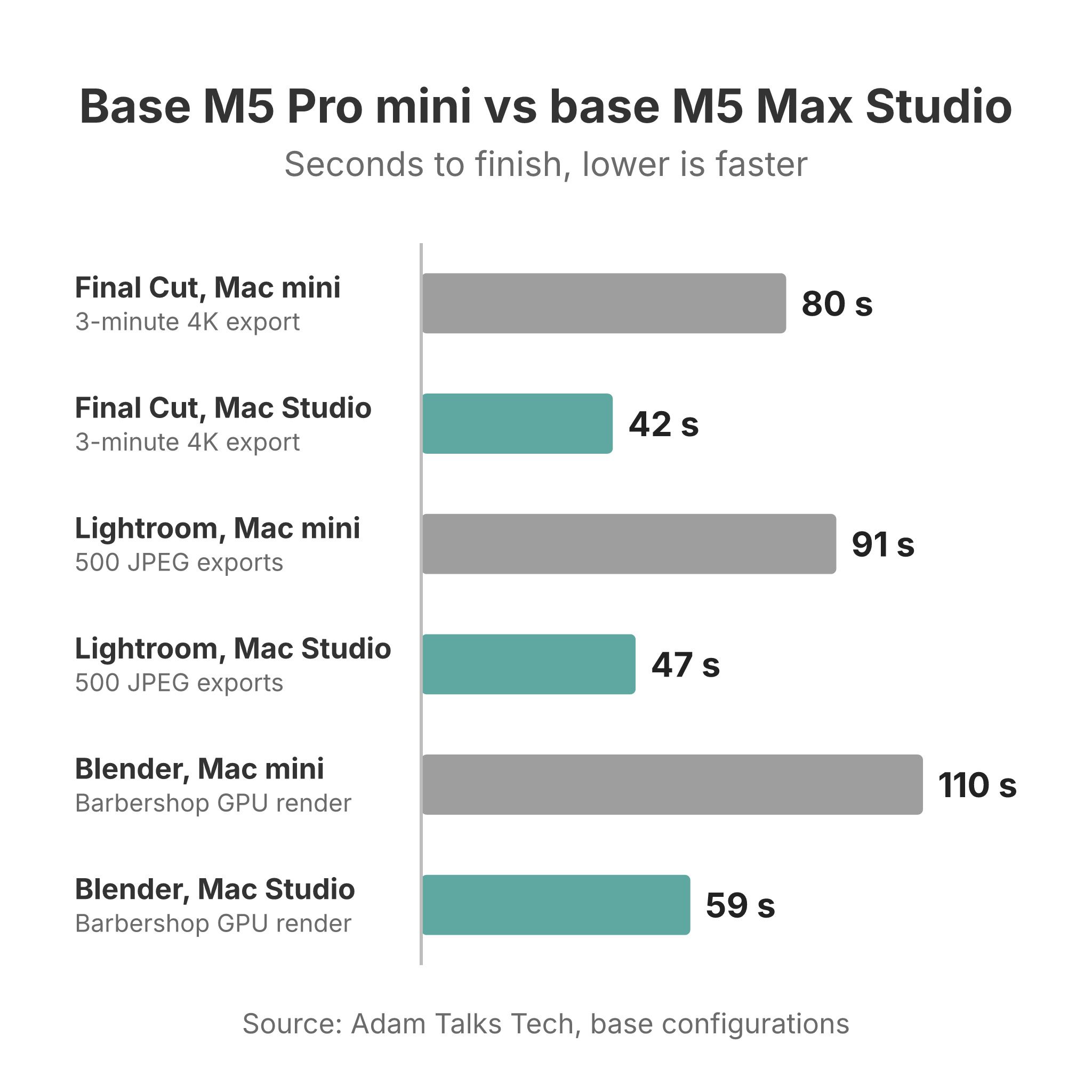
In Adam’s tests, a 3-minute 4K Final Cut Pro project exported in 42 seconds on the Studio and 1 minute 20 seconds on the mini, since the M5 Max has two video encode engines to the M5 Pro’s one. The Studio played 29 stacked 6K clips on a timeline against 12 on the mini, which matters for multicam editing. Exporting 500 raw photos from Lightroom Classic as JPEGs took 47 seconds on the Studio and 1 minute 31 seconds on the mini, and the Blender Barbershop scene rendered on the GPU in 59 seconds against 1 minute 50 seconds.
The gap narrows on longer and lighter jobs. Adam’s 30-minute 4K export took 10 minutes on the Studio and 13 minutes on the mini. Importing 500 raw photos into Lightroom was almost a tie (17.2 against 18 seconds), and so was Final Cut Pro’s Magnetic Mask, which runs on the Neural Engine that both chips share. Logic Pro bounced a 64-track project in about the same time on both, while a 512-track project took 1 minute 11 seconds on the Studio against 1 minute 40 seconds on the mini. An Xcode benchmark build took 82 seconds on the Studio and 105 on the mini.
Those results come from the base M5 Pro. The 18-core M5 Pro adds $200 and matches the M5 Max’s CPU core count, but its 20-core GPU is still well short of the Studio’s 32 or 40 cores. Adam’s conclusion was that the two “are going to feel exactly the same” for everyday work, and that the Studio pays off for people who export video all day, edit large multicam projects, or do 3D work.
Memory bandwidth and memory ceilings for local AI
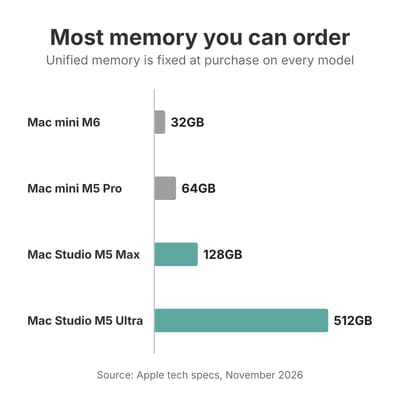
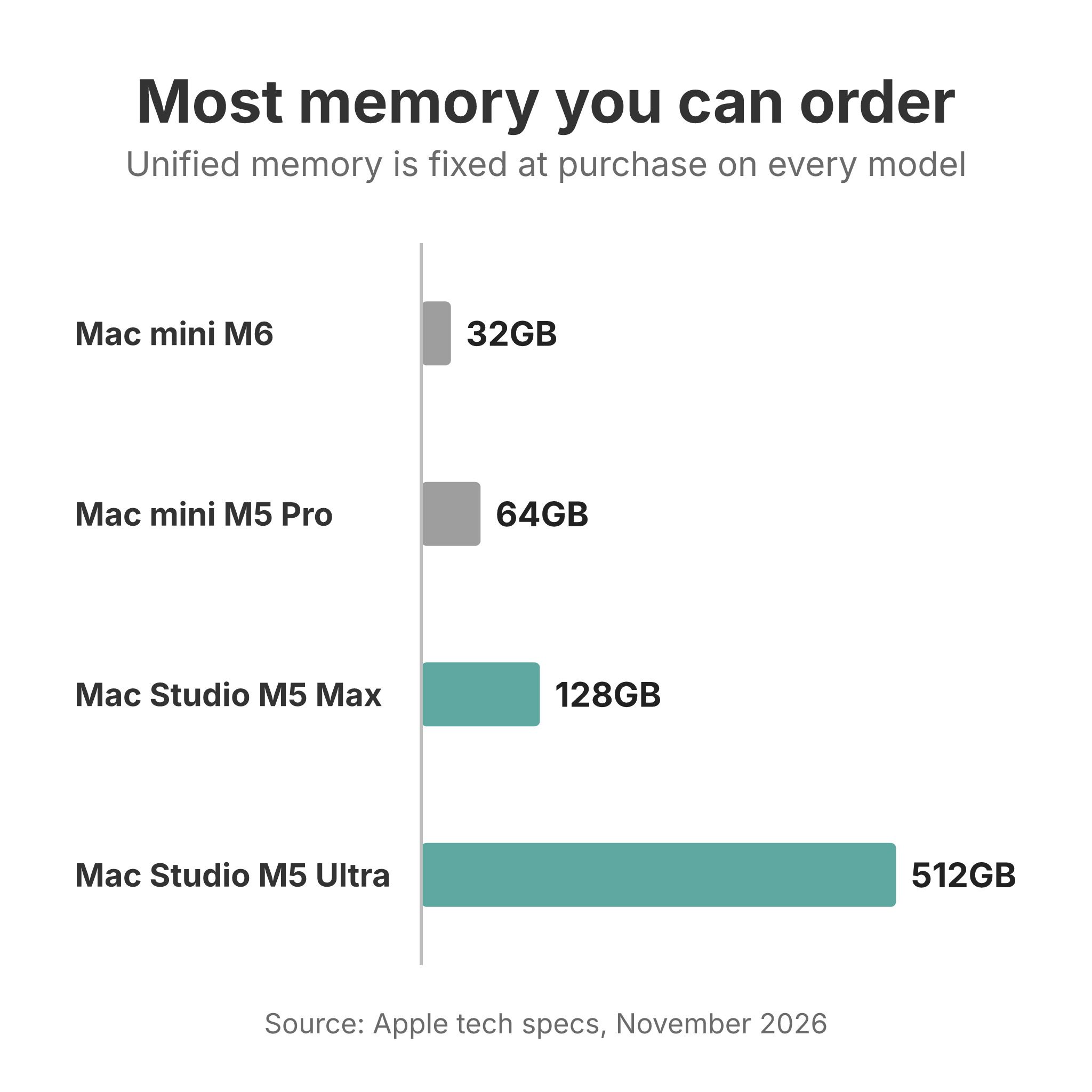
The most memory you can order rises with each model: 32GB on the M6 Mac mini, 64GB on the M5 Pro Mac mini, 128GB on the M5 Max Mac Studio, and 512GB on the M5 Ultra. Memory size sets which AI models, sample libraries, or video projects fit at all. Memory bandwidth, how fast the chip reads that memory, sets how fast a language model writes its answer. A model reads its whole set of weights from memory for every word it produces, so a chip with more bandwidth answers faster.
In Adam’s LM Studio test with a small Gemma model and a long prompt, the base Mac Studio generated 134 tokens per second and the base M5 Pro Mac mini 92, about 45 percent faster, close to the 50 percent bandwidth difference between the two chips. On the M6, Alex Ziskind ran a 27-billion-parameter model on a 32GB Mac mini at about 9.7 tokens per second, and said the same model will not work on a 16GB machine. Our M6 vs M5 Pro local AI comparison covers the Mac mini side of this in detail.
Past 64GB, only the Mac Studio is on the table. The M5 Ultra’s 1.2TB/s of bandwidth is about four times the M5 Pro’s 307GB/s, and Ziskind measured its token generation at about 1.5 times the older M3 Ultra. The reviewer at MacStories ran local models on a 256GB M5 Ultra fast enough to use them as everyday AI agents. An RTX 5090 gaming PC was still faster, both at reading prompts and at writing answers. Thunderbolt 5 also supports clustering, which pools the memory of several Mac Studios for models too large for one machine.
Local AI may not justify either machine. A model running on your desk buys privacy and offline use, and Dave2D said in his M5 Pro Mac mini video that a cloud subscription is significantly more cost effective for an average workflow. Our comparison of cloud AI and local AI hardware works through that math. If local models are an experiment rather than the job, a 32GB M6 or a 48GB M5 Pro Mac mini is enough to find out.
Cooling and noise under long heavy work
The Mac mini cools its chip with a single fan that pulls air in through the base. The Mac Studio uses two large blower fans and a heatsink that fills much of the case. Adam Talks Tech described the difference in use: the Mac mini got “significantly warmer” to the touch, he heard its fan rev several times during the heavier tests, and the Studio’s fan noise was “pretty minimal” when it ran at all. In his Cinebench multi-core runs, an M5 Max MacBook Pro scored 7,509 and the base M5 Max Mac Studio 9,417, about 25 percent more from the same chip in the larger case.
Reviewers still found the Mac mini quiet in most work. Notebookcheck found the M6 model “usually inaudible” and measured up to 42 dB(A) under its stress test. Fstoppers ran 12 back-to-back all-core encodes on an 18-core M5 Pro Mac mini, saw only 3.5 percent drift between the first and last pass, and never heard the fan. Macworld noted that the small case can get loud in high-end games.
The Mac Studio stays quiet unless its GPU runs flat out for a long time. MacStories could not hear the Studio’s fan in day-to-day use while running a local model all the time, unless its reviewer put an ear on top of the case. Under heavy GPU load, Alex Ziskind measured the M5 Ultra drawing over 400 watts, heard its fan before the older M3 Ultra’s, and found its case running warmer, and Wired listed heat as a con. By comparison, Notebookcheck measured the M6 Mac mini at up to 74 watts. If the machine will run around the clock as a home server, the M6 Mac mini costs less to power; our 24/7 power cost breakdown puts that draw in dollars per year.
Ports, displays, and size
On the back, the Mac Studio has one more Thunderbolt port than the Mac mini, plus two USB-A ports and 10Gb Ethernet as standard. On the front, it has a UHS-II SD card slot, and the M5 Ultra model turns both front USB-C ports into Thunderbolt 5. The Mac mini has no USB-A and no card reader, so older accessories and SD cards need a hub, and its front USB-C ports do not carry video. The M6 Mac mini uses Thunderbolt 4 at 40Gb/s; the M5 Pro model and every Mac Studio use Thunderbolt 5 at up to 120Gb/s, which matters for fast external SSDs and capture hardware. Our guide to external SSDs for the Mac mini covers that route around Apple’s storage prices.
Both Mac mini chips drive up to three external displays; the M5 Pro runs all three at 6K and 60Hz, while the M6 runs two at 6K and a third at 5K over Thunderbolt or 4K over HDMI. The M5 Max Mac Studio drives five and the M5 Ultra eight. In an r/macmini thread from a buyer weighing a 32GB M6 against the base Studio for two 4K monitors at up to 165Hz, u/Docster87 doubted the M6 could run both above 120Hz. Apple’s Mac mini M6 spec page says it can, listing two displays at 4K and 165Hz even with a third display attached.
Size is the Mac mini’s other advantage. At 5 inches square and 2 inches tall, it fits under a monitor stand or mounts below a desk, and at 1.5 pounds it moves between desks easily. The Mac Studio is 7.7 inches square, 3.7 inches tall, and 6 pounds (8 pounds for the Ultra). Notebookcheck and Tom’s Guide both faulted the Mac mini’s power button, which sits on the underside. PetaPixel, in turn, wished the Mac Studio’s headphone jack were on the front instead of the back.
The M6 and M5 Pro replace the M4 and M4 Pro
Apple replaced the M4 and M4 Pro Mac mini in August 2026. Its announcement calls the M4 model the previous generation of the M6 Mac mini, and the M5 Pro took the M4 Pro’s place. The 2024 Mac mini’s specifications set the old split: the M4 had a 10-core CPU, 10-core GPU, 120GB/s, up to 32GB, and Thunderbolt 4, while the M4 Pro had 12 or 14 CPU cores, 16 or 20 GPU cores, 273GB/s, up to 64GB, and Thunderbolt 5.
The new pair keeps the same shape: a base chip capped at 32GB with Thunderbolt 4, and a Pro chip with up to 64GB, more GPU cores, more bandwidth, and Thunderbolt 5. This time, though, the M6 is a newer chip generation than the M5 Pro, so the cheaper model is faster in single-core work. Notebookcheck measured the M6 at 1,468 points multi-core in Cinebench 2024 against 2,347 for an 18-core M5 Pro MacBook Pro, while the M6 led in single-core. Engadget measured the M6 16.5 percent faster than the old M4 Pro Mac mini in Geekbench 6 single-core, and the M4 Pro kept a slight multi-core edge.
In practice, the M6 suits office work, code, and photo editing, and the M5 Pro suits video exports, 3D work, larger local models, and Thunderbolt 5 storage. Skip the 24GB M5 Pro if memory is your reason to step up, since a 32GB M6 with 512GB of storage comes to $1,499 by Daring Fireball’s upgrade prices and holds more. If you were shopping for a discounted M4 or M4 Pro Mac mini, our earlier piece on the M4 and the wait for its successor covers that decision.
Which one fits your work
Office work, browsing, and code
The M6 Mac mini is our pick here. Notebookcheck wrote that the M6 “currently offers the best single-core performance you can get, period,” and single-core speed is what keeps browsers, spreadsheets, and editors responsive. PetaPixel and Alex Ziskind advised against the 256GB model, so start at 512GB. In an r/MacStudio thread from a software engineer who had bought a discounted base Studio, u/unpick wrote, “I see zero reason for you to spend the extra money on a studio” for that kind of work. The downsides are the 32GB ceiling and Thunderbolt 4, both fixed for the life of the machine.
Mac mini (2026)
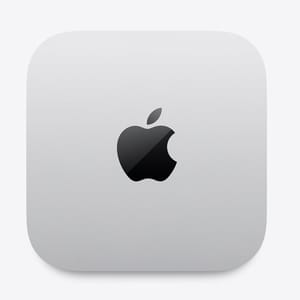
- +Single-core speed Notebookcheck called the best you can get
- +usually inaudible in Notebookcheck's testing
- +5-inch footprint
- -Memory tops out at 32GB
- -Thunderbolt 4 only
- -no SD slot or USB-A
- -storage fixed at purchase
Photo editing
Either line works, and the decision rests on batch size. In Adam’s tests, Lightroom imports and single-photo AI Denoise ran at about the same speed on both, while JPEG exports at every batch size and AI Denoise across 50 photos (3 minutes 55 seconds on the Studio, 5 minutes 10 seconds on the mini) favored the Studio. PetaPixel recommended the M5 Pro Mac mini for photographers who can afford it. The Studio’s SD card slot saves a hub.
Music production
Adam called the M5 Pro Mac mini one of the best computers for audio work, and found the Studio pulling ahead only on very large sessions: 426 MIDI tracks with plug-ins before the Studio maxed out, against 328 on the mini. He said the M5 Pro “has major improvements over the M6 without having to go all the way into the Mac Studio territory.” A 64-track Logic bounce took about the same time on both machines.
Video editing and 3D
The M5 Max Mac Studio is the one to buy if you export every day. Its second encode engine roughly halved Adam’s 3-minute 4K export, though his 30-minute export was only about a quarter faster, and its GPU halved his Blender renders. An M5 Pro Mac mini handles 4K editing when export time is not critical, at $800 less.
Mac mini (2026)
- +307GB/s memory bandwidth
- +up to 64GB of memory
- +Thunderbolt 5
- +Fstoppers measured almost no slowdown over long encodes
- -One video encode engine
- -16 or 20 GPU cores against at least 32 in the Mac Studio
- -runs warmer than the Studio under heavy load
- -the base model has only 24GB
Local AI models
Bandwidth sets how fast a model answers, and the memory ceiling sets which models load. A 32GB M6 runs mid-size models in the 27B class at a slow but usable pace, and the M5 Pro Mac mini answers faster with up to 64GB. Larger models need the Mac Studio: the 40-core M5 Max reaches 128GB at twice the M5 Pro’s bandwidth, and the M5 Ultra reaches 512GB at about four times.
Mac Studio (2026)
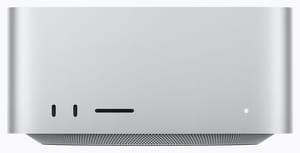
- +32 GPU cores against 16 or 20 in the Mac mini M5 Pro
- +two video encode engines
- +10Gb Ethernet
- +SD slot
- +and USB-A
- +quiet under long loads
- -The base model is locked to 36GB
- -more memory costs $600 for the 40-core GPU upgrade
- -the 512GB SSD is slower than larger ones
- -about four times the Mac mini's size
At $5,499 and up, the M5 Ultra Mac Studio is for local AI work that needs 96GB to 512GB of fast memory, and for video and 3D work billed by the hour. Engadget wrote that its lead over the M5 Max cannot justify the extra cost except for hardcore power users, and PetaPixel pointed most photo and video editors to the M5 Max.
Choosing between them
The Mac mini is enough for most desk work, and the M6 model is the better value of the two Mac mini chips for anyone who does not export video or render 3D. Move to the Mac Studio when your work keeps the GPU busy for minutes at a time, when you need more than three displays or more than 64GB of memory, or when a Mac mini configuration has climbed to the Studio’s $2,499 starting price. To compare these Macs with Windows and Linux mini PCs, see our mini PC vs Mac mini comparison and the Mini PC Comparison Tool; for sale prices on the Mac mini, see our Black Friday guide.


