

If you have already worked through the fanless versus active cooling question and landed on active cooling because you need sustained performance, one question remains open. Among boxes that have a fan, which ones stay quiet when the fan has real work to do? Reviewers do measure it, but the figure usually lands on a late page next to the power-draw chart, one review at a time, with no way to line up two boxes against each other.
So this piece does the boring thing instead. It collects the sustained-load acoustic measurements that reviewers already published, keeps them in a single comparable set, and says plainly where each figure came from. Starry Hope does not own a sound meter and does not test hardware, so every number below belongs to a named reviewer and carries their measurement conditions with it. Of the six boxes measured with the same microphone at the same distance, two land under 40 dB(A) under load, both are Beelink, and both were measured in 2024. That is what this data shows, not a ranking of every quiet mini PC on the market.
What sets the noise floor of a small box
Sustained fan noise comes down to an accounting problem. A processor under continuous load converts a steady number of watts into a steady amount of heat, and the chassis has to move all of it out or the chip throttles. External surface area, heatsink mass, and the volume of air inside the case all shed heat without help, and every bit of that reduces how hard the fan has to work. Strip those away and the fan has to make up the difference by spinning faster, which is where noise climbs steeply.
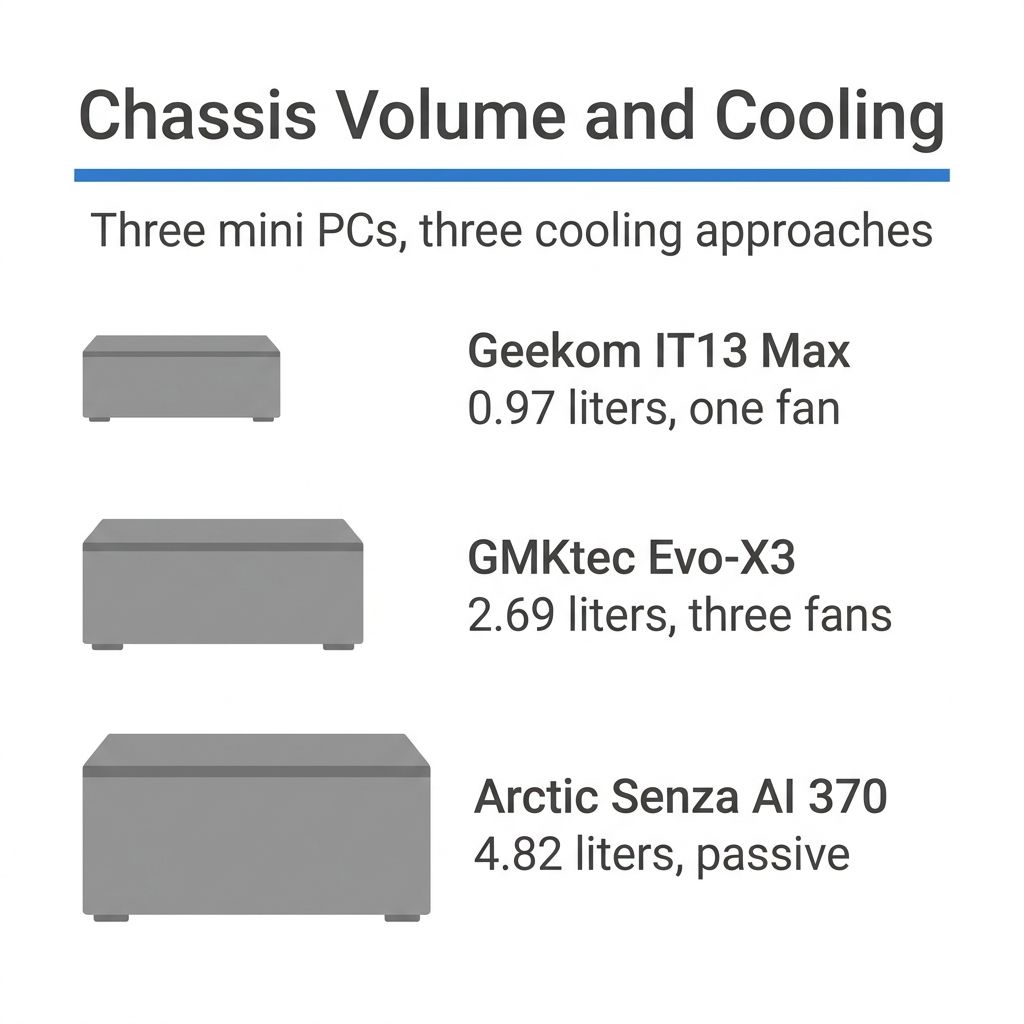
Fan diameter matters as much as fan count. A large fan moves a given volume of air at low rotational speed, where blade-tip velocity is low and the sound it produces is mostly broadband air movement. A small fan moves the same volume only by spinning much faster, which raises tip speed, adds turbulence, and shifts the sound into the higher frequencies the ear finds most intrusive. This is why chassis volume tracks so closely with acoustics: a bigger box has room for a bigger fan and a thicker heatsink, and it can therefore sit at a lower RPM to do the same job.
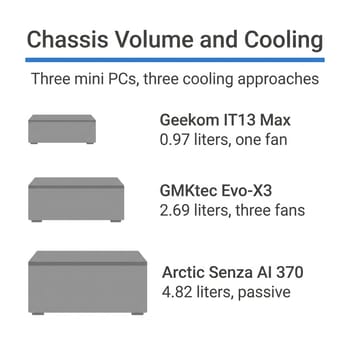
The last variable is the sustained power ceiling the vendor configures. Two boxes with the same processor can be set to very different long-duration power limits, and the one set higher will run faster on long jobs and keep its fan spun up the whole time. Tom’s Hardware publishes chassis volumes alongside its mini PC reviews, and the range in the current class is wide: Mark Tyson’s Geekom IT13 Max 2026 review lists that box at 0.97 liters with a single fan, the GMKtec Evo-X3 at 2.69 liters with three fans, and Arctic’s passive Senza AI 370 at 4.82 liters with none.
Two pairs where only the chassis changed
Notebookcheck measures mini PC fan noise with an Earthworks M23R microphone at 15 cm, and its archive happens to contain two pairs of boxes running identical silicon in different chassis. Those pairs hold the processor constant, which is what makes the chassis the only thing left to explain the difference.
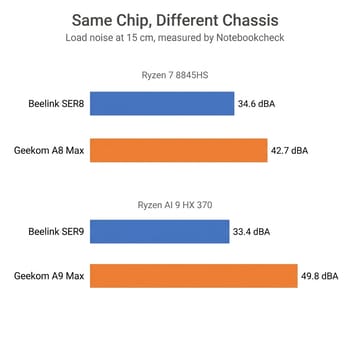
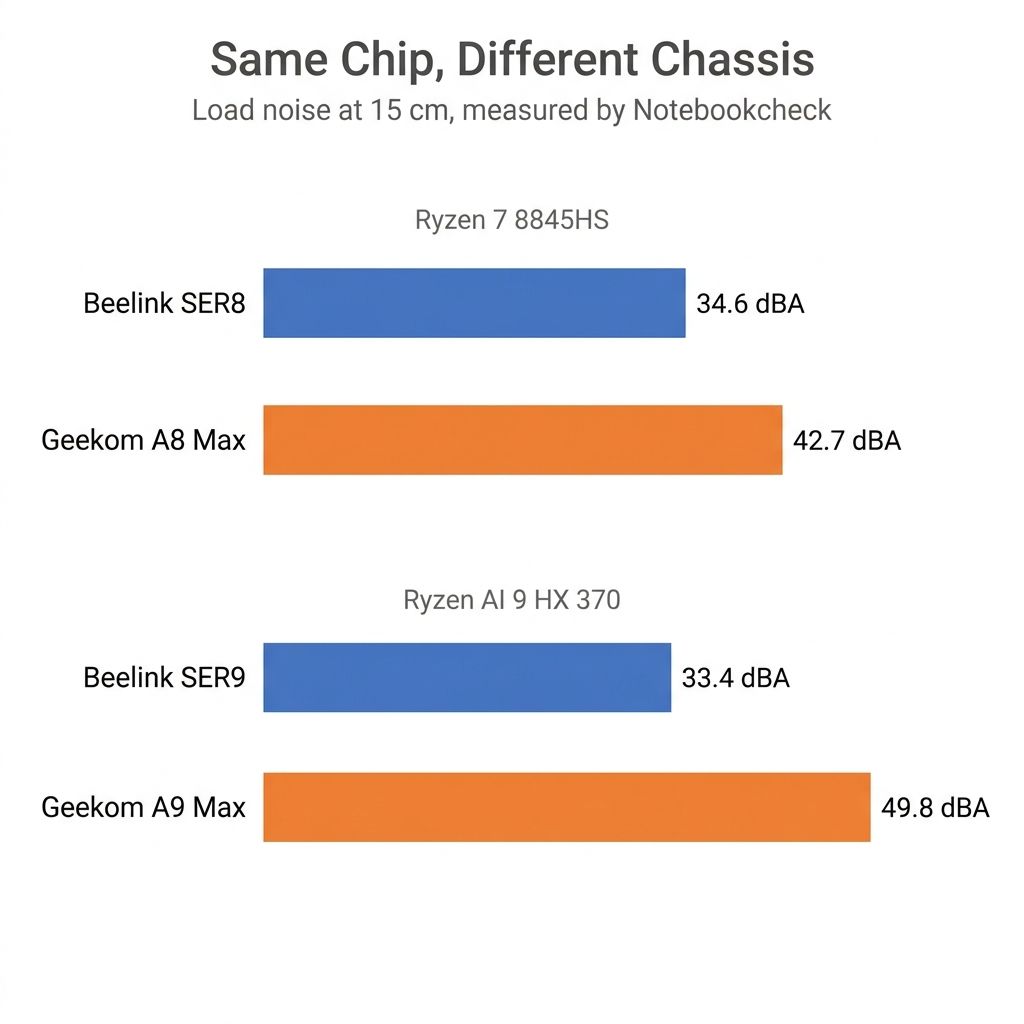
The first pair runs AMD’s Ryzen 7 8845HS. Allen Ngo measured the Beelink SER8 at a 34.6 dB(A) load average and a 34.5 dB(A) load maximum, the latter during a Prime95 plus FurMark stress run. Sebastian Bade measured the Geekom A8 Max, running the same chip, at 42.7 and 42.6 dB(A). Eight decibels separate two boxes that a spec sheet would call equivalent.
The second pair is wider. Both the Beelink SER9 and the Geekom A9 Max ship AMD’s Ryzen AI 9 HX 370. Ngo’s SER9 review records 33.4 and 33.8 dB(A) under load; Bade’s A9 Max review records 49.8 dB(A) on both load measurements. That is a gap of roughly 16 decibels between two machines built around the same processor.
Both quiet boxes were measured by Ngo and all four louder boxes by Bade, on different dates against different room-noise floors, so “same lab and same protocol” is accurate while “same conditions” would not be. A 16 decibel gap survives that concern comfortably. An eight decibel one deserves a little more hedging than a table can express.
The measurements, with their conditions attached
Every row below is a Notebookcheck measurement taken with an Earthworks M23R at 15 cm. The idle column is their minimum, average, and maximum readings; the load column is Notebookcheck’s load average followed by its load maximum, the latter measured during a Prime95 plus FurMark stress run. The room column is the environment noise Notebookcheck recorded for that session, which is what the box’s own sound is sitting on top of.
| Box | Chip tested | Idle dB(A) | Load dB(A) | Room dB(A) | Reviewer, date |
|---|---|---|---|---|---|
| Beelink SER9 | Ryzen AI 9 HX 370 | 26.6 / 26.8 / 26.8 | 33.4 / 33.8 | 23.2 | Allen Ngo, Nov 2024 |
| Beelink SER8 | Ryzen 7 8845HS | 28.8 / 28.8 / 30.5 | 34.6 / 34.5 | 23.6 | Allen Ngo, Jul 2024 |
| Geekom A8 Max | Ryzen 7 8845HS | 24 / 24.1 / 24.1 | 42.7 / 42.6 | 23.8 | Sebastian Bade, Apr 2025 |
| Minisforum MS-A2 | Ryzen 9 9955HX | 41.5 / 41.5 / 41.6 | 44.9 / 48.4 | 24.95 | Sebastian Bade, Jul 2025 |
| Geekom A9 Max | Ryzen AI 9 HX 370 | 25.4 / 25.4 / 25.5 | 49.8 / 49.8 | 24.8 | Sebastian Bade, Sep 2025 |
| Geekom IT13 Max | Core Ultra 9 185H | 25.3 / 25.6 / 25.6 | 53.3 / 53.5 | 24.6 | Sebastian Bade, Aug 2026 |
Read the idle column and the load column as answers to different questions, because the ranking flips between them. The MS-A2 is the loudest box here at idle by a wide margin, at 41.5 dB(A) against the IT13 Max’s 25.3, and yet the IT13 Max is the loudest under load. A machine that decodes video on a shelf all day lives in the idle column; the load column is for one that spends its evenings transcoding.
Distance, tone, and firmware limit what a dBA figure says
Decibels are logarithmic and A-weighted, so the gaps in that table do not behave like ordinary arithmetic. A rise of roughly 10 dB is heard as something close to a doubling of loudness, which makes the spread between the SER9 and the IT13 Max far larger in the ear than the raw figures suggest. At the other end, a reading that sits within a decibel or so of the room it was measured in is close to the limit of what the measurement can separate. That is the idle column’s problem more than the load column’s: the Geekom A8 Max idles at 24 dB(A) in a room measured at 23.8, which says almost nothing except that the fan was not audible over the room.
Distance is the other trap, and it is why this table refuses to mix in figures from other outlets. Fifteen centimeters is a very close microphone position. Sound pressure in free air falls by about 6 dB with each doubling of distance, so a 33 dB(A) reading at 15 cm is on the order of 16 dB lower at a meter, before a real room’s reflective surfaces muddy the estimate. Reviewers who do not state their distance cannot be placed on the same axis at all.
John Lee’s ServeTheHome review of the SER8 records 36 to 39 dBA under load against a 34 dBA studio floor without stating a distance. Patrick Kennedy’s MS-A2 review puts that box “into the 50 dBA range” under load in the same studio, also without a distance. Mark Tyson’s Tom’s Hardware review reports 29.8 dB idle and 52.3 dB under sustained load for the IT13 Max, again with no stated distance. TechPowerUp’s LJay measured the Core i9-13900HK IT13 at 46.2 dB(A) peak from about 30 cm. Each of those readings is useful on its own, but without a stated distance none of them can share a column with a 15 cm figure.
A meter also misses tonal character, which does not show up in a single number: a fan that whines, a power brick that hums, or coil noise under load transitions can be more irritating at 35 dB(A) than smooth broadband air movement at 40. Fan modulation is worse still. Ngo singled the SER8 out for slower and more gradual fan RPM changes, which is a design decision a peak reading cannot capture, while OnMSFT’s review of the earlier Geekom Mini IT13 describes the box pre-emptively ramping its fan while idle “leading to random burst of loud fan noise for no apparent reason”. A box that pulses between two speeds can measure quieter than a box that holds one and still be the worse one to sleep beside.
Finally, treat any figure as a reading from one sample on one firmware. Vendors revise fan curves in BIOS updates, review units are single machines, and a SER8 that runs a couple of decibels above 34.6 has not caught anyone in an error.
Matching a box to the room it lives in
For a bedroom, a nightstand, or anywhere a person is trying to sleep, the two Beelink boxes are the ones the measurements support, with the caveat that both readings are from 2024 and Beelink has shipped later models in the same line that this set does not cover.
The quietest box in the set is the Beelink SER9. Notebookcheck’s Allen Ngo measured it at a 33.4 dB(A) load average and a 33.8 dB(A) load maximum during a Prime95 plus FurMark run, with a 26.6 dB(A) idle floor in a room measured at 23.2 dB(A). Its Ryzen AI 9 HX 370 is a 2024 platform, and that measurement is now nearly two years old.
Beelink SER8
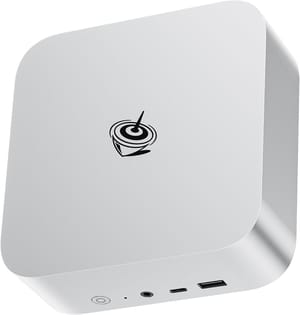
- +34.6 dB(A) load figure at 15 cm
- +gradual fan ramps rather than sudden steps
- +holds 54 to 58 W package power without throttling per ServeTheHome
- -Ryzen 7 8845HS is two generations old now
- -and it idles a few decibels above the SER9
For a workstation on a desk in a room with other noise in it, the calculus changes. The Minisforum MS-A2 is the loudest box here at idle and a sensible pick anyway if what you need is sixteen Zen 5 cores and 10 gigabit networking, because a 41.5 dB(A) idle reading at 15 cm is a different proposition across a desk in a working office than it is on a nightstand at midnight. Bade’s verdict on it is worth quoting in full context: the cooling fan “operates at high speeds under load to keep the powerful processor in check, making the device clearly audible”, and the chip still throttles during prolonged heavy loads.
MINISFORUM MS-A2
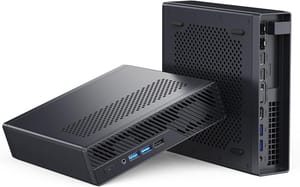
- +Ryzen 9 9955HX with 16 cores
- +dual 10G SFP+ and dual 2.5G ethernet
- +a PCIe x16 slot
- +three M.2 slots
- -Loudest idle figure in this set at 41.5 dB(A)
- -throttles under prolonged heavy load per Notebookcheck
- -wrong choice for a quiet room
The Geekom IT13 Max sits at the other end of this set. It is a 0.97 liter single-fan chassis asked to hold a Core Ultra 9 185H at a sustained power level, which is exactly the combination the physics section predicts will be loud. PCWorld’s review describes it as virtually silent during ordinary office work and clearly audible in a quiet home office once a long CPU or graphics job starts. Office work will not spin its fan up, but a nightly encode in a bedroom will.
What you can change once it arrives
Check first whether the vendor exposes a fan curve. Bade’s specific criticism of the IT13 Max is that Geekom offers no way to customize one, in the BIOS or in Windows, which leaves only the built-in Silent mode; that mode lowers noise by lowering the power limits, so it buys quiet with sustained clock speed rather than with better cooling. A box that lets you shape the curve yourself lets you trade a few degrees of headroom for a quieter ramp without giving up peak performance.
Next comes the sustained power limit itself, which on many mini PCs is adjustable in the BIOS and which changes steady-state noise more directly than any other setting. Dropping a long-duration limit costs a predictable slice of throughput on long jobs and nothing at all on short ones, and for a machine that spends its life at 20 percent load it is close to free. Placement is the unglamorous one and it works: distance buys roughly 6 dB per doubling, a hard shelf can couple vibration into the furniture, and a box tucked into an enclosed cabinet recirculates its own hot air and drives its own fan speed up.
The measurements in this piece were pulled from published reviews in September 2026, and they will drift as vendors ship firmware and as the boxes in the table are replaced. If you are starting further back than this and still deciding what class of machine you need, the five questions to answer before your first mini PC covers the ground ahead of this one, the mid-tier value picks cover what you get for the money at each price step, and the full comparison chart has the specs for everything in the catalog. Before you buy, check the chassis volume and find a reviewer’s measured load figure for the exact configuration you want.


