

Somebody buys a Chromebook for a kid who has class outside twice a week, or for their own habit of working from a patio table, carries it outdoors on the first nice afternoon, and discovers the screen has become a mirror with a faint suggestion of a document behind it. The laptop looks cheap in that moment. Often it is not cheap at all; it is a perfectly good machine with a panel that was specified for an office. Screen brightness is the spec that decides most of this, and it is also one of the hardest numbers to find on a product listing.
Shade needs 400 nits, direct sun needs 600
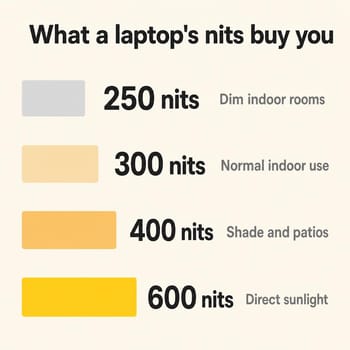
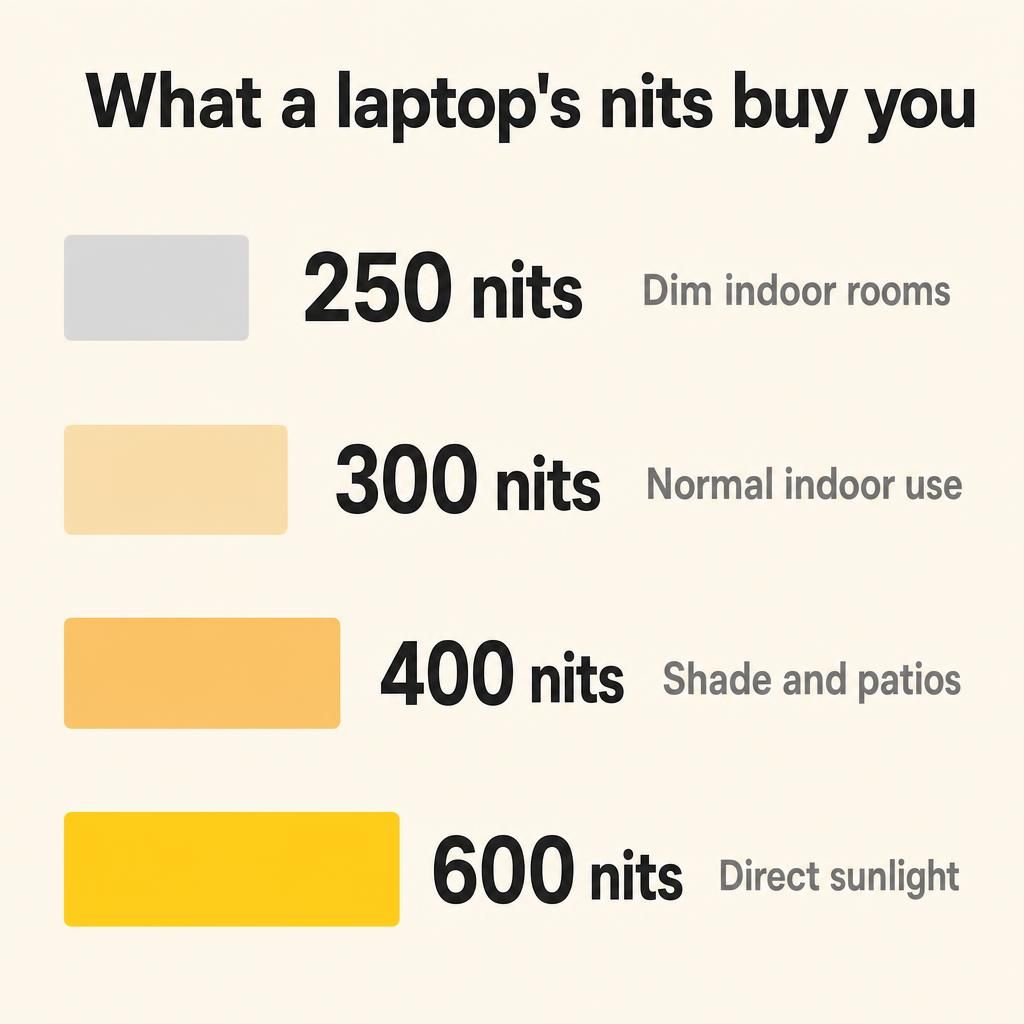
A nit is a unit of luminance, one candela per square metre, and in practice it describes how hard a screen pushes back against the light falling on it. The number that matters is the panel’s maximum, because outdoors you will be at maximum the entire time. For working bands, this piece uses the rule of thumb from Ryan Mitchell’s explainer on laptop brightness thresholds, which runs more conservative than the marketing: “For most people, 300 nits is the practical floor for comfortable laptop screen brightness indoors.” Not outdoors. Indoors. Outdoor conditions get their own line: “For shaded outdoor use like a covered patio, 400 to 600 nits is enough. For direct sunlight, you need 600 to 1000+ nits.”
Line that up against the category and the picture gets uncomfortable. A 250-nit Chromebook, and the catalog is full of them, is a dim-room machine by that standard, not an outdoor one and not really a bright-room one either. A 300-nit Chromebook has just cleared the comfortable-indoors bar with nothing left over. Those two figures, 250 and 300, are also the two most common brightness ratings across our entire Chromebook catalog, which says something about where the category sits by default. And 400 nits, near the top of what Chromebooks reach, is only the bottom edge of the shaded-outdoor band.
So the 400-nit threshold in the headline is an editorial line, not a figure any standards body or reviewer panel has blessed. I am drawing it there for two reasons. It is where the cited guidance says shaded outdoor use starts to work, and it is near the top of what the category reaches, so asking for much more shrinks the field to a handful of machines. No Chromebook we track is a direct-sunlight machine either way: the brightest panel an independent lab has measured on a current model came in at 532 nits, and full sun starts at 600. If the plan is a soccer field at noon in July, the answer is shade or a different device, not a different Chromebook.
Reflections matter as much as the backlight
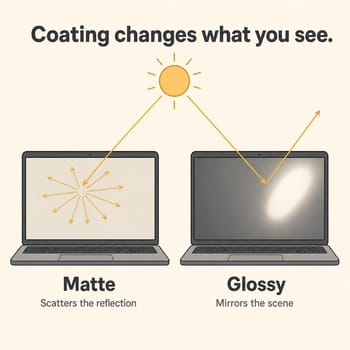
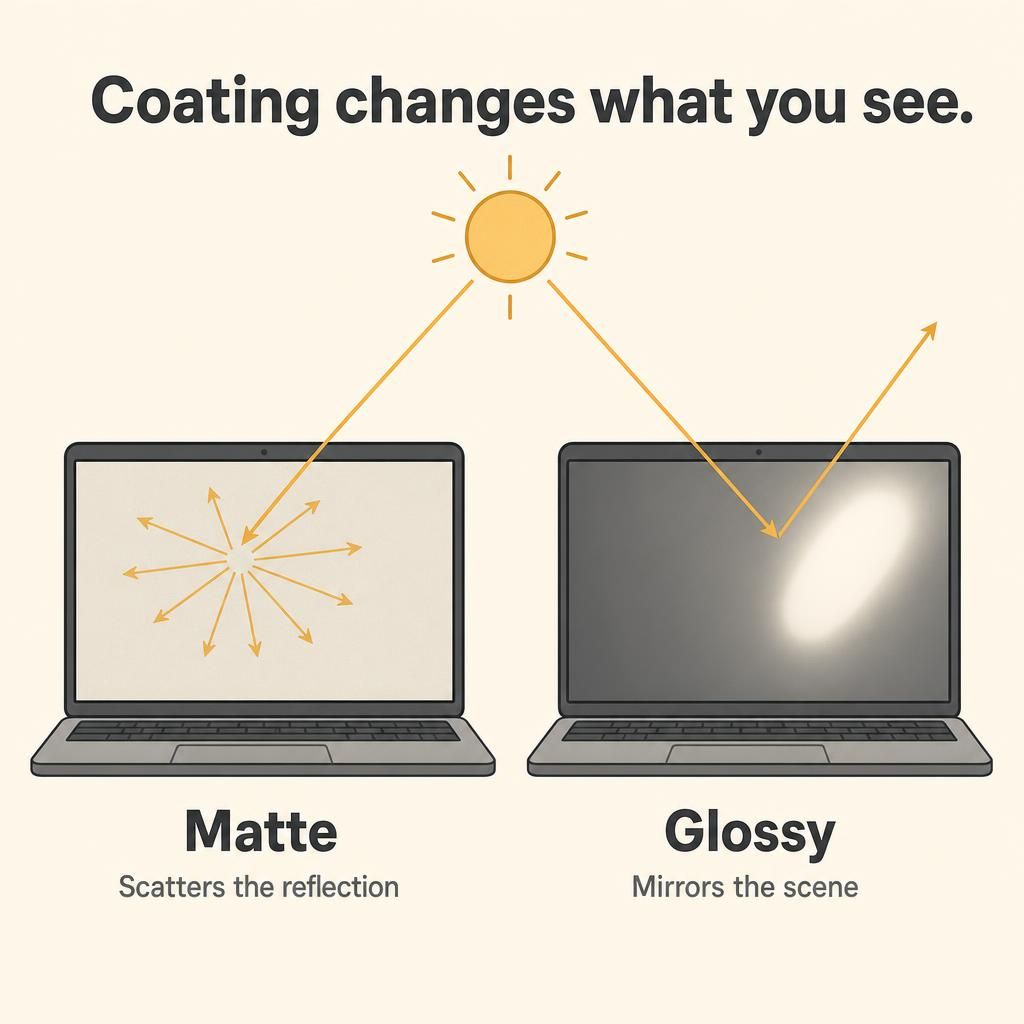
Brightness is only half the equation, and a laptop that meets the nit target can still be unreadable on a bright day. What you perceive is the contrast between what the panel emits and what its surface reflects back at you. A glossy panel returns incoming light as a single sharp mirror image, which is why you can see the sky, the tree, and your own face in it. A matte or anti-glare coating scatters that same light in many directions, so instead of one bright mirror you get an even, milky haze across the screen. The haze costs you contrast and color punch, which is exactly why premium laptops keep choosing glossy, but it does not blot out a paragraph of text the way a specular reflection does.
The clearest demonstration comes from a laptop that is not dim. RTINGS tested the 2024 Acer Chromebook Plus Spin 714, a premium convertible in the middle of the brightness pack, and listed “Display has poor reflection handling” among its cons. Their verdict on bright-room use is blunt: the display is “not suitable for use in bright environments, as any direct light sources like lamps or the sun will be visible even with the screen on maximum brightness.” Maximum brightness did not save it. Notebookcheck reached a softer version of the same conclusion about the Samsung Galaxy Chromebook Plus, one of the brightest panels in this piece, noting its reflective surface “can be distracting in direct sunlight or with bright light sources behind you.”
The practical consequence is that a matte 300-nit panel and a glossy 400-nit panel are not separated by the 100 nits on the spec sheet. Depending on where the sun is, the matte one can be the easier read. Manufacturers rarely state the finish clearly, but touchscreens are almost always glossy, so a touch-enabled convertible is a glossy panel until proven otherwise. If outdoor use is the priority and you do not need touch, a matte non-touch model is worth deliberately seeking out.
The Chromebooks that measure brightest
Manufacturer brightness claims are marketing until somebody checks them, so the models below are ranked on figures independent labs published, with the rated number called out where no lab measurement exists. The gap between the two is usually small but it runs in both directions, and a rated figure tells you what the panel was specified to do rather than what a review unit did on a meter.
The ASUS ExpertBook CX54 Chromebook Plus is the measured leader. IT Pro’s lab recorded 532.1 cd/m² from its 2560x1600 120Hz panel, comfortably above ASUS’s own 500-nit rating, and the base configuration skips the touchscreen. The Samsung Galaxy Chromebook Plus is next: Notebookcheck’s lab recorded a maximum of 421 cd/m² with an average of 415.8 and a 97 percent brightness distribution, which is an unusually even panel. The Lenovo Chromebook Plus 14 OLED lands just behind it and is the more interesting case, because IT Pro’s testing of the Gen 10 model found that “Lenovo claims 400 nits brightness with SDR content and 500 nits with HDR, and in our tests, that’s pretty accurate, with a max brightness of 389.5cd/m2 in the centre of the screen.” The Samsung and Lenovo are both OLED and both glossy: the Samsung by Notebookcheck’s account of its reflective surface, the Lenovo by the touchscreen rule above.
Lenovo Chromebook Plus 14" OLED
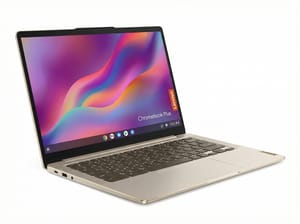
- ✓Measured 389.5 nits against a 400-nit SDR claim
- ✓fanless and silent
- ✓15-plus hour real-world battery
- ✓updates into the 2030s
- ✗Glossy OLED touchscreen reflects hard outdoors
- ✗keyboard deck flexes
- ✗USB-C ports capped at 5Gbps
One more clears the line on measurement. The 2023 Acer Chromebook Spin 714 averaged 389 nits, and its step-up Quad HD configuration is rated at 425, which is the one to hunt for if you buy that model. That 389 comes from the four-laptop comparison table in Laptop Mag’s review of the 2024 Spin 714, which lists the 2023 model alongside the newer one; the same table supplies the three other figures quoted below. One caveat when reading across the ranking is that Laptop Mag reports panel averages rather than peaks, so its numbers sit a touch low next to the maximum readings above.
Acer Chromebook Spin 714

- ✓389 nits measured on the standard panel
- ✓425-nit Quad HD configuration available
- ✓dual Thunderbolt 4
- ✓garaged stylus
- ✓updates through June 2032
- ✗Only the pricier Quad HD configuration clears 400 nits
- ✗glossy touchscreen
- ✗list price is high for the category
Popular models that stop short of 400 nits
The other half of the list is why the panel number has to be looked up per model. That same Laptop Mag table puts the Acer Chromebook Plus 515 at 270 nits and the Lenovo IdeaPad Flex 5i Chromebook Plus at 306, and the 2024 Acer Chromebook Plus Spin 714 itself at 355, better than both and still short of the mark, with the reflection problem RTINGS documented on top. And HP rates the panel in the HP Chromebook Plus x360 14c at 250 nits, which is dim-room territory by the thresholds above.
None of those are bad laptops. The IdeaPad Flex 5i and the Plus 515 are sensible buys for a desk, a dorm room, or a kitchen table, and if the machine lives indoors the money is better spent on memory than on nits. Our breakdown of the 8GB versus 16GB decision is the more useful spec argument for an indoor machine. The point is only that nothing on the listing page sorts the two groups for you; the nit figure does.
The Chromebook Plus badge does not cover brightness
If you are hoping the certification sticker sorts this for you, it does not. A certified machine needs an “Intel Core i3 12th Generation or above, or AMD Ryzen 3 5000 series or above,” “8 GB or more” of memory, “128 GB or more” of storage, a web camera at “1080p or better with Temporal Noise Reduction,” and a display that is “Full HD IPS or better.” That is the whole floor, as Google states it on its own support page, and brightness is not mentioned anywhere on it, in nits or in any other unit. The certified models still on sale that publish a figure run from 250 nits to 500, and four sit at 250 or below, so two laptops can wear the same badge and differ by a factor of two on the one spec that decides whether the screen is readable on a bench.
The badge is doing what it was designed to do. It guarantees the machine will not feel slow and will not have a washed-out low-resolution panel; our explainer on what Chromebook Plus certification covers walks the full list. It was never a promise about ambient light, and reading it as one is how people end up squinting at a $600 laptop in a park.
OLED panels quote two different brightness numbers
Two of the three bright picks are OLED, and OLED brightness comes with a wrinkle worth understanding before you read a spec sheet. Lenovo’s claim of 400 nits SDR and 500 nits HDR is not marketing sleight of hand; those are two different measurements. The HDR figure is a peak, usually achievable on a small bright portion of the screen, while the SDR figure is what a full white document gets. Outdoors you are looking at documents and web pages, so the SDR number is the one that matters, and IT Pro’s measured 389.5 confirms Lenovo’s SDR claim rather than its HDR one. When a listing advertises only the larger number, assume the everyday figure is meaningfully lower.
There is a second cost to running an OLED Chromebook at maximum outdoors, which is that maximum brightness is the setting that ages the panel fastest. Our look at OLED Chromebook longevity lands on treating 100 percent as a setting for sunlight rather than a default, and that advice holds here. Using the full panel outdoors for an hour at a time is exactly what it is for. Leaving it pinned there at a desk is not. The battery bill is worth knowing about too, because the long runtimes in Chromebook marketing are not measured at full brightness: IT Pro got 14 hours and 37 minutes out of the Chromebook Plus 14 in a video playback test “with the screen set to 170cd/m2,” which is well under half of what the panel can do.
If you already own a Chromebook that is too dim
A 250-nit machine cannot be made brighter, but the conditions around it can be changed, and the fixes are more effective than they sound. Position matters most: putting the sun behind the screen rather than behind you removes the specular reflection that does the real damage, so turning ninety degrees is often the difference between unreadable and fine. A matte anti-glare film is the one accessory worth buying for this, and it converts a glossy panel into a hazy one for a modest loss of color quality, which is a good trade on a laptop you use outside. Shade of any kind, including a body sitting between the sun and the lid, buys back more than any settings change will.
What will not help is the display settings menu. ChromeOS exposes brightness as a plain slider with no nit readout, so there is no hidden headroom to unlock; when the slider is at the top, the panel is done. If outdoor use is a regular part of your week rather than an occasional annoyance, this is a hardware problem, and the next purchase is where it gets solved.
Buying rule
Look up the panel’s rated brightness before anything else if the laptop is going outside, and refuse to buy on the badge alone. Aim for 400 nits or better, understand that this buys you shade and overcast rather than open sun, and prefer a matte non-touch panel over a glossy one at the same rating when the choice exists. Our Chromebook comparison chart lists panel specs side by side if you want to filter the field yourself, and the college buyer’s guide covers the rest of the decision for a student machine. For everything that stays indoors, spend the brightness premium on memory instead; it will do more for you.


