

“Dual LAN” only tells you a mini PC has two Ethernet jacks. One box sold under that label has two gigabit ports, while another has two 10GbE ports, a tenfold gap. The chip behind each jack, called the network controller, also decides how much driver work you do.
Current dual LAN mini PCs by speed and controller
| Model | Ports and speed | Controllers | Chip |
|---|---|---|---|
| MeLE Quieter DL (DDR4 builds) | 2x 2.5GbE | Intel I226-V (both) | Intel N150, fanless |
| MINISFORUM MS-01 SE | 2x 2.5GbE | Intel I226-LM, Intel I226-V | Core i5-12600H |
| GMKtec M7 Ultra | 2x 2.5GbE | Intel I226-V (both) | Ryzen 7 PRO 6850U |
| MSI Cubi NUC AI+ 2MG | 2x 2.5GbE | Intel I226-V (both) | Core Ultra 7 258V |
| ASUS NUC 16 Pro | 2x 2.5GbE | Intel I226-V/LM | Core Ultra 5 325 to Ultra X9 378H |
| BOSGAME E5 Plus | 2x 2.5GbE | Realtek RTL8125 (both) | Ryzen 3 5400U |
| Beelink EQi 304 | 1x 10GbE, 1x 2.5GbE | Realtek RTL8127, Intel I226-V | Core 3 304 |
| Beelink GTi15 Ultra | 2x 10GbE | Intel E610 | Core Ultra 9 285H |
| MINISFORUM MS-01 | 2x 10G SFP+, 2x 2.5GbE | Intel X710, Intel I226-V and I226-LM | Core i5-12600H to i9-13900HK |
| MINISFORUM MS-A2 | 2x 10G SFP+, 2x 2.5GbE | Intel X710, Intel I226-V, Realtek RTL8125 | Ryzen 7 7745HX to Ryzen 9 9955HX |
| Qotom Q30952UE | 2x 10G SFP+, 6x 2.5GbE | Intel X710, Intel I225-V or I226-V | Core i5-8260U |
For the full list, the comparison chart opens on mini PCs with 2 or more Ethernet ports. That filter counts ports without checking that they match, so the Peladn WO4 qualifies with one 2.5GbE port and one gigabit port, and the BOSGAME P3 Pro qualifies with two gigabit ports. The chart does not name the controller either, so read the network line on the product page before you buy.
What each use of the second port needs
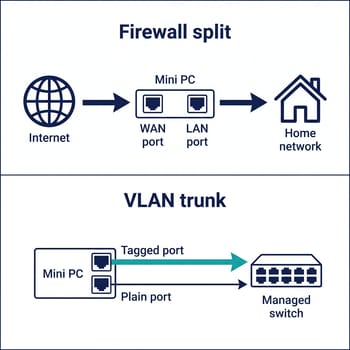
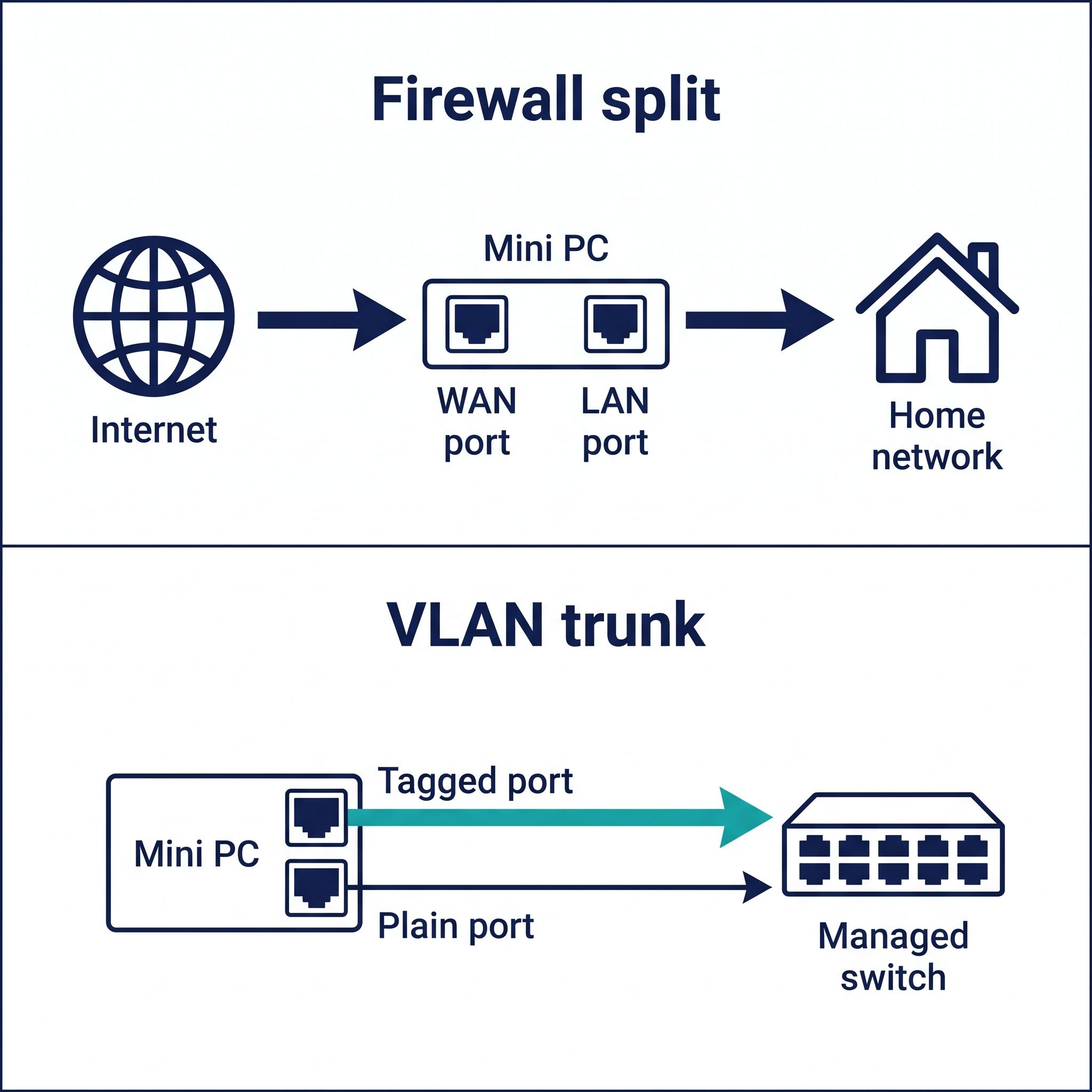
On a firewall, a second port splits your internet connection from your home network, and our pfSense and OPNsense router guide covers that build and the software choice. The WAN port only has to keep up with your internet plan, so a 2.5GbE port leaves room on any plan up to 2 Gbit/s. Driver support matters more here than raw speed, which is why that guide steers firewall builders toward Intel ports. Count ports as well as speed: a guest network on a two-port box has to share a port through VLANs.
With a managed switch, one port can carry tagged VLAN traffic while the other stays on a plain network. The switch has to support VLAN tagging, which an unmanaged switch cannot do. Keeping the second port untagged also gives you a way back into the box when a VLAN change goes wrong. On a mixed box like the EQi 304, the faster port suits the trunk, since every VLAN shares that link. A firewall that routes between VLANs on one port sends that traffic across the same cable twice, so a second port helps there as well.
Backups and NAS copies can also take their own path, so a large copy does not compete with everything else. A direct cable from the second port to a port on the NAS needs no extra switch, but give that link its own subnet on both ends, or the copy may still leave through the first port. Our guide to running a mini PC as a NAS covers the rest of that build. Speed depends on the drives too. XDA’s Ty Sherback says a 7,200 rpm hard drive peaks at about 260 to 290 MB/s, so one drive roughly fills a 2.5GbE link and needs SSD company before 10GbE shows a gain.
In a Proxmox cluster, even a gigabit second port is useful: the cluster documentation recommends a dedicated physical NIC and says cluster traffic needs “consistent low latency but not a lot of bandwidth.” The same page warns against sharing that network with storage. A two-port box therefore spends its second port on the cluster link, and guests, backups, and shared storage all stay on the first. Keeping storage separate as well takes a third port, which points to the four-port MS-01 or MS-A2.
Bonding both ports raises the total across many connections, but a single transfer usually stays at one port’s speed. The Linux bonding documentation says “no single connection will be able to utilize more than a single interface’s worth of bandwidth” outside one round-robin mode. Its standard link aggregation mode (802.3ad) needs a switch that supports it and ports running at the same speed, so the EQi 304’s 10GbE and 2.5GbE pair does not qualify. Without that switch, active-backup mode gives you a spare link but no extra speed.
Picks by job
MeLE Quieter DL with DDR4 for a silent router
The Business Grade DDR4 builds of the MeLE Quieter DL have two 2.5GbE ports on Intel I226-V controllers, no fan, and a case less than an inch thick. MeLE claims about 6W at idle, so running it all day costs little. The N150 is the slowest chip on this page, and the 128GB build stores its system on eMMC, so plan on adding an NVMe drive to the free M.2 slot. Check the build name before you order: the soldered-memory builds use Realtek RTL8125BG controllers, and one Amazon buyer, Oleg Vorkunov, reported that pfSense 2.7.2 could not see those adapters.
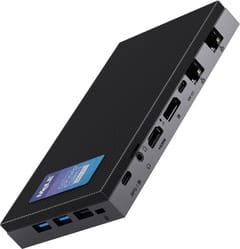
MeLE Quieter DL
Most CompactMINISFORUM MS-01 SE for a home server
The MS-01 SE pairs an Intel I226-LM with an Intel I226-V, per VideoCardz, at 2.5GbE each. For a Proxmox or Docker host, the three M.2 slots matter most, and the PCIe slot wired at x4 leaves room for a 10GbE card later. The barebone version ships without memory or storage, so you supply DDR4 and an SSD, and the Core i5-12600H dates from early 2022. Performance, power draw, and noise have no independent test figures yet (early November 2026). MINISFORUM rates it at 30 dB idle and 42 dB at full load in its own lab.
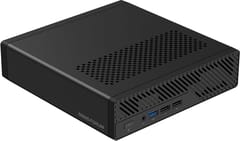
MINISFORUM MS-01 SE
VersatileBOSGAME E5 Plus for low-cost 2.5GbE
Both ports on the E5 Plus use Realtek RTL8125 controllers. It works as a second desk machine or gives a NAS its own link. NotebookCheck called it “a bargain-bin refresh with ancient Ryzen hardware”, and the four-core chip dates from 2021. It ships with 8GB of memory and a SATA drive, though two memory slots and a free NVMe slot make both easy to replace. On OPNsense, an RTL8125 box may need the Realtek driver plugin.
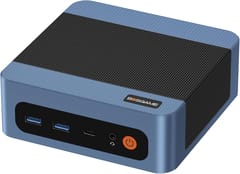
BOSGAME E5 Plus
Budget PickBeelink EQi 304 for 10GbE on a smaller budget
The EQi 304 has one 10GbE port on a Realtek RTL8127 and one 2.5GbE port on an Intel I226-V. Under Ubuntu, CNX Software measured 9.41 Gbit/s on the 10GbE port, about 2.35 Gbit/s on the 2.5GbE port, and 5.6 to 5.7 watts at idle with 10GbE connected. Those speeds help when you move large files to a fast NAS, and our 10GbE guide covers that setup. With one performance core, four efficiency cores, and a single memory channel, it slows down under heavy batch work, and the 16GB LPDDR5 build has soldered memory. CNX tested Windows and Ubuntu rather than FreeBSD, so firewall builders should treat RTL8127 support there as unconfirmed.
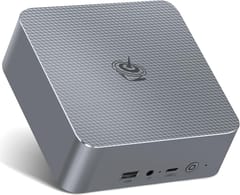
Beelink GTi15 Ultra for two Intel 10GbE ports
One Intel E610 controller drives both RJ45 ports on the GTi15 Ultra. ServeTheHome says the chip “is normally more of a data center part,” and both ports can run at full speed. RJ45 also means ordinary copper cabling instead of SFP+ modules. The Core Ultra 9 285H is far more processor than a router needs, so this box makes more sense as a server or workstation. Craft Computing measured 41 watts at idle from the wall out of the box and 24 watts after enabling C-states in the BIOS, which still adds up to about 210 kWh a year on an always-on box. Reaching the RAM means removing the speaker module and power supply.
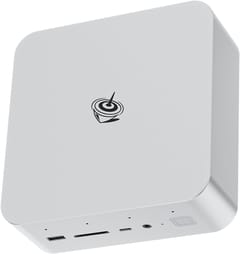
Beelink GTi15 Ultra
Best PerformanceQotom Q30952UE for SFP+ and many ports
The Q30952UE has two 10G SFP+ ports on an Intel X710 and six 2.5GbE ports. ServeTheHome found Intel I226-V controllers in its unit, while Qotom lists I225-V or I226-V, so ask the seller if your software depends on it. The late-2019 Core i5-8260U, single memory slot, and Gen3 x1 M.2 slot keep it to firewall work. It looks fanless but has an internal fan, and ServeTheHome says “the fan is just too loud in the 39-41dba range,” so keep it in a closet or a rack. The review measured 13W to 16W at idle.
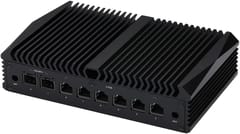
If you want SFP+ with a much faster chip and only need two 2.5GbE ports, the MS-A2 is the alternative. ServeTheHome notes that its port mix means “three different NIC drivers from two vendors.”
Owners report network faults on both Realtek and Intel ports
On the OPNsense forum, Linwood installed the firewall on a GMKtec M5 with dual RTL8125 ports. The ports appeared only after adding the Realtek driver plugin, and the LAN side still failed to pass traffic until the offload settings changed. Linwood returned the box and bought an MS-01 with Intel ports.
On the Proxmox forum, Miroslav Buček found the I226-V on an ASUS NUC 14 dead once an NVMe drive was installed, and reported fixing it with a BIOS update and PCIe power-saving changes. Sakreton saw an RTL8125 port on an MS-A2 keep disconnecting, then saw the problem move to the I226-V after swapping the roles of the two ports, and that thread ended without a fix. These are single cases, so they cannot tell you how often either chip fails. Buy from a seller with easy returns, and run your real workload across both ports during the return window.
Choose the port speed your network can use
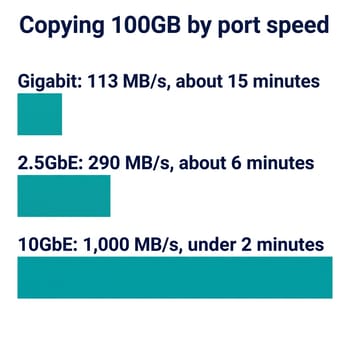
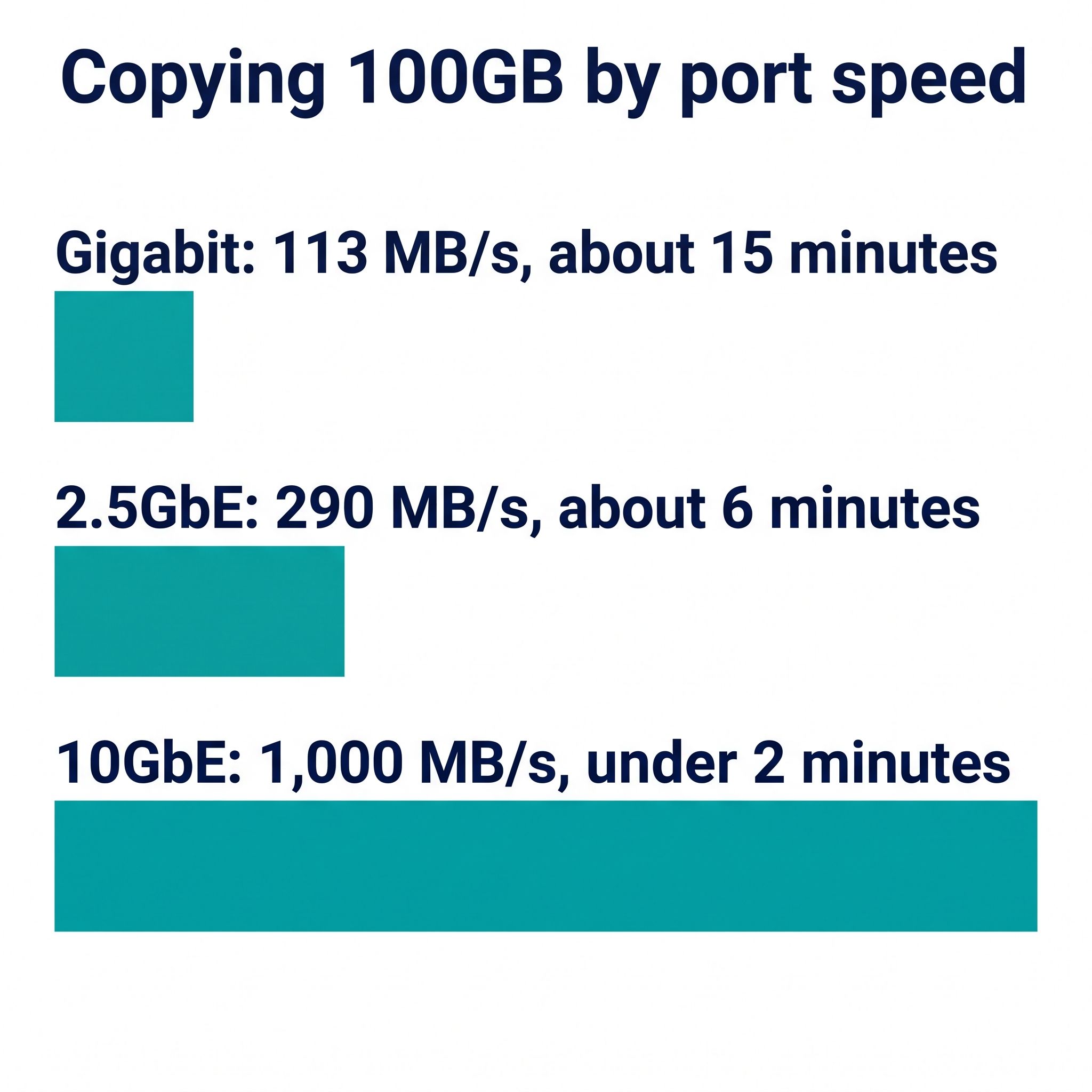
Sherback puts real-world gigabit at about 113 MB/s, 2.5GbE at 280 to 295 MB/s, and 10GbE at well above 1,000 MB/s. At those rates a 100GB copy takes about 15 minutes, about 6 minutes, and under 2 minutes, as long as the drives on both ends keep up. Every link in the path sets the limit, so a 10GbE port behind a 2.5GbE switch runs at 2.5GbE.
Two Intel 2.5GbE ports are the sensible starting point, since they beat gigabit over ordinary cabling. Buying the MS-01 SE today means accepting that independent tests do not exist yet, and the MeLE build you order has to be a DDR4 one to get the Intel chips. Spend more on 10GbE or SFP+ only when the switch, the NAS, or the internet connection on the other end can use it. The GTi15 Ultra still idles at 24 watts after the BIOS change, and the Qotom pays with fan noise.


