

Every NAS is a server. NAS stands for network attached storage, and a NAS box is a small computer whose case, operating system, and price are built around drive bays. A home server is any computer in your house that runs services for the other devices on your network: a media server, a photo backup app, a password vault, a smart home hub, or a shared folder. A NAS is designed for holding drives and keeping them healthy. A home server, which in 2026 usually means a mini PC, is designed for running software.
The two have been converging for years. Both Synology’s DSM and UGREEN’s UGOS Pro run Docker containers, and you can install TrueNAS or Unraid on a mini PC with a few drives and call it a NAS. In a November 2025 r/HomeServer thread asking what separates the two, u/deltatux put it this way: “There’s no clear delineation between the two terms as many NAS systems can also host services themselves or you can build a generic home server that also acts as a NAS.” The hardware for each job is still built differently, which is why the first job you need done should pick the box.
A NAS is built around drive bays
A four-bay box such as the UGREEN NASync DXP4800 Plus holds four 3.5-inch hard drives in front-loading trays you can swap without opening the case, with a fan sized to keep those drives cool. A typical mini PC has no room for 3.5-inch drives. The closest you get is a USB enclosure on the back, and the TrueNAS community forum advises against USB for data drives: a 2024 thread on USB-attached pool disks lists that “the connector is not latched, which may lead to inadvertent dis-connects” and that “some USB enclosures are not intended for continuous or extended use.”
You also pay for the software. UGOS Pro and Synology’s DSM set up mirrored or parity drive arrays through a web wizard, warn you when a drive starts to fail, schedule snapshots, and ship phone apps for photo backup and file access. Updates come from the maker. You never pick a Linux distribution or read a ZFS manual unless you want to.
NAS makers save money on the processor. They put in chips that are good enough for file serving and a few containers. The two-bay UGREEN NASync DXP2800 ($389.99 list) uses an Intel N100 with a 16GB memory ceiling. The Synology DS925+ ($700 list) uses an AMD Ryzen V1500B, a chip from 2018 with no graphics engine, so it cannot hardware-transcode video for Plex. Our UGREEN vs Synology comparison covers that gap. These chips are fine for storage. They run out of room when you start stacking virtual machines and a dozen containers on top.
A home server is built around the processor
For the money, you get a faster chip, more memory, and often more network ports, with storage limited to whatever fits inside. The Beelink ME Mini is a small cube with an Intel N150, six M.2 slots for SSDs, and two 2.5GbE ports, listed from $229 to $359 depending on configuration. The Minisforum MS-01 carries a 12th or 13th generation Intel Core chip, two 10GbE ports, two 2.5GbE ports, three M.2 slots, and a PCIe slot, with the barebone Core i5 version listed at $455. Neither one has a bay for a 3.5-inch hard drive.
You also choose the software, and you own the upkeep that comes with it. Proxmox VE and TrueNAS Community Edition are free. Unraid costs $49 for up to six storage devices, $109 for unlimited devices, or $249 for lifetime updates; the first two include a year of updates, then $36 a year if you want them (Unraid’s licensing FAQ has the details). You install the operating system, set up backups yourself, and read release notes before you update. Often the software is the only difference between the two: in the same r/HomeServer thread, u/Itchy_Lobster777 wrote, “My intel N100 CPU based minipc used to be my home server because I ran Proxmox on it. Now it’s my NAS because I installed TrueNAS.” Our guide to choosing a mini PC for a home server covers the specs that matter for that job: idle power, memory ceiling, network ports, and noise.
The two side by side
| NAS | Mini PC home server | |
|---|---|---|
| Main job | Store files, photos, backups | Run apps, containers, VMs |
| 3.5-inch drive bays | 2 to 8, hot-swappable | None (USB enclosure or none) |
| Software | Maker’s OS (UGOS Pro, DSM), or TrueNAS on some models | Your pick: Proxmox, Unraid, TrueNAS, Linux, Windows |
| CPU and memory | Modest chips; 16GB to 64GB memory ceilings | Faster chips for the money; ceilings vary by model |
| Upkeep | Maker pushes updates; wizards for arrays and snapshots | You install, update, and fix it |
| Typical list price | $390 to $1,370 without drives | $230 to $1,120 |
| Example | UGREEN DXP4800 Plus, $656.99 | Minisforum MS-01, from $455 barebone |
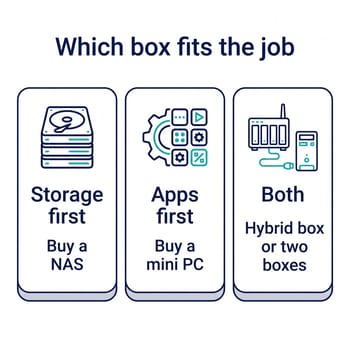
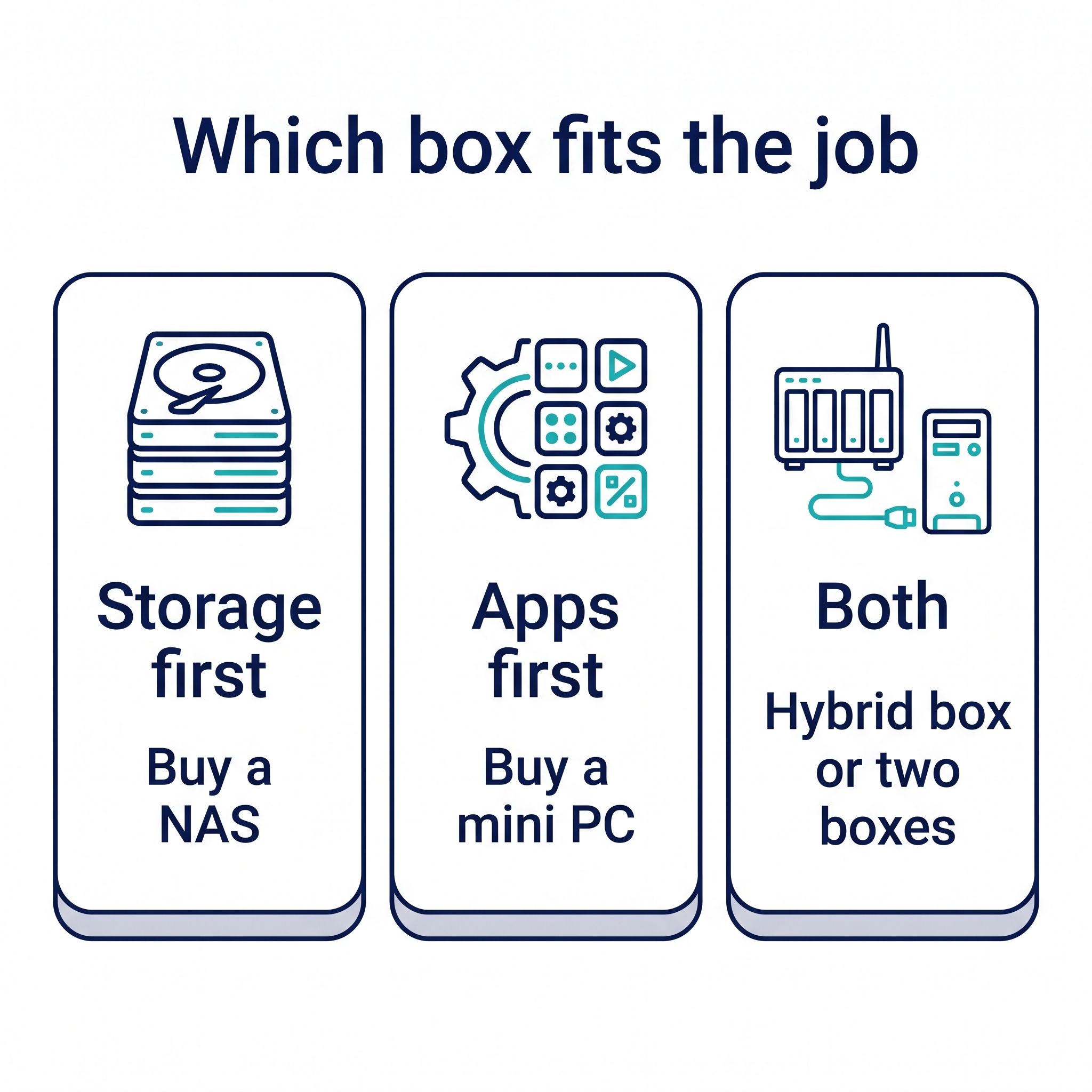
Buy a NAS when storage comes first
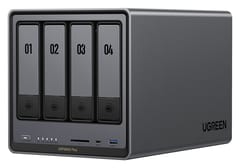
UGREEN NASync DXP4800 Plus
Editor's Choice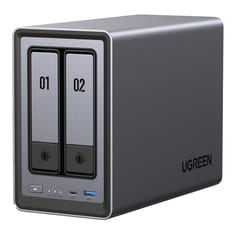
If the reason you are shopping is that your photos live on one laptop, your family’s phones are nagging about full cloud storage, or you want a Time Machine and Windows backup target, buy a NAS. Those jobs need drive bays and redundancy far more than they need CPU, and a NAS does them with the least setup.
The UGREEN DXP4800 Plus at $656.99 is our pick for one box that holds the drives and runs a few apps. It has four bays, a 12th generation Intel Pentium Gold 8505 with Intel Quick Sync for video transcoding, 8GB of DDR5 that expands to 64GB, two M.2 slots, and both a 10GbE and a 2.5GbE port. That chip has headroom for Plex or Jellyfin, Immich for photos, and a handful of containers next to the file shares, so it covers the light home server jobs too. UGREEN also lets you install TrueNAS or Unraid on it if you outgrow UGOS Pro. For two drives and a lower budget, the DXP2800 at $389.99 runs the same software on an Intel N100 with a single 2.5GbE port.
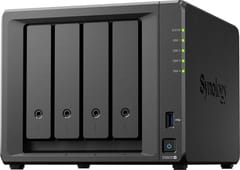
Synology DiskStation DS925+
Best for BackupsPick the Synology DS925+ at $700 when the box is for backups and photos and someone in the house who never opens a terminal has to live with it. DSM’s backup apps, such as Hyper Backup, have a longer track record than UGREEN’s, and the DS925+ ships with ECC memory. It is the weaker box for media and apps: no hardware transcoding, two 2.5GbE ports with no upgrade path, and a 32GB memory ceiling.
Budget for drives on top of these prices. Every box here ships diskless, and two or four NAS hard drives can cost as much as the box itself. The NAS comparison chart lists bays, memory ceilings, network speed, and idle power for every model we cover.
Buy a mini PC when apps come first
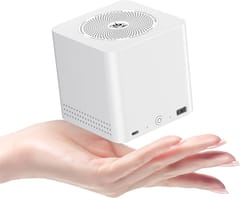
Beelink ME Mini
Most CompactHome Assistant, a stack of Docker containers, a game server, a few virtual machines, and a Proxmox learning lab all point to a mini PC. They want cores, memory, and fast storage for the apps themselves, which an SSD inside a mini PC handles well. Media and photo libraries are what fill hard drives; the apps and their databases fit on an SSD.
The Beelink ME Mini is the low-power choice. Its N150 is the same class of chip as the DXP2800’s N100, its idle draw is in the single digits of watts, and its six M.2 slots make it a small all-flash NAS if your data fits on SSDs. The limits are 12GB or 16GB of soldered memory that you cannot upgrade, and five of the six M.2 slots run at a single PCIe lane. For a heavier lab, the Minisforum MS-01 runs virtual machines comfortably on its Core i5 or i9 and takes standard laptop memory sticks, at the cost of 25 to 29 watts at idle in ServeTheHome’s review. The Home Assistant mini PC guide and the Plex mini PC guide go deeper on those two jobs.
A mini PC has no hard drive bays, so a multi-terabyte media library means either expensive SSDs or a USB enclosure. Our article on running a mini PC as a NAS works through that tradeoff against a Synology at each price tier.
Hybrid NAS boxes have mini PC chips inside
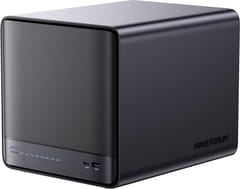
Minisforum N5 Pro
Most ExpandableSome hybrids ship without a NAS operating system, so you load TrueNAS, Unraid, or Proxmox yourself, and their faster chips can raise idle power. The Minisforum N5 Pro ($899 list, barebone) pairs five drive bays with a 12-core AMD Ryzen AI 9 HX PRO 370, up to 96GB of ECC memory, a 10GbE port and a 5GbE port, and a PCIe slot. It ships with Minisforum’s own MinisCloud OS and supports TrueNAS and Proxmox. It also draws a lot at idle: ServeTheHome measured 45 to 49 watts with five 28TB hard drives installed. The AOOSTAR WTR Pro is the budget version of the idea: a $379 barebone with four bays, a Ryzen 7 5825U, and two 2.5GbE ports. It ships with a Windows 11 Pro key and no NAS software.
These suit buyers who already know they want a single machine running Proxmox or Unraid with drives attached, and who are comfortable doing the setup. Someone who wants a box that updates itself and walks them through drive replacement is better served by a UGREEN or Synology.
Two boxes keep storage online while you tinker with apps
A two-box setup splits the jobs. The NAS holds the drives and the backups, the mini PC runs the apps, and the apps read and write their media and files on the NAS over the network. In a March 2023 r/homelab thread about whether a dedicated NAS is worth it, u/pixel_of_moral_decay explained the split: “I consider storage essential/critical. I backup to it, lots of things depend on it. I don’t want it offline because I’m tinkering with some VM’s.” The same reply ended with “My time is worth the cost of separate devices. It lowers the risk to playing with things.”
Two boxes also let you upgrade each half on its own schedule, at the cost of a second idle power draw and a second machine to update. The NAS can stay put for years while the mini PC gets replaced when a faster chip comes out, and you can start with one and add the other. In the same thread, u/gramathy described one path: a basic NAS runs a few services at first, then “can graduate to be just network storage and ultralight network services (backups, DNS blackholing, etc) while dedicated hardware runs VMs or containers.”
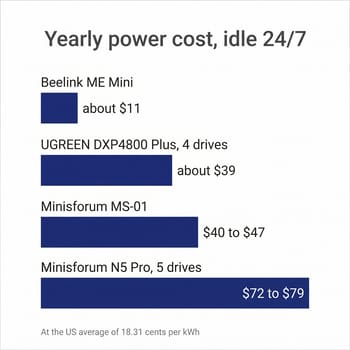
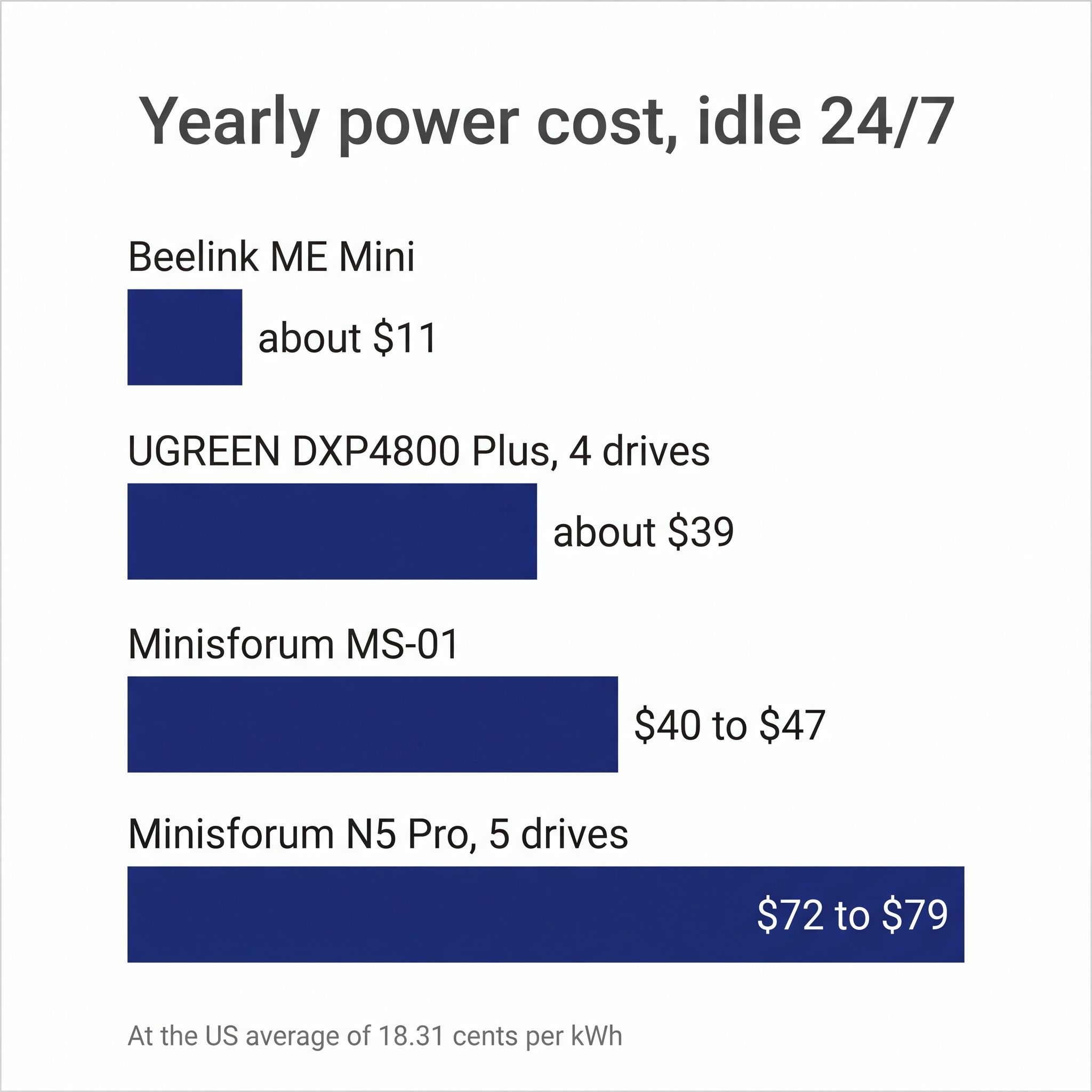
What each setup costs to run all year
A home server or NAS runs around the clock, so idle power decides most of its electricity bill. At the US average residential rate of 18.31 cents per kilowatt-hour in the EIA’s July 2026 figures, each watt of constant draw costs about $1.60 a year.
The Beelink ME Mini idles around 7 watts, or about $11 a year. KitGuru measured the UGREEN DXP4800 Plus at 24.25 watts idle with four WD Red drives installed and the 2.5GbE port connected, about $39 a year. The Minisforum MS-01 at 25 to 29 watts lands at $40 to $47. The Minisforum N5 Pro with five large hard drives, at 45 to 49 watts, comes to $72 to $79. A DXP4800 Plus with four drives and an ME Mini together cost about $50 a year to idle, less than the N5 Pro with five drives, though one extra drive accounts for part of that gap. Each spinning hard drive adds a few watts at idle, so a box with more drives costs more to run whichever route you take. Our 24/7 power cost breakdown shows how the numbers change at your local rate.
Neither one is a backup by itself
A NAS with mirrored drives survives one drive failing. It does not survive a deleted folder that syncs everywhere, ransomware, a power surge, or a house fire. The common rule is three copies of anything you care about, on two different kinds of storage, with one copy somewhere else, such as a cloud backup service or a drive at a relative’s house. Both UGREEN and Synology include apps that back the NAS up to a USB drive, and Synology’s also reach several cloud providers. On a mini PC you set that up yourself.
In the r/homelab thread, u/cjcox4 made the point bluntly: “if you have no backups, you need that much more than you need a NAS.” Whichever box you buy, put part of the budget toward that second copy.
Which one to buy
A family photo and backup box that someone else has to live with is the job the Synology DS925+ suits. The UGREEN DXP4800 Plus covers more ground: it stores the media and also runs Plex, Immich, and a few containers, and the DXP2800 does the same with two drives. On the mini PC side, the Beelink ME Mini makes a quiet, low-power app server as long as your data fits on SSDs, while the Minisforum MS-01 is the one for a virtual machine lab. If you want a single Proxmox or Unraid machine with five drive bays and room to grow, that is the Minisforum N5 Pro, which costs the most to buy and to run. More models are on the NAS hub and the mini PC hub.


