

Retailers sort Chromebooks by touchscreen. No major retailer sorts them by whether a pen ships in the box, or by which stylus protocol the panel speaks. Those are the two things that decide whether a Chromebook bought for note-taking works on day one, and both of them are buried in footnotes. The buyer who wants to draw filters for a touchscreen, picks a convertible, and finds out at unboxing that the silo in the chassis has a plastic plug in it.
Both answers exist, in the OEM spec sheets. Not every manufacturer publishes both, and the ones that stay quiet are marked as such in the table below.
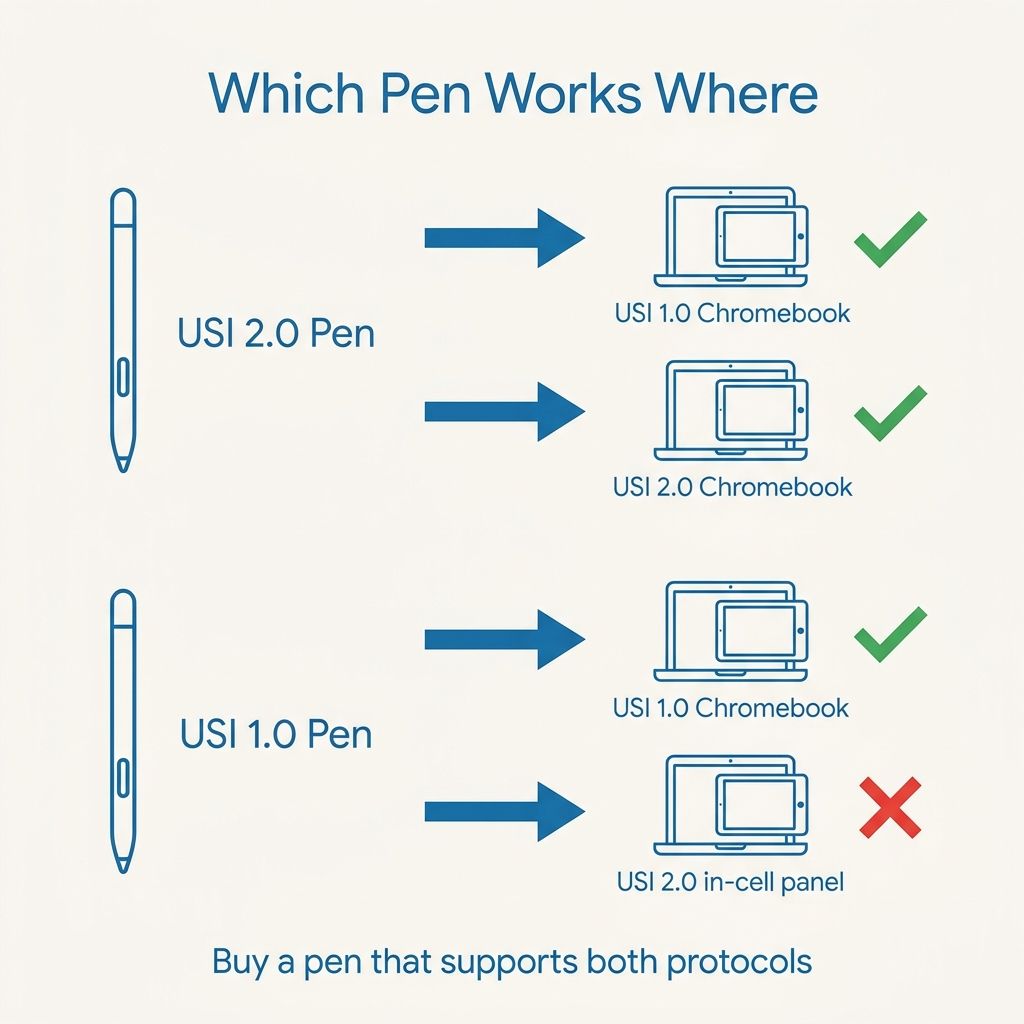
USI 2.0 added wireless charging and broke old pens on in-cell screens
The Universal Stylus Initiative published version 2.0 of its active stylus specification on 28 February 2022. The headline addition was NFC wireless charging, built on the NFC Forum’s WLC 2.0 specification at a transfer rate of up to one watt. Alongside it came support for in-cell touch sensors, expanded tilt functionality, and a color palette raised from 256 shades to over 16 million.
The in-cell change is the one that reaches the buyer. In-cell panels integrate the touch sensor into the display stack, and that integration imposes a timing constraint the older protocol could not meet. USI chairman Peter Mueller explained the problem in a statement to ChromeUnboxed, reported by Android Central in June 2022 after buyers found their existing pens dead on the newly released Lenovo Chromebook Duet 3: “the touch sensing has to occur within certain timing windows in between the display being driven. It is this timing constraint that caused us to have to modify our USI spec for some in-cell panels. We spent many months looking at alternatives to ensure backwards compatibility, but it was not doable.”
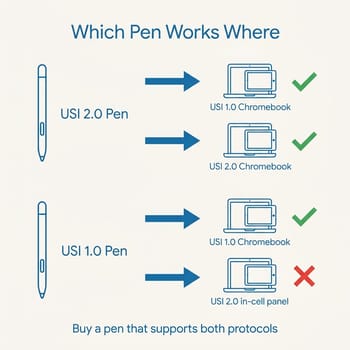
A USI 2.0 pen still works on a USI 1.0 Chromebook. A USI 1.0 pen can fail on a USI 2.0 device that uses an in-cell panel. Mueller’s own remedy in that same statement was documentation and bundling: USI asked manufacturers for “clear documentation and marking, and also shipping with a 2.0 stylus (ideally) in order to minimize the confusion and user frustration.” Four years on, several manufacturers still do not print the version anywhere on the machine’s spec page.
USI 2.0 features are optional, so the label only names pen compatibility
Wireless charging, in-cell support, and the wider color palette are capabilities a manufacturer may implement, not a bundle every 2.0 device ships. A Chromebook listed as USI 2.0 compatible is telling you which pens its digitizer will talk to, and nothing about whether that pen charges wirelessly or reports tilt.
The pen side shows the same split. Lenovo claims tilt for the USI Pen 2 and 4096 pressure levels, and claims 4096 levels but no tilt for the older plain USI Pen and for the integrated garaged pen used by the 300e and 500e Yoga Gen 4.
Whether a pen comes in the box is a configuration choice
On the ASUS tech-spec pages for the Chromebook CM30 Detachable, the Chromebook CM14 Flip, and the Chromebook Vibe CX34 Flip, the stylus sits under a heading ASUS writes as “Included in the Box (Optional)”. The CM14 Flip page carries the footnote “The garaged stylus is optional,” and lists a dust plug next to the pen in that same block, to fill the empty silo on configurations that ship without one.
Lenovo’s PSREF spec sheets list the pen options outright. The 300e and 500e Yoga Chromebook Gen 4 sheet offers either the integrated garaged pen or “No pen bundled (purchase separately)”. The consumer-facing Chromebook Duet Gen 9 page footnotes it plainly: “USI Pen 2 included on select models and also available to purchase”.
Acer and HP each print one plain sentence and leave the rest unsaid. Acer’s Chromebook Plus Spin 514 page attaches a footnote to its stylus sentence that reads, in full, “Stylus is sold separately.” HP’s spec document for the Fortis Flip G1m 11 lists the pen as “HP USI Garaged Pen (optional)”, which tells you the chassis has a silo and that filling it is a purchasing decision.
What the OEM sheets say, model by model
Every row below reflects what the manufacturer published on its own spec page as of September 2026, for the models Starry Hope currently tracks. “Not stated” means the manufacturer does not publish that detail, not that the answer is no. Configurations change without a model change, so treat the listing in front of you as the final authority.
| Model | Form factor | USI version per OEM | Pen in box | Pen storage |
|---|---|---|---|---|
| ASUS Chromebook CM30 Detachable | Detachable | 2.0 | Optional, SKU-dependent | Garage, charges in the silo |
| ASUS Chromebook CM32 Detachable | Detachable | 2.0 | Optional, SKU-dependent | Magnetic, charges wirelessly |
| ASUS Chromebook CM14 Flip | Convertible | 2.0 | Optional; dust plug otherwise | Garage |
| ASUS Chromebook Plus CM34 Flip | Convertible | 1.0 | ASUS copy conflicts, see below | Garage |
| ASUS Chromebook Vibe CX34 Flip | Convertible | 1.0 | Optional, SKU-dependent | Garage |
| Acer Chromebook Plus Spin 714 | Convertible | Not stated | Not stated | Garage |
| Acer Chromebook Plus Spin 514 | Convertible | Not stated | Sold separately | Not stated |
| Lenovo Chromebook Duet 11 (Gen 9) | Detachable | Not stated on the device sheet | Select models | Not stated |
| Lenovo 500e Yoga Chromebook Gen 4 | Convertible | Not stated on the device sheet | Configurable | Garage, rechargeable |
| Lenovo Chromebook Plus 2-in-1 14 | Convertible | 2.0, on the SKU page | Sold separately | Magnetic, no silo |
| HP Fortis Flip G1m 11 | Convertible | Not stated | Optional | Garage |
Two ASUS convertibles here are listed as USI 1.0 rather than 2.0: the Plus CM34 Flip and the Vibe CX34 Flip. Those are the models most likely to accept a USI 1.0 pen you already own. ASUS is inconsistent about the CM34 Flip’s bundling, describing “the bundled stylus” in the overview copy while the tech-spec block keeps the pen under the optional heading, so the SKU is what settles it. Lenovo mostly publishes the USI version on its accessory pages rather than its machine sheets. The Chromebook Plus 2-in-1 14 is the exception, naming a USI 2.0 pen in its own SKU tech-spec table. Elsewhere the version lives with the pen: the USI Pen 2 that ships with select Duet configurations is described as USI 2.0, and the integrated garaged pen shared by the 300e and 500e Yoga Gen 4 carries the same protocol note.
Acer and HP mostly do not print a USI version at all
The older Spin 714 CP714-1WN generation does say “USI stylus” and gives real numbers, 4096 pressure levels and a fifteen-minute dock charge good for 240 minutes of use, but no version. The current Chromebook Plus Spin 714 and Spin 514 pages describe an “Active Stylus” and never name the protocol at all. The HP spec sheets we could read for the current Chromebook Plus x360 14c series carry no pen, stylus, or USI row at all, which is why that model has no row in the table above.
Google’s own reference is no help here either. The Find compatible USI Chromebooks support page publishes a version-by-model table, and it is the right idea, but as of this writing its entire USI 2.0 section contains one entry, the Lenovo Duet 3 from 2022. Nothing from the last four model years appears on it.
A pen that speaks both protocols is the safe cross-brand buy
Google publishes a stylus specification that resolves the problem cleanly. The ChromeOS Compatible stylus spec requires a compliant pen to implement USI 2.0 or newer, and requires that the stylus “MUST support both USI 1.0 and 2.0 host devices.” It also mandates a fuel gauge so ChromeOS can display the pen’s battery level, and requires wired charging to go over USB-C with certified cables. A pen carrying that compatibility mark works across the whole USI installed base regardless of which panel generation your Chromebook uses.
ZAGG states dual-protocol support on its own product page. It says the Stylus G2 “is compatible with all devices that support USI 1.0 & USI 2.0 protocols”, with a pressure-sensitive tip, tilt recognition, USB-C fast charging, and up to fifteen hours of use per charge. Penoval’s USI 2.0 pen claims 4096 pressure levels, roughly ninety hours of writing per charge, and a fifty-minute USB-C recharge, but names only USI 2.0 on its product page; the backward-compatibility claim for it comes from ChromeUnboxed’s Gabriel Brangers, who wrote at its launch that a 2.0 pen “will work with any USI-capable Chromebook.” Both list at around sixty to seventy dollars on their makers’ own stores at the time of writing, so the pen is a real line item to weigh against the price gap between a pen SKU and the bare one.
A seller’s compatibility list is marketing copy, not certification, and Amazon bullet points for these pens routinely name Chromebook models the manufacturer’s own page never claims. Check the pen maker’s site, and prefer a pen that says both protocols in its own words.
Garaged, magnetic, and loose pens are three different ownership stories
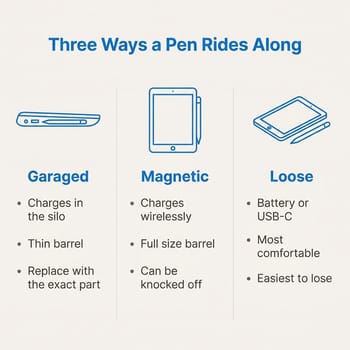
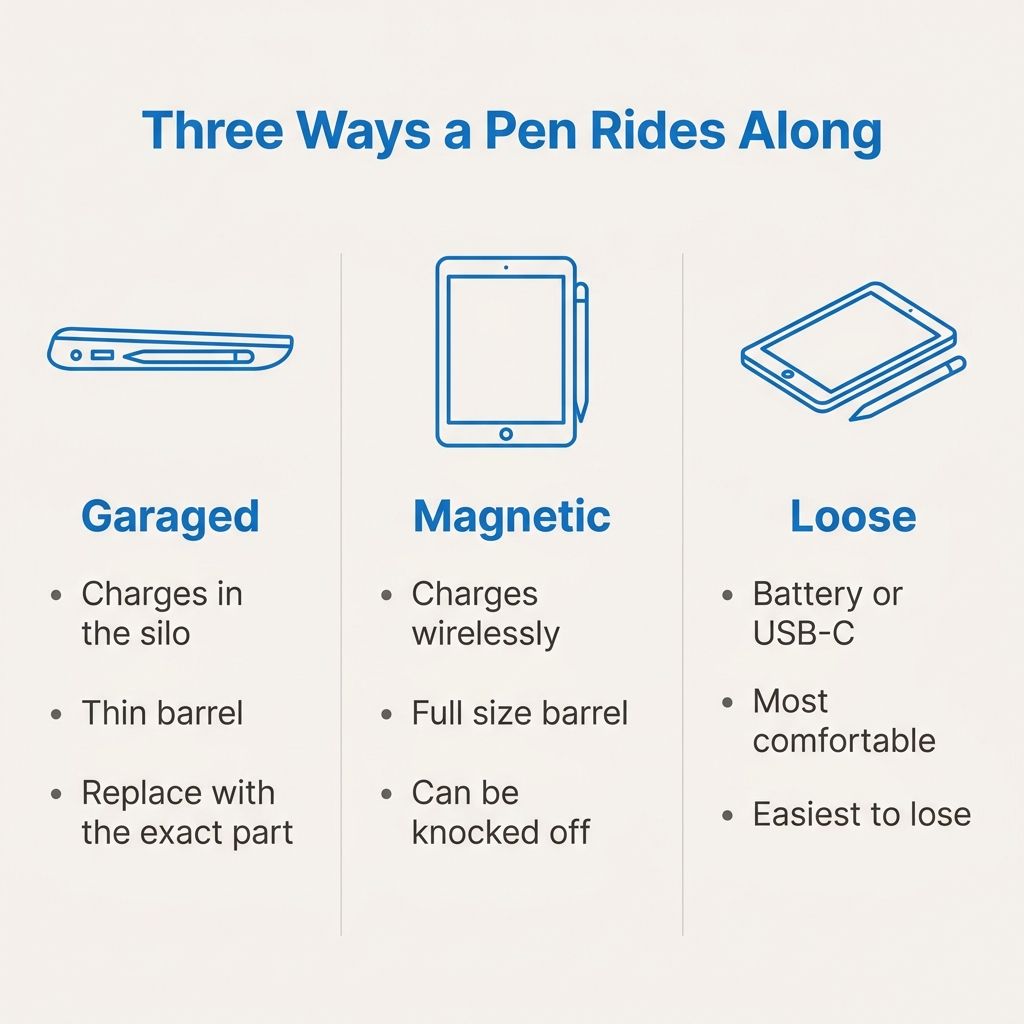
A garaged pen lives in a silo in the chassis and charges there, which is why ASUS says the Plus CM34 Flip’s bundled stylus takes “only 15 seconds of charging” for up to forty-five minutes of use, and why Lenovo’s integrated pen for the 300e and 500e Yoga Gen 4 reaches ninety percent in fifteen seconds. The pen is never flat and never missing. A silo pen is also a thin cylinder, and thin cylinders are tiring to hold through a two-hour lecture. Replacing a lost one also means matching the exact part, not buying any USI pen.
Magnetic pens are the middle path. The ASUS CM32 Detachable takes a full-size pen that attaches to the chassis and charges wirelessly, and Lenovo’s Chromebook Plus 2-in-1 14 uses a magnetic USI Pen 2 variant. You get a comfortable barrel and no cable, at the price of a pen that can be knocked off in a bag.
Loose pens, including the battery-powered Lenovo USI Pen offered as an option on the IdeaPad Flex 5i Chromebook Plus, are the most comfortable and the easiest to lose. They also sidestep charging entirely, which some buyers prefer.
Form factor compounds this. A detachable lies flat on a table with no keyboard behind the glass, which is the better drawing surface; a 360-hinge convertible folded into tablet mode carries the keyboard’s thickness and weight behind the panel. If the pen is the point rather than a bonus, the detachables in the table are the shape to start from. Our touchscreen Chromebook roundup covers the panel side of that decision, and the Chromebook Plus versus Android tablet comparison covers the case where the answer is not a Chromebook at all.
ASUS Chromebook CM30 Detachable
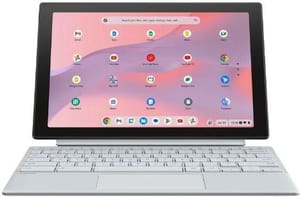
- ✓USI 2.0 stated by ASUS
- ✓garaged pen that charges in the silo
- ✓detachable so it lies flat to draw on
- ✗Pen is an optional extra on some configurations
- ✗small 10.5-inch panel
- ✗garage pen is a thin barrel
Lenovo 500e Yoga Chromebook (Gen 4)
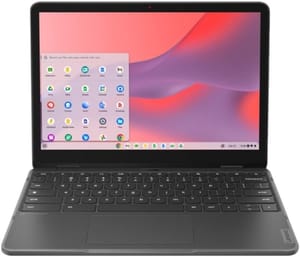
- ✓Garaged rechargeable pen option
- ✓15 seconds of charging for 90 percent
- ✓education-grade chassis
- ✗Lenovo does not print a USI version on the machine's own spec sheet
- ✗pen is a configurable option
- ✗no tilt claimed for the integrated pen
What to check on the listing before you pay
Start with the SKU. Find the exact model number in the retail listing, look that number up on the manufacturer’s own spec page, and read the box contents block rather than the marketing copy above it. ASUS’s optional heading, Lenovo’s configurable pen row, Acer’s sold-separately footnote, and HP’s optional pen line all live there, and none of them appear in the retailer’s bullet list.
The photography is the second check. A silo model photographed with the pen seated in the chassis is a promising sign; a listing whose gallery shows a smooth edge where the silo should be, or that lists a dust plug in the contents, is telling you no pen is coming. If the listing shows a pen but does not name it in the box contents, treat the pen as a prop.
Last comes the question of whether you need the bundled pen at all. On a machine with no silo, a dual-protocol pen from ZAGG or Penoval does the same job and travels between devices, so the bundle is worth only what it saves you. On a garaged model the in-box pen is worth more than its price, because the silo takes one specific pen and a third-party barrel will not fit it. If you want the wider context on which Chromebooks carry the Plus badge and what it does and does not include, the Chromebook Plus explainer covers the tier, and our piece on the first Chromebook Plus tablet covers where the detachable side of the lineup is heading.


