

A Synology alternative can mean three different purchases: another ready-made NAS with its own software, NAS hardware you load with TrueNAS or Unraid, or plain storage with the apps moved somewhere else. In 2026 the main reason to leave is hardware. Synology’s four-bay DS925+ uses a 2018 AMD chip with no video engine, the DS225+ and DS425+ keep a 2019 Celeron with 2GB of memory, and none of the 2025 desktop models has built-in 10GbE. The drive-lock rule that drew the loudest complaints in 2025 now applies mainly to M.2 SSDs.
UGREEN, TerraMaster, Minisforum, and AOOSTAR prices below are list prices from each maker’s US store in late 2026. Sales move them often.
Synology alternatives at a glance
| Alternative | Type | Starting list price | Best for |
|---|---|---|---|
| UGREEN DXP4800 Plus | Ready-made, UGOS Pro | $656.99 | A direct DiskStation swap with 10GbE and Plex transcoding |
| UGREEN DXP2800 | Ready-made, UGOS Pro | $389.99 | A two-bay replacement for a DS220+ or DS225+ |
| QNAP TS-464 | Ready-made, QTS or QuTS hero | varies | ZFS on a ready-made box, and a PCIe slot |
| TerraMaster F4-425 Plus | Ready-made, TOS 7 | $509.99 | A cheaper four-bay with 5GbE ports |
| UniFi UNAS Pro | Storage appliance | $499 | Seven bays of file storage on a UniFi network |
| Minisforum N5 Pro | Open hardware | $899 (no RAM) | TrueNAS, Unraid, or Proxmox with room for VMs |
| Minisforum N5 Air | Open hardware | $495 (no RAM) | Five bays and 10GbE for a TrueNAS or Unraid build |
| AOOSTAR WTR Pro 5825U | Open hardware | $379 (no RAM) | The cheapest four-bay box for TrueNAS or Unraid |
| UGREEN DXP480T Plus | All-SSD, UGOS Pro | $899.99 | Fast shared storage for video editing over 10GbE or Thunderbolt |
| TrueNAS Community Edition | Software | Free | ZFS storage on hardware you choose |
| Unraid | Software | $49 to $249 | Mixed drive sizes and a large app catalog |
The UniFi price is from WunderTech’s guide. QNAP’s US street price for the TS-464 changes often and usually sits in the same range as the four-bay UGREEN and TerraMaster boxes. Every model on the NAS comparison chart can be sorted by bays, network speed, and transcoding support.
What still pushes buyers away from Synology
The drive lock is mostly gone. When Synology launched the 2025 Plus models, they refused to set up storage on hard drives outside Synology’s own list. After months of complaints, Synology’s DSM 7.3 release on October 8, 2025 restored third-party hard drives and 2.5-inch SATA SSDs on those models. The M.2 slots still take only Synology’s own NVMe SSDs for new storage pools and caches, so a DS925+ owner who wants a cheap Samsung or WD SSD cache cannot add one. WunderTech also notes that Synology has not committed to open drive support on future models, and its UGREEN vs Synology comparison points out that some newer DSM storage features still require Synology drives: “It isn’t fair to say you can use third-party drives, full stop.”
The DS925+ lists at $700 and carries an AMD Ryzen V1500B from 2018, 4GB of ECC memory, and two 2.5GbE ports with no slot for a faster card. That chip has no graphics engine, so Plex and Jellyfin cannot hardware-transcode video on it. The two-bay DS225+ and four-bay DS425+ use the 2019 Celeron J4125 with 2GB of memory. Synology also removed its own Video Station app in DSM 7.2.2, which left media playback to third-party apps.
Synology still has the better software. Hyper Backup, Active Backup for Business, Snapshot Replication, and Synology Photos have years of fixes behind them, and DSM 7.3 gets maintenance updates through October 2027 under Synology’s life-cycle policy. Every alternative below gives up some of that, so list the DSM apps you use before you shop.
UGREEN NASync is the closest DiskStation replacement
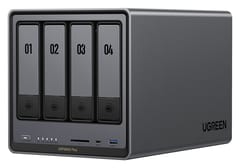
UGREEN NASync DXP4800 Plus
Editor's Choice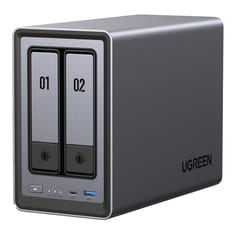
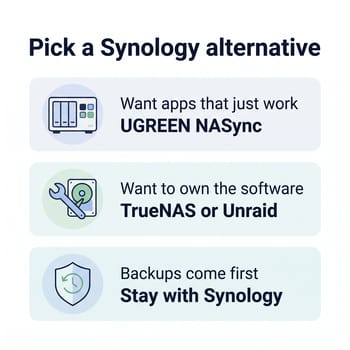
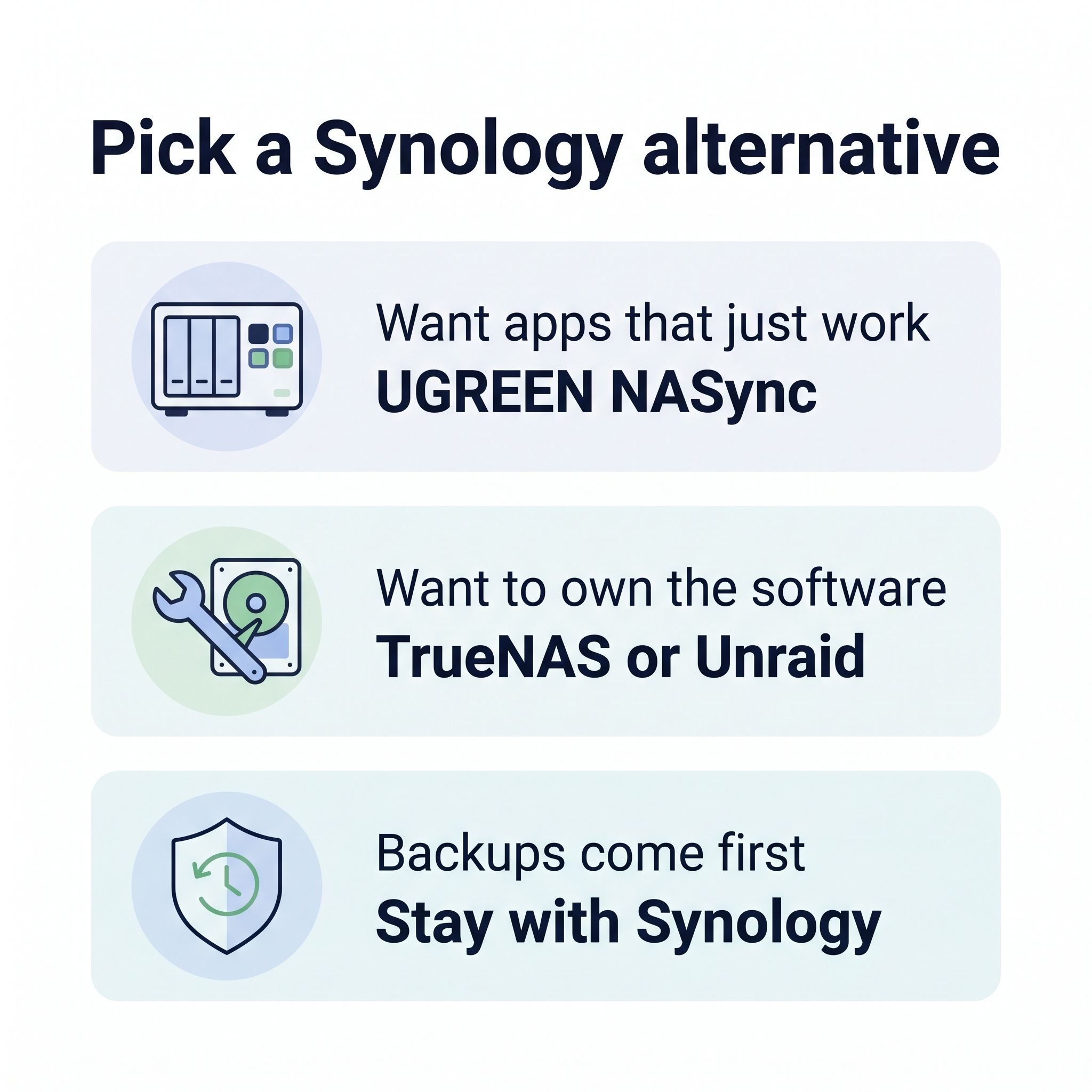
You put drives in a UGREEN NASync box, open a web page, and get a storage pool, file shares, a photo app with face recognition, a sync app, Docker, and virtual machines, all inside UGREEN’s own UGOS Pro, as on a DiskStation. The DXP4800 Plus lists at $656.99 with a 12th-generation Intel Pentium Gold 8505, 8GB of DDR5 that expands to 64GB, a 10GbE port next to a 2.5GbE port, two M.2 slots that take any NVMe SSD, and a separate 128GB system SSD. That is $43 less than the DS925+ for a newer CPU, twice the memory, and four times the network speed on one port.
Intel’s Quick Sync video engine is in every Intel-based NASync model, so Plex (with a Plex Pass) and Jellyfin can transcode 4K HEVC on the GPU instead of the CPU cores. WunderTech’s alternatives guide makes the same point: “the Intel models handle Plex transcoding that current Synology Plus devices can’t do at all.” For a two-bay swap, the DXP2800 lists at $389.99 with an Intel N100, 8GB of DDR5, and two M.2 slots, though it has a single 2.5GbE port and tops out at 16GB of memory.
For backups, WunderTech’s UGREEN vs Synology comparison says “on the UGREEN side you’re mostly syncing your data, not backing it up,” because a deletion on the NAS can carry through to the backup copy. UGOS Pro also cannot encrypt a whole volume, only individual shared folders. If you leave UGOS Pro later, you can install TrueNAS or Unraid on the same box; UGREEN has said that a third-party system does not by itself void the hardware warranty, though it will not support the software. Our UGREEN vs Synology comparison covers the model pairs, ECC memory, and the software gap in more detail.
QNAP adds a PCIe slot and ZFS but runs an older chip
QNAP’s QTS system has a comparable range of apps, including Hybrid Backup Sync for versioned backups to other devices and the cloud. The four-bay TS-464 has an Intel Celeron N5095 with Quick Sync, 8GB of memory, two 2.5GbE ports, two M.2 slots, and a PCIe slot that takes a 10GbE or faster network card. Neither the DS925+ nor UGREEN’s four-bay boxes have a PCIe slot. QNAP also offers QuTS hero, a ZFS-based version of its system, and the TS-464 can switch to it from QTS 5.2.1 onward. That puts ZFS checksumming and snapshots on a ready-made box with a vendor app store.
QNAP released the TS-464 in 2022 around Intel’s Celeron N5095, a 2021 chip, so it sits a generation behind UGREEN’s N100 and Pentium Gold models. WunderTech, who runs Synology, UGREEN, and TrueNAS boxes, wrote of QTS: “The operating system is just a lot, and it’s the one I find least pleasant to actually use.” The DeadBolt ransomware encrypted QNAP units exposed to the internet in early 2022, after the Qlocker and eCh0raix campaigns the year before. Keep any NAS, from any maker, off direct internet exposure and reach it through a VPN or a tunnel instead.
TerraMaster costs less and has rougher software
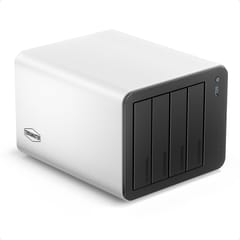
The TerraMaster F4-425 Plus N150 model lists at $649.99 with 16GB of DDR5, three M.2 slots, and two 5GbE ports in an aluminum case. A later-released N95 model lists at $509.99 with 8GB of DDR4 and the same ports. Two 5GbE ports are double the speed of the DS925+‘s 2.5GbE, and both the N150 and N95 transcode video with Quick Sync. TerraMaster’s TOS 7 includes TRAID, its version of Synology’s mixed-drive SHR, plus Btrfs snapshots, a photo app, and Docker.
NASCompares listed the TOS 6 interface and apps as less polished than the top NAS platforms in a review that predates TOS 7, and WunderTech, after praising TOS 6’s backup tools, concluded: “I can’t recommend it as your primary NAS yet.” The F4-425 Plus also has no PCIe slot, so 5GbE is as fast as it goes, and its M.2 slots run at one PCIe 3.0 lane each. TerraMaster does not lock the hardware, so Unraid or TrueNAS can replace TOS if it does not work out.
UniFi UNAS Pro is storage only
If your home network already runs on UniFi gear, Ubiquiti’s UNAS Pro is a seven-bay rackmount NAS at $499, with a 10GbE port and 8GB of memory. It runs UniFi Drive, which handles file shares, snapshots, and backups inside the same UniFi console you use for the router and access points. NASCompares’ review found it struggled to hold full 10GbE speed under sustained heavy load.
The UNAS Pro has no Docker, no Plex, and no photo app. The UNAS Pro makes sense as a Synology replacement only when you pair it with a separate app box, such as a mini PC running Plex and Docker. Our guide to running a mini PC as a home server covers that half.
Run TrueNAS or Unraid on hardware you pick
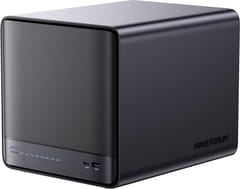
Minisforum N5 Pro
Best Performance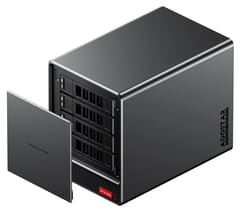
A DiskStation runs DSM and nothing else in any supported way, so leaving Synology’s software means leaving its hardware. The alternative is NAS hardware that takes any x86 operating system, loaded with TrueNAS (free) or Unraid (paid).
TrueNAS Community Edition is free and open source, built on the ZFS file system. iXsystems folded its older CORE and SCALE editions into this one Linux-based release in 2025, and version 25.10 arrived in October 2025. ZFS checksums every block, repairs corrupted data from parity, and can replicate snapshots to a second box on a schedule, which covers much of what Hyper Backup and Snapshot Replication do on Synology. It runs Docker apps from a built-in catalog. ZFS pools work best with matched drives, expanding a pool takes planning, and the interface assumes you know what a vdev (a group of drives with its own redundancy) is.
Unraid is paid. A Starter license is $49 for up to six storage devices, Unleashed is $109 for unlimited drives, and Lifetime is $249 with updates for life, according to Unraid’s pricing announcement. Starter and Unleashed include a year of updates, then an optional $36 a year. Unraid’s array lets you mix drive sizes and add one disk at a time, the way Synology’s SHR does, and each drive keeps its own file system, so a failure beyond parity loses only the files on the failed disks. Its Community Apps catalog covers Plex, Jellyfin, Immich, and most other self-hosted software.
For hardware, the Minisforum N5 Pro is the most capable box here for either system. It lists at $899 without memory, with a 12-core Ryzen AI 9 HX PRO 370, support for ECC memory up to 96GB, 10GbE plus 5GbE, a PCIe slot, and five bays. ServeTheHome called Minisforum’s own MinisCloud OS a system that still needs work, and Jim’s Garage ran the N5 Pro as a Proxmox host with TrueNAS in a virtual machine, so plan on replacing the stock software. The Minisforum N5 Air keeps the five bays and 10GbE for less: $535 without memory with an 8-core Ryzen 7 255, or $495 with a 6-core Ryzen 5 7640HS. It drops ECC support.
At the low end, the AOOSTAR WTR Pro 5825U lists at $379 as a four-bay barebone with an 8-core Ryzen 7 5825U and two 2.5GbE ports. It ships with no memory, no system SSD, and no NAS software, so the real starting cost is closer to $450 once you add a memory stick and a small SSD for the operating system. AOOSTAR’s larger WTR MAX adds ECC memory support and 10GbE, and lists at $659 barebone with a Ryzen 7 PRO 8845HS, six SATA bays, five M.2 slots, and two 10GbE SFP+ ports.
Replacing Synology’s apps
Most Synology apps have a free equivalent that runs in Docker on UGOS Pro, QTS, TrueNAS, or Unraid.
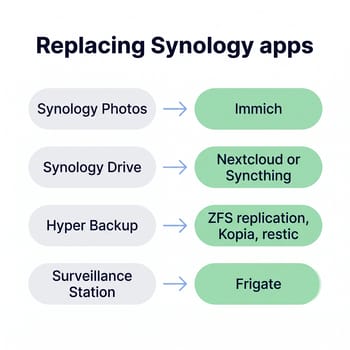
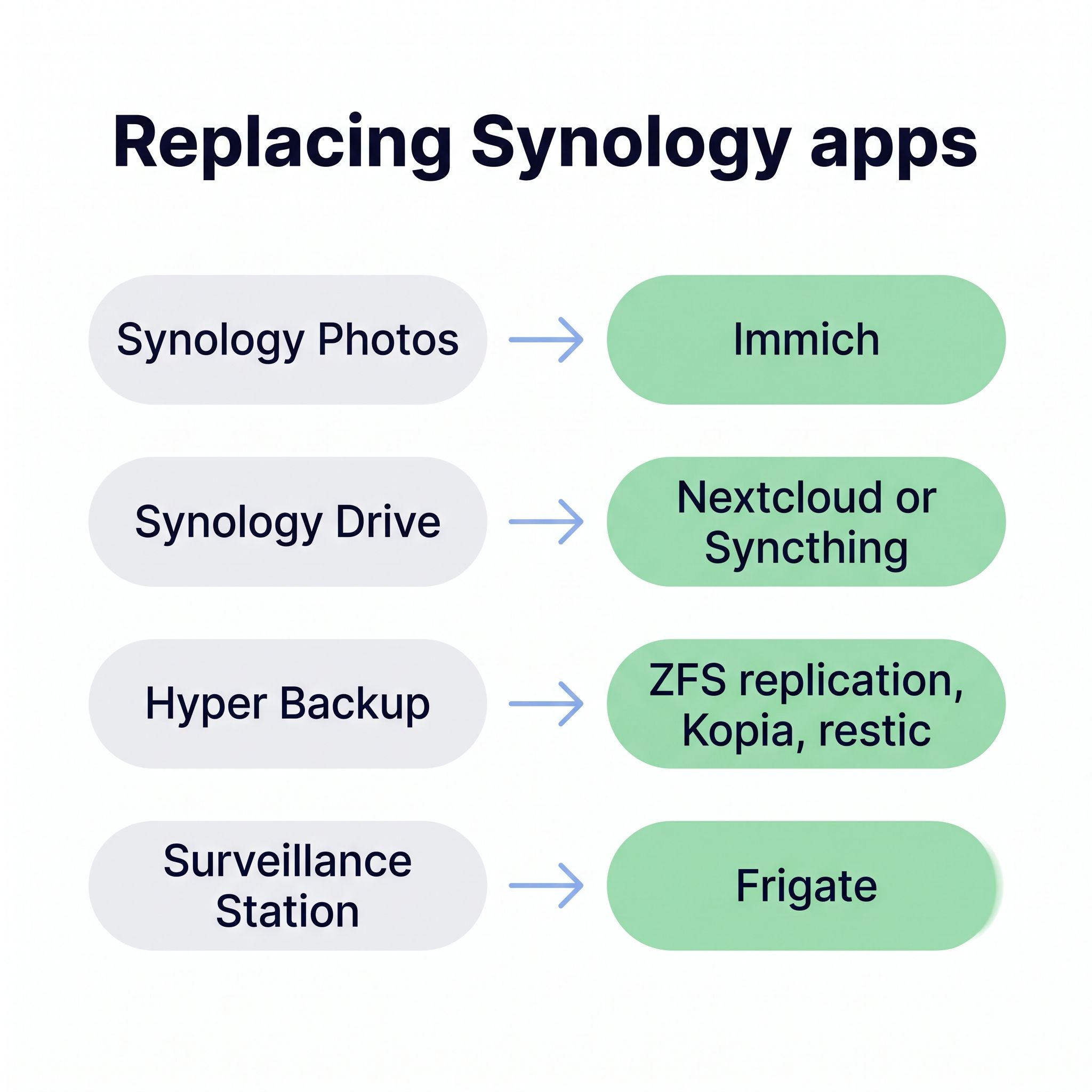
Synology Photos maps to Immich, a self-hosted Google Photos replacement with face recognition, phone backup, and shared albums. Immich reached its first stable release in October 2025, which ended the project’s long-running warning about breaking changes. UGREEN’s built-in photo app also handles face and object recognition.
Synology Drive has two common replacements. Nextcloud is a full file-sync suite with calendars and contacts, while Syncthing keeps folders in sync between computers without a server account system.
Hyper Backup and Snapshot Replication are where the gap is largest. On TrueNAS, ZFS snapshots and replication to a second TrueNAS box keep versioned copies on another machine. On other systems, tools such as Kopia and restic make versioned, encrypted backups to another NAS, a USB drive, or cloud storage, but you set them up yourself. A plain sync to the cloud is not a backup, because a deletion or ransomware encryption on the NAS syncs too.
Active Backup for Business has no single free equivalent. Macs can back up to a Time Machine share on most NAS systems, and Windows PCs need a separate backup agent. If you back up a dozen office PCs with Active Backup today, that is a strong reason to stay with Synology.
Surveillance Station users can move to Frigate, an open-source video recorder with object detection. QNAP’s QVR Pro covers simpler camera setups on QNAP hardware.
Who should stay with Synology
Synology DiskStation DS925+
Best for BackupsDSM has the most complete backup and maintenance tools of the systems covered here. That matters most when the NAS backs up a few PCs and Macs through Active Backup or Hyper Backup, and when someone else has to look after it with little thought. Third-party hard drives work again for storage pools, so a DS925+ with four WD Red or Seagate IronWolf drives works as a backup appliance. Plan to skip the M.2 cache or buy Synology’s own SSDs, and accept that the box will never hardware-transcode video or go past 2.5GbE.
If you already own a Synology that still gets updates, there is also no rush. Pair it with a mini PC for Plex, Jellyfin, and Docker, and let the DiskStation keep doing storage and backups. Our guide to setting up a mini PC as a Plex server covers the media side.
Which Synology alternative to buy
| If you want | Buy |
|---|---|
| A four-bay DiskStation replacement with apps | UGREEN DXP4800 Plus |
| A two-bay replacement | UGREEN DXP2800 |
| ZFS on a ready-made box with a PCIe slot | QNAP TS-464 with QuTS hero |
| The lowest price for a four-bay box with a full NAS system | TerraMaster F4-425 Plus (N95 model) |
| TrueNAS, Unraid, or Proxmox with VMs | Minisforum N5 Pro |
| The cheapest box for TrueNAS or Unraid | AOOSTAR WTR Pro 5825U |
| Storage only on a UniFi network | UniFi UNAS Pro |
| All-SSD storage for video editing | UGREEN DXP480T Plus |
| The best backup software | Synology DS925+ |
If you are not sure a dedicated NAS box is the right shape at all, a small PC with drives attached does much of the same work for less. Our guide to using a mini PC as a NAS covers that route, and the NAS hub lists every model we cover.


