

Black Friday and Cyber Monday 2026 deal updates
We update this section as retailers post their sales, and each entry carries its date.
- November 4, 2026: Black Friday is November 27 and Cyber Monday is November 30. UGREEN, Synology, TerraMaster, and QNAP have posted no Black Friday terms on their US sites, so we list no coming deals here. UGREEN’s US store is running a NAS Halloween Sale advertising up to 20% off. TerraMaster’s home page still shows a “Save Up to 15% | Big Deal Days” banner, and QNAP’s US site shows free shipping on orders over $99 from its store.
For prices right now, use our NAS deals page.
Our Black Friday NAS picks by need
Prices below are list prices for the box without hard drives, and current prices are on each product page. Drive figures are rounded ranges for early November 2026, and they move by tens of dollars from week to week.
| Need | Pick | Bays | Fastest port | Plex hardware transcoding | List price |
|---|---|---|---|---|---|
| First NAS | UGREEN DXP2800 | 2 | 2.5GbE | Yes, Quick Sync | $389.99 |
| Small budget | UGREEN DH2300 | 2 | 1GbE | No | $239.99 |
| Media server | UGREEN DXP4800 Plus | 4 | 10GbE | Yes, Quick Sync | $656.99 |
| Fast network | UGREEN DXP4800 GT | 4 | 2x 10GbE | SDR only, unofficial | $659.99 |
| Backups with little upkeep | Synology DS925+ | 4 | 2x 2.5GbE | No | $700.00 |
| Build it yourself, SSDs | Beelink ME Mini | 6 M.2 slots | 2x 2.5GbE | Yes, Quick Sync | $369.00 with a 2TB SSD |
| Build it yourself, hard drives | AOOSTAR WTR PRO 5825U | 4 | 2x 2.5GbE | SDR only, unofficial | $379.00 barebone |
The UGREEN DXP2800 is our pick for a first NAS
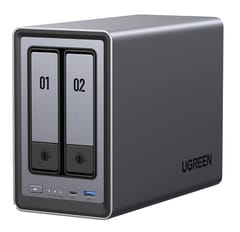
UGREEN NASync DXP2800
Editor's ChoiceThe DXP2800 has enough hardware that a first-time owner will not outgrow it quickly. Its Intel N100 runs Plex or Jellyfin with hardware transcoding, it ships with 8GB of DDR5 (16GB at most), and its two M.2 slots can hold an SSD cache or a small fast pool for apps. Two drives in a mirror keep your files through one drive failure.
Two bays are also its main limit, because growing a mirror means replacing both drives. UGOS Pro has fewer apps than Synology’s DSM, and Plex installs as a Docker container. How-To Geek’s review of an early unit in 2024 recommended it to enthusiasts “but not first-time NAS users”; UGREEN has since added Docker and other missing features. The other two-bay options, including ones with faster ports, are in our 2-bay NAS guide.
The UGREEN DH2300 fits a small budget when it only holds backups
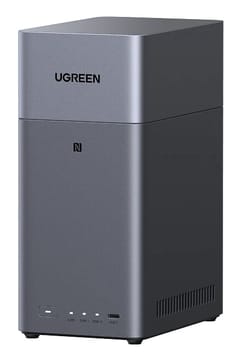
The DH2300 handles phone photo backup, shared folders, and nightly PC backups at the lowest box price here. Its ARM chip and 4GB of soldered memory set a low ceiling, though. UGREEN’s product page says it has no official Docker support, there is no Plex hardware transcoding, and the single port runs at 1GbE. TechRadar wrote that with 4GB “it can only handle a couple of major Docker containers.” It lists $150 below the DXP2800. With two 4TB drives in each box, that saves about 17% to 19% of the DXP2800’s total. A cheap two-bay setup like this makes sense when the box will hold backups and nothing else.
Four bays and Quick Sync make the UGREEN DXP4800 Plus our media server pick
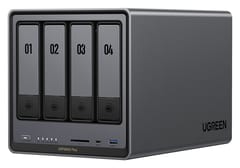
UGREEN NASync DXP4800 Plus
Best for MediaA movie library grows, and the DXP4800 Plus gives it four bays, so you can start with two drives and add two later. Its Pentium Gold 8505 has Quick Sync, which Plex fully supports for 4K and HDR conversion. It also has 8GB of DDR5 that expands to 64GB, a 10GbE port next to a 2.5GbE port, and two M.2 slots that accept SSDs off UGREEN’s list too, though UGREEN does not guarantee drives it has not tested. The chip dates from 2022.
Two 10GbE ports set the UGREEN DXP4800 GT apart on a fast network
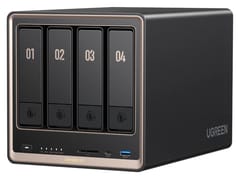
UGREEN NASync DXP4800 GT
Best PerformanceTwo workstations can each get a full 10GbE link on the DXP4800 GT. Its Ryzen Embedded R2514 also accepts ECC memory, though the module in the box is not ECC. That speed only pays off with 10GbE on the computer and the switch, and a four-drive hard disk array will not fill both ports.
For Plex it falls behind the DXP4800 Plus, since Plex’s support for AMD graphics is unofficial and covers SDR video only. In its review, PCWorld measured 25 watts with the drives asleep and called the missing full-volume encryption the box’s “most notable shortcoming.”
DSM makes the Synology DS925+ our pick for backups with little upkeep
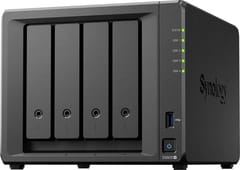
Synology DiskStation DS925+
Best for BackupsOn the DS925+, Hyper Backup, Active Backup for Business, and Snapshot Replication have years of fixes behind them, and they need little attention once set up. The box also ships with ECC memory.
The hardware costs more and does less than the UGREEN boxes. Its Ryzen V1500B belongs to a family AMD launched in 2018 and has no graphics engine, so Plex converts video on the CPU alone. It has 4GB of memory, 2.5GbE ports with no route to 10GbE, and M.2 slots limited to Synology’s list. It lists above the DXP4800 Plus.
Build it yourself on a Beelink ME Mini or AOOSTAR WTR PRO 5825U

Beelink ME Mini
Most Compact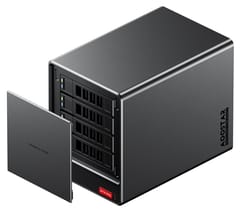
Most mini PCs have no room for 3.5-inch hard drives, so a mini PC home server used as a NAS usually means SSD storage. The Beelink ME Mini is a 3.9-inch cube with an Intel N150, six M.2 slots, and two 2.5GbE ports, and it runs TrueNAS, Unraid, or plain Linux. Filling it is expensive. NASCompares found 4TB NVMe SSDs listed at about $699 to $900 or more in July 2026, so it works better as a small, quiet pool than as a large library. Its memory is soldered too. Using a mini PC as a NAS also means you take on updates and drive monitoring yourself.
The AOOSTAR WTR PRO 5825U takes hard drives instead, with four bays and an eight-core Ryzen 7 5825U. It ships with no memory, no boot SSD, and no operating system, and memory prices rose sharply this year, so price those parts before you compare it with a finished box. The bays are not hot-swappable, and you will be your own support desk.
What each pick costs with drives
This table adds rounded drive costs for CMR NAS drives, which is the type to buy. Two 4TB drives run about $400 to $500, two 8TB drives about $700 to $900, and four 8TB drives about $1,400 to $1,800. The low end of each range is a low-priced model, and the high end sits near typical prices for that size.
| Box | List price | Drives | Total |
|---|---|---|---|
| UGREEN DH2300 | $239.99 | 2 x 4TB | about $640 to $740 |
| UGREEN DXP2800 | $389.99 | 2 x 4TB | about $790 to $890 |
| UGREEN DXP2800 | $389.99 | 2 x 8TB | about $1,090 to $1,290 |
| UGREEN DXP4800 Plus | $656.99 | 4 x 8TB | about $2,060 to $2,460 |
| UGREEN DXP4800 GT | $659.99 | 4 x 8TB | about $2,060 to $2,460 |
| Synology DS925+ | $700.00 | 4 x 8TB | about $2,100 to $2,500 |
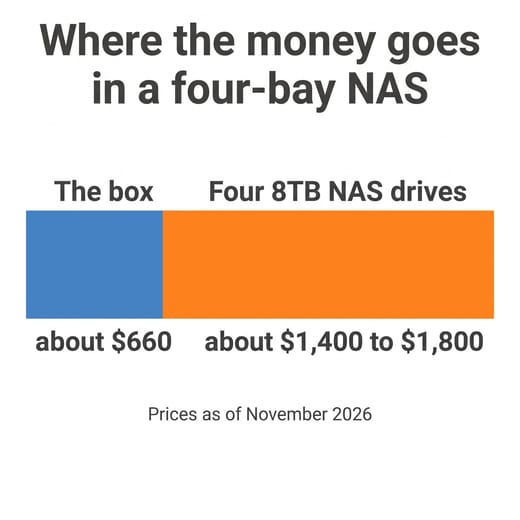
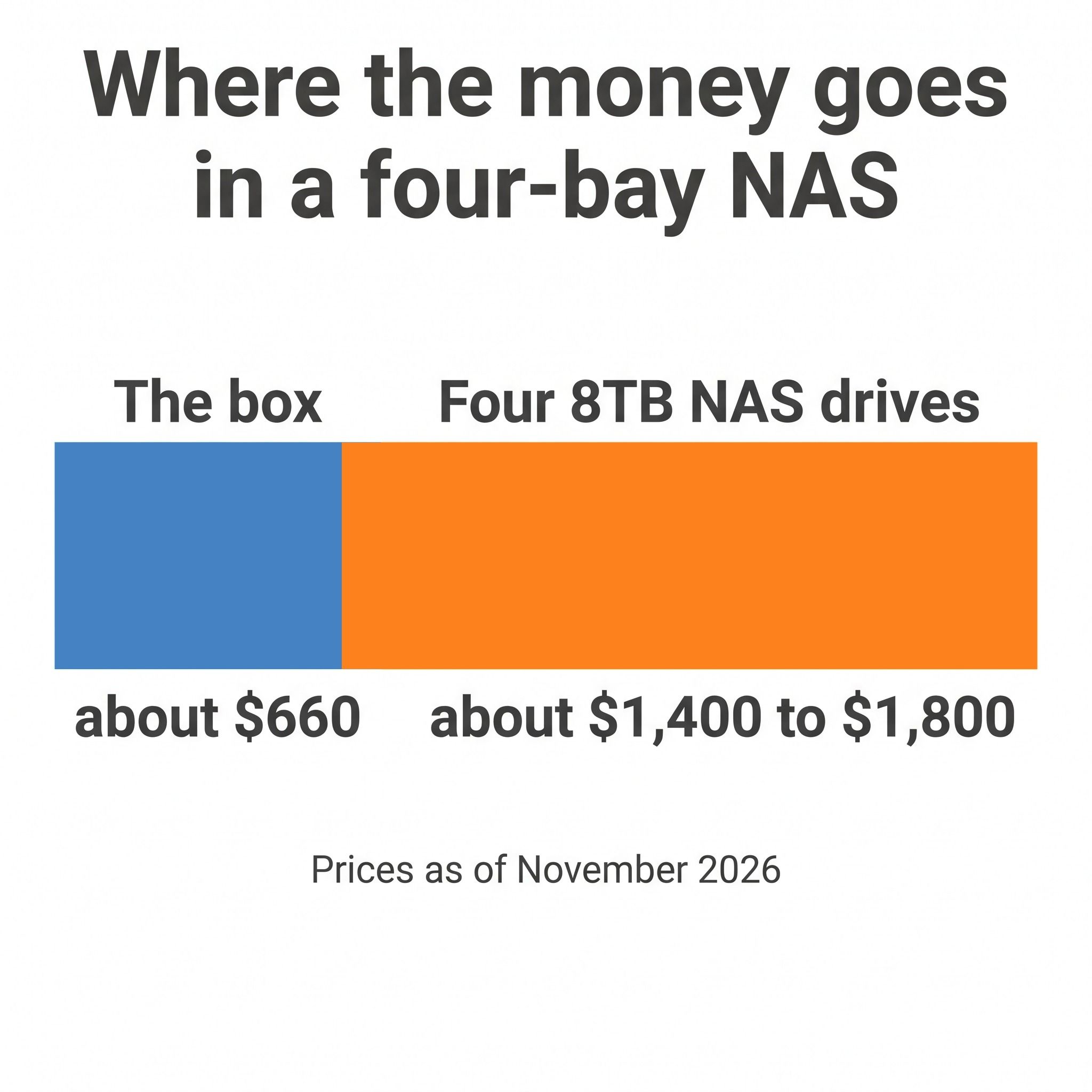
On a four-bay setup that totals about $2,200, every $100 off the box is less than 5% of what you spend. A cheaper box still helps, but a faster chip or a port you will use for years can be worth more than the difference between two sale prices. You also do not have to fill the bays on day one: two drives in a four-bay box leave room to add more later.
NAS hard drive deals start with a CMR drive at a fair price per terabyte
Drive prices are the largest number in the table, and they are high. As of November 3, the NASDisks price report puts the median NAS hard drive of 8TB and up at $51 per terabyte, against $21 in July 2024. DatacenterDisk’s tracker shows a $55 median for new NAS drives and says, “Relief is not expected before 2027.”
MakeUseOf reported in September that “Western Digital says it’s sold out of nearline hard drive capacity through calendar 2026,” and that analysts do not expect prices to normalize before late 2027. Nearline drives are the data center class, and NAS drives remain on sale at retail, but both draw on the same makers. Terabytewise, which tracks the lowest price per terabyte on new CMR NAS drives, found that October’s Prime event “did not lower the floor for internal NAS drives.” One sale event in one tracker does not settle what happens on November 27, and we cannot tell you what drives will cost that day. It does make waiting on drives alone a weak plan if you need the storage now.
Which NAS drives to buy
Look for CMR drives sold for NAS use, such as the Seagate IronWolf, WD Red Plus, or Toshiba N300. CMR (conventional magnetic recording) holds up during the long sustained writes of a RAID rebuild. Plain WD Red drives in the 2TB to 6TB range use SMR (shingled magnetic recording), which slows badly under that load, so check the spec sheet for “CMR” before you buy.
Bigger drives usually cost less per terabyte. In NASDisks’ table, the best-value 2TB drive costs more than twice as much per terabyte as the best-value 16TB drive. An “enterprise” label does not predict price either: MakeUseOf found Toshiba’s MG drives close to NAS drives per terabyte and WD Gold far above them, so compare price per terabyte on the exact model. In a video on buying drives in 2026, NASCompares points US buyers to Slickdeals, and Amazon shoppers anywhere to the Disk Prices comparison site.
Recertified enterprise drives cost less but come with a seller’s warranty instead of the maker’s, as MakeUseOf notes, so they make sense for a setup that already has redundancy and backups. Pulling a drive out of a cheap external enclosure is a similar trade. ComputingForGeeks points out that Seagate’s Expansion Desktop has a one-year warranty in the Americas and that opening the enclosure may void it.
Synology’s drive rules as of DSM 7.3
Synology’s drive compatibility policy, last updated May 27, 2026, sets these rules for models released in 2025 and later:
| Series | Unlisted hard drives | Unlisted M.2 NVMe SSDs |
|---|---|---|
| DS Plus, such as the DS925+ | Allowed for new installs and new storage pools | Migration from an older Synology only |
| RS Plus rackmounts | Migration from an older Synology only | Migration from an older Synology only |
| XS, XS+, HD, SA, UC, and rackmount FS series | Migration from an older Synology only | Check Synology’s table for your model |
A drive on Synology’s incompatibility list is blocked in every one of these series. On a DS925+, a WD Red Plus or IronWolf works in the bays whether or not Synology lists it, unless it is on that blocked list, while a new M.2 pool or cache needs an SSD from Synology’s compatibility list. Synology still recommends listed drives. The rules “do not apply retroactively” to models launched before 2025, so older models such as the DS224+ and DS923+ fall outside them.
UGREEN publishes a compatibility list too, but it does not block unlisted drives in its bays or M.2 slots, so an unlisted M.2 NVMe SSD can still form a cache or a pool. UGREEN does not guarantee drives it has not tested.
How to choose the box
Two bays cost less up front, and four let you add drives instead of replacing them. In RAID 5, four drives give you three drives’ worth of space and survive one failure, while a mirror of two gives you one.
File sharing and photo backup run on almost anything. Docker apps and virtual machines want a newer x86 chip, and an ARM chip like the DH2300’s rules out most of that work.
For memory, check both the starting amount and whether it can grow. The DS225+ ships with 2GB and tops out at 6GB, the DXP2800 goes from 8GB to 16GB, and the DXP4800 Plus reaches 64GB. Soldered memory, as on the DH2300 and ME Mini, is fixed for the life of the box. Some 8GB units of the QNAP TS-464 have fixed memory too.
Ethernet
A 1GbE port tops out near 115 MB/s, 2.5GbE near 280 MB/s, and 10GbE near 1,100 MB/s. Streaming video stays well under any of these, while copying a large video project does not. Faster ports only help when your computer and switch match them, and 10GbE pays off when you often copy large files to the NAS.
NVMe slots
M.2 slots hold an SSD cache or a separate fast pool for apps, which lets hard drives spin down. Check the lane count, since TerraMaster’s run at PCIe 3.0 x1 each, and check for maker restrictions like Synology’s. An all-SSD NAS is a different purchase, and it costs far more per terabyte.
Plex or Jellyfin transcoding
A conversion is needed when a TV, phone, or remote viewer cannot play a file as stored. Intel Quick Sync is what Plex fully supports, Plex needs a Plex Pass subscription for hardware transcoding, and Jellyfin does it for free. A modern TV can often play a file as stored, with no conversion.
Software
Backups favor DSM, whose apps are the most mature here. UGOS Pro is stronger on Docker than on backup depth. On QNAP, QTS and QuTS hero bring many apps and a ZFS option, though WunderTech calls QTS the system “I find least pleasant to actually use.” TerraMaster’s TOS has a smaller community to ask when something breaks. With TrueNAS or Unraid on your own hardware you can change almost anything, and you become responsible for every update.
How to judge a NAS sale listing
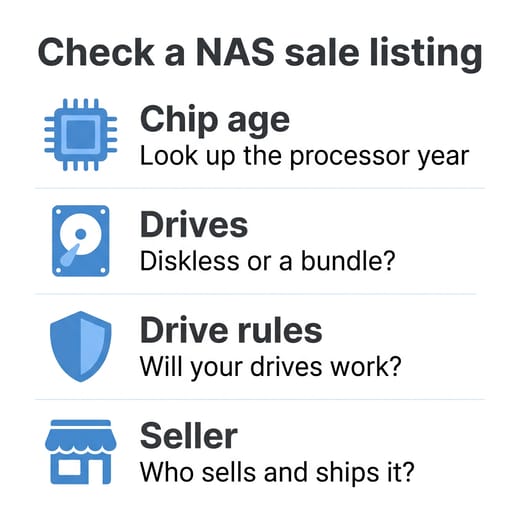
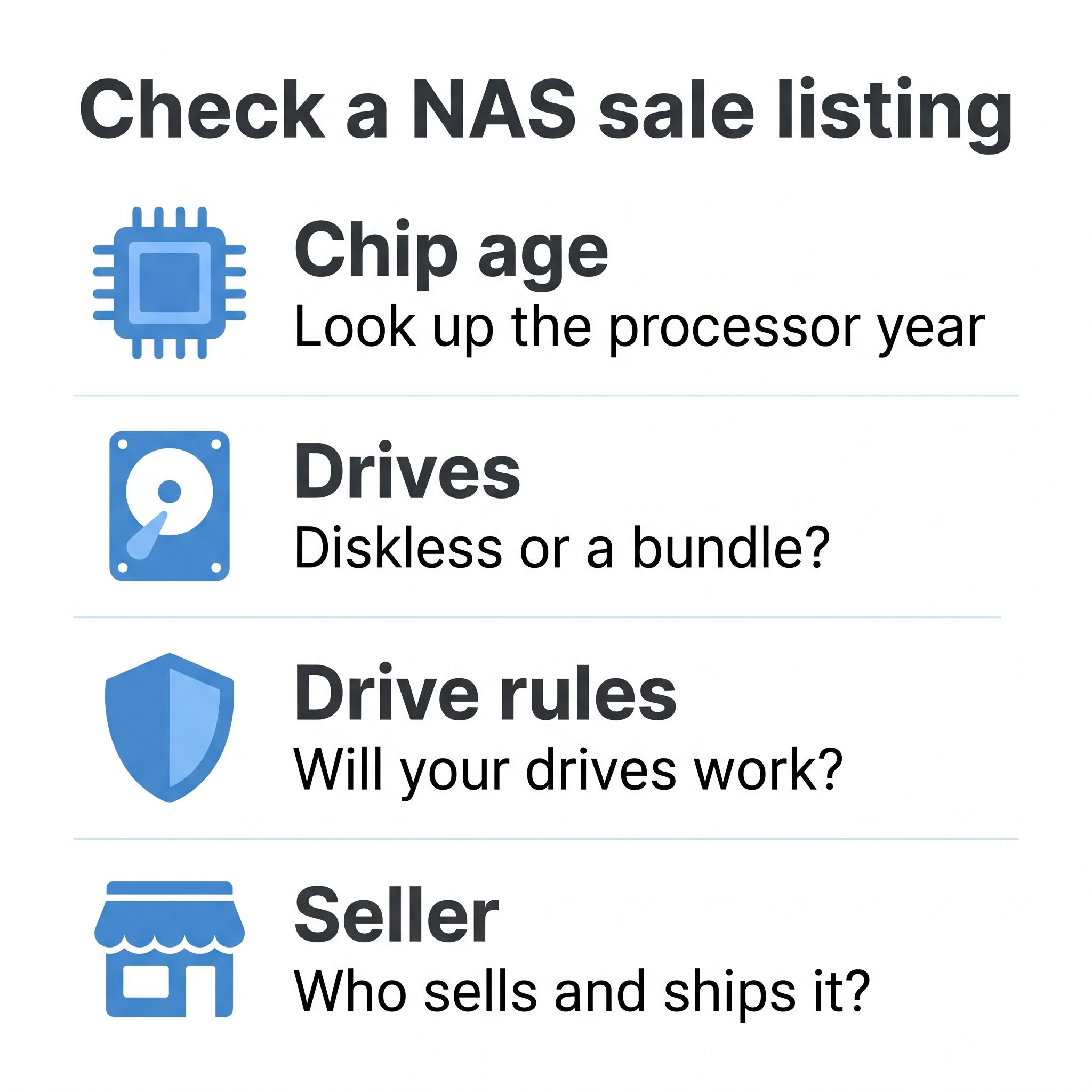
Start with four checks on the listing: the chip’s age, whether the box is diskless or a bundle, whether your drives will work, and who sells and ships it.
Look up the chip’s age, not the model’s
A new model number can carry an old chip, and a low price on one may reflect that. The TerraMaster F2-425 launched in 2025 with a 2021 Celeron N5095. The QNAP TS-464 launched in 2022 with the same chip, and Synology’s DS225+ launched in 2025 with a Celeron J4125 from 2019. The N5095 still has Quick Sync and runs Plex and Docker, but compare a sale price on it with what newer hardware costs, not with the box’s own earlier price.
Look at the features that age worst: memory ceiling, port speed, and the video engine. Synology’s DS223j has 1GB of memory and a 1GbE port, for instance, so its draw is DSM’s backup apps, not speed. ChuckPa, who answers Linux and NAS questions on Plex’s forum, wrote in August 2025 that he had “removed all X25+ products from Hardware Transcoding Support,” so a Synology DS225+ or DS425+ is a poor bargain for a Plex server at nearly any price.
Check the struck-through price
On November 4, UGREEN’s store showed the DXP4800 GT at $659.99 with $729.99 struck through. The box launched at $659.99 in June, according to Dong Knows Tech, so this sale price is the launch price and the $729.99 is a higher figure than it launched at.
Price a populated bundle as two purchases
Diskless listings are easier to judge. A populated bundle is worth buying only if the listing names the exact drive model, and you can check that it is a CMR NAS drive, price it separately, and see whose warranty covers it. If the drive model is missing, or the bundle costs more than the box and drives bought apart, skip it. A bundle also ties you to one capacity, so work out whether it suits the next few years of your files.
Buy from a seller the warranty recognizes
Read the “sold by” line on the listing, because the seller can decide your warranty. Synology’s warranty excludes a product that “has been purchased from unauthorized distributors or resellers.” Seagate’s warranty page says to buy from an authorized distributor or reseller and to contact that seller for claims within a region; it also has a claim form and a serial number checker.
In January 2025, Heise reported used Seagate Exos drives being sold as new, and Tom’s Hardware later reported that sellers had found ways to alter the usage data buyers relied on to catch them. Run the serial number through the maker’s warranty checker when a drive arrives, and test it before you trust it with data.
UGREEN Black Friday terms are not out, and its store has a 30-day price guarantee
On November 4, UGREEN’s sale page showed the DXP2800 at $389.99 and the DH2300 at $239.99, marked 11% off struck-through figures, and the DXP4800 GT and DXP2800 GT marked 9% off. Those two prices match our table’s list prices, so there is no further 11% to subtract. The DXP4800 Plus was marked about 15% off at $619.99, which is $37 below the $656.99 regular price in our table.
The store’s home page also lists a 30-day price guarantee. In UGREEN’s words, “If you find the same model available at a lower price on this website within 30 days of your purchase, we will refund the difference.” An order placed in the days before Black Friday has both sale days inside that window. The guarantee excludes “special offers (such as cashback, bonuses or bundled offers)” and “prices offered by third parties,” so a lower Amazon price does not count. The sale page’s price match terms add that the guarantee “generally does not apply to” clearance products and “Prices far below normal retail or market value,” and the wording leaves open how UGREEN would treat a holiday sale. Ask support before you rely on it. The store also lists a 2-year warranty and 30-day returns for unused items in their original packaging.
Synology Black Friday buyers should check the seller first
Synology’s US product pages show no NAS prices, and NASCompares’ 2025 roundup found last year’s Synology discounts at retailers such as Amazon and B&H. That makes the warranty rule above the first thing to check on any Synology listing. On November 4, the featured offer for the DS925+ on Amazon came from a third-party store, not from Amazon or Synology, so confirm the seller is authorized before you buy. Synology’s Where to Buy page names B&H and Adorama among its US resellers, along with Amazon and Newegg.
The 2025 models follow the drive policy above and keep older chips, and ECC memory comes only on the DS725+, DS925+, and larger models in that group. The DS225+ has 2GB of memory and no M.2 slots, so we would stretch to the DS925+ if DSM is the reason you are buying. If you own an older Synology, its drives can migrate to a new DS Plus model, and that route also carries over unlisted M.2 SSDs.
TerraMaster and QNAP have posted no Black Friday terms
TerraMaster’s 2025 Black Friday post ran from November 20 to December 1 last year, which says nothing firm about this year. The F4-425 Plus in its N95 version is the model we would watch from this maker, with two 5GbE ports and three M.2 slots at a $599.99 list price; the slots run at one PCIe lane each and there is no PCIe slot.
QNAP’s TS-464 has a $639.00 list price and a PCIe slot that takes a 10GbE card, which neither the DS925+ nor the UGREEN four-bay picks above have. Its chip dates from 2021, while the DXP4800 Plus at $656.99 has a 2022 chip and a 10GbE port built in.
Cyber Monday NAS deals need the same total with drives
Cyber Monday is November 30, three days after Black Friday. Price a Cyber Monday box the way you would on Friday: add the drives, check that a bundle names a CMR NAS drive, and read the “sold by” line.
Buy now or wait for November 27
If you need storage this month, there is little reason to hold off on drives alone, since the trackers above show no sign of relief. Buy them when a CMR NAS model is at a price per terabyte you can accept, and split the order across sellers if you can, which lowers the chance that one bad batch reaches every drive.
An early order from UGREEN’s store can still miss a lower price later, since its price guarantee may not cover a holiday sale and its returns cover only unused items. Waiting three weeks on any box is a small risk if your current storage is safe, though we cannot say which way prices will move.
Our pick for most first-time buyers remains the UGREEN DXP2800 with two 8TB drives, about $1,090 to $1,290 at list price. Choose four bays if your files will outgrow 8TB within a few years. A RAID mirror protects against a dead drive, not a deleted folder, ransomware, or a house fire, so budget for a second copy of anything you cannot replace. The NAS comparison chart lists every model we cover if none of these picks fits.

