

Intel’s N100 has been the chip inside cheap mini PCs since early 2023, and since early 2025 the N150 has started to take its place on the same boxes. Shoppers now see four quad-core names in the same price band (the N95, N97, N100, and N150), often in versions of one model that differ only by the chip. The differences between the chips are small, and the box around the chip (its memory, cooling, and ports) changes the result more than the chip does.
N95, N97, N100, and N150 specs side by side
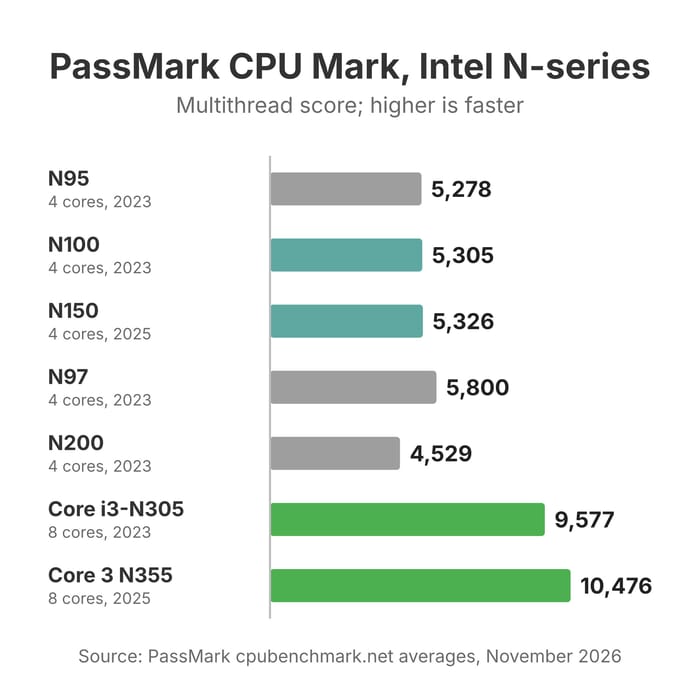
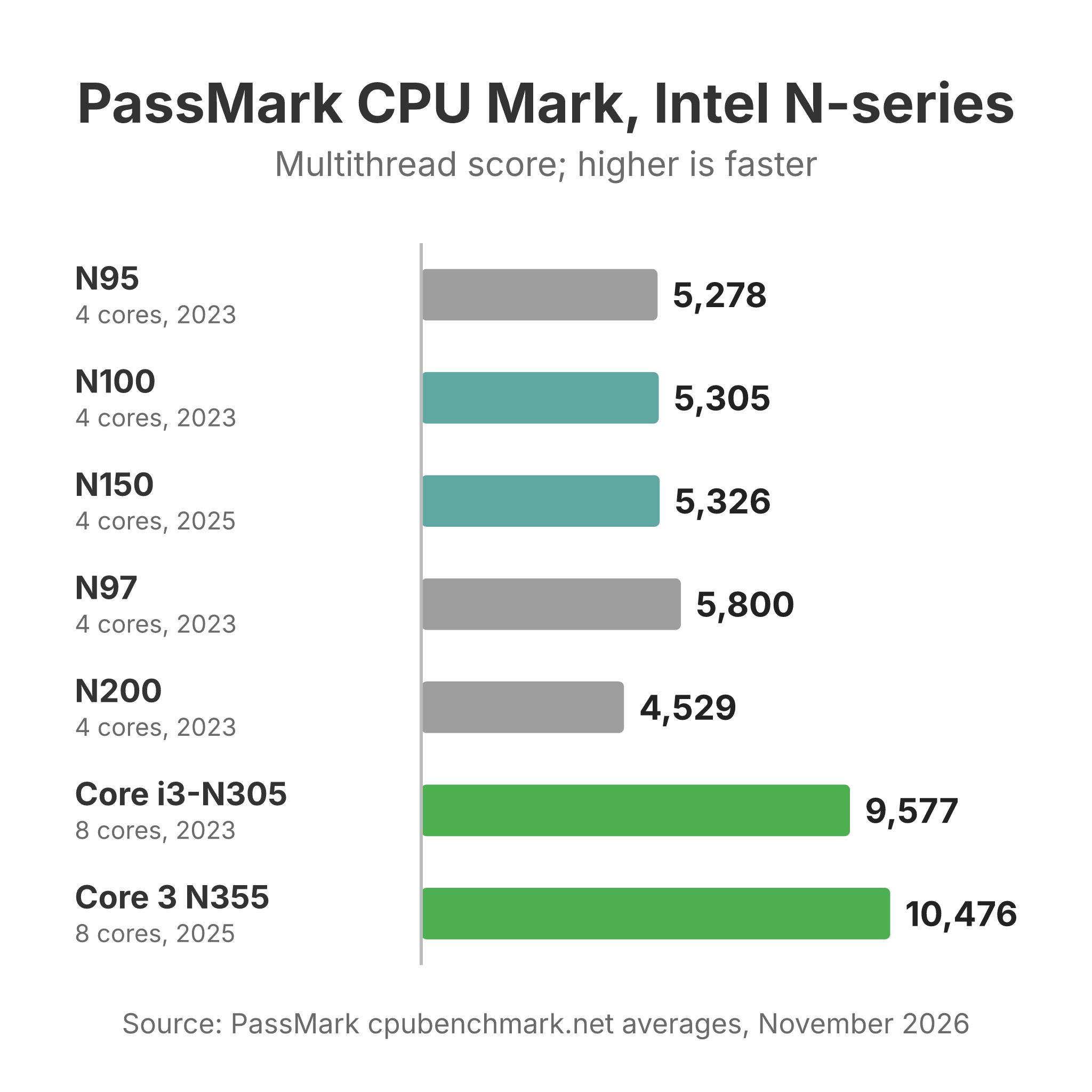
All four chips have four cores and four threads, a single memory channel, and Intel Quick Sync for video. The last column is the PassMark CPU Mark, the multithread score from PassMark’s benchmark database as of November 2026, and the N200 and two eight-core chips sit at the bottom for reference. Every other figure comes from Intel’s spec pages (N95, N97, N100, N150, N200, i3-N305, N355).
| Chip | Family | Cores / threads | Max turbo | TDP / base power | Graphics | Max memory | Launched | PassMark CPU Mark |
|---|---|---|---|---|---|---|---|---|
| N95 | Alder Lake-N | 4 / 4 | 3.4 GHz | 15 W | 16 EUs, 1.2 GHz | 16GB, 1 channel | Q1 2023 | 5,278 |
| N97 | Alder Lake-N | 4 / 4 | 3.6 GHz | 12 W | 24 EUs, 1.2 GHz | 32GB, 1 channel | Q1 2023 | 5,800 |
| N100 | Alder Lake-N | 4 / 4 | 3.4 GHz | 6 W | 24 EUs, 750 MHz | 16GB, 1 channel | Q1 2023 | 5,305 |
| N150 | Twin Lake | 4 / 4 | 3.6 GHz | 6 W | 24 EUs, 1 GHz | 16GB, 1 channel | Q1 2025 | 5,326 |
| N200 | Alder Lake-N | 4 / 4 | 3.7 GHz | 6 W | 32 EUs, 750 MHz | 16GB, 1 channel | Q1 2023 | 4,529 |
| Core i3-N305 | Alder Lake-N | 8 / 8 | 3.8 GHz | 15 W | 32 EUs, 1.25 GHz | 16GB, 1 channel | Q1 2023 | 9,577 |
| Core 3 N355 | Twin Lake | 8 / 8 | 3.9 GHz | 15 W | 32 EUs, 1.35 GHz | 16GB, 1 channel | Q1 2025 | 10,476 |
The N95, N100, and N150 land within 50 points of each other on PassMark, a gap of under 1 percent. The N97 leads the quad-core group by about 9 percent over the N100. PassMark’s single-thread ratings tell the same story: 1,879 for the N100, 1,888 for the N150, 1,890 for the N95, and 2,021 for the N97. The N200 scores below the N100 despite its higher turbo clock. PassMark averages runs that owners submit from their own machines, so a chip’s score also reflects the power limits of the devices it ships in.
Our processor pages list every mini PC we track on each chip, with configurations and list prices: the N95, N97, N100, and N150.
The N150 is a Twin Lake refresh of the N100
Intel’s spec page lists the N150 under the code name “Products formerly Twin Lake,” where the N100 is “Products formerly Alder Lake-N.” When Intel launched the Twin Lake chips in January 2025, Brad Linder at Liliputing wrote that they “are very similar to the Alder Lake-N processors” and are “a little faster,” and that “architecturally, they’re pretty much the same.” Intel’s own numbers back that up. The N150 raises the maximum CPU clock from 3.4 GHz to 3.6 GHz and the graphics clock from 750 MHz to 1 GHz. Everything else matches: four cores, 6 MB of cache, the Intel 7 process, a 6 W base power rating, 24 graphics execution units, one memory channel, and a 16GB memory limit.
In Notebookcheck’s tests the higher clocks barely register. Allen Ngo at Notebookcheck tested the N150 Beelink EQ14 against the N100 Beelink Mini S12 Pro and found the N150 “offers very little over the existing N100.” In Cinebench R23 the N100 box scored 2,916 multi-core points against the N150’s 2,753, and the N150 led single-core by 943 to 931. The faster graphics clock did not help either: the N150 box did not beat the N100 box in any 3DMark test, and trailed it by about 8 percent in Fire Strike. Ngo wrote that the graphics “remains the same as before for no noticeable performance gains.” Each box’s cooling and power settings also decide how long the chip holds its peak clock, so an N100 box can beat an N150 box in a sustained test.
Memory moved the result more than the chip in one YouTube comparison. The channel leepspvideo ran the same benchmarks on an N150 Beelink EQ14 with DDR4 and an N100 GEEKOM Mini Air12 with DDR5, and the N100 won Geekbench 6 multi-core (about 3,280 to 3,020) and Cinebench multi-core (about 2,970 to 2,400). The video points to the DDR5 in the N100 box as the likely reason. A reply in an r/MiniPCs thread on this question put the practical advice plainly: “Get the cheapest one. The performance difference between the 3 is in the margin of error.”
Where the N95 and N97 fit
The N95 has the same CPU clocks as the N100 and scores the same on PassMark, but Intel rates it at 15 W base power instead of 6 W and gives it 16 graphics execution units instead of 24. The higher power rating gives the maker room to run it harder, though it also means more heat for the box to move. The smaller GPU makes the N95 the weakest of the four at graphics, which affects light games, emulation, and GPU tone mapping in a media server. The N95 appears in versions of several current models, such as the Beelink Mini S12.
The N97 is the quickest quad-core chip in this group. It reaches 3.6 GHz like the N150, runs the full 24-unit GPU at 1.2 GHz, and Intel rates it at 12 W base power, double the N100’s figure. Intel lists the N97 under its embedded segment and gives it a 32GB memory limit, where the other three stop at 16GB. One r/MiniPCs user who runs Jellyfin on an N97 box wrote that “1080p transcoding is fast and even 4k transcoding is pretty good for 12w TDP”, and recommended the N97 over the N100 for that job because of its stronger GPU. The tradeoff is heat. A chip that is allowed to use more power needs a box with a fan and heatsink that can handle it, so look for an N97 model with active cooling.
Single-channel memory limits all four chips
With DDR5-4800, one channel caps memory bandwidth at 38.4 GB/s, half of what the same memory gives a dual-channel laptop chip. Notebookcheck’s EQ14 review called it out directly: “Only one RAM module can be installed meaning there is no dual-channel memory support.” The integrated graphics share that one channel with the CPU cores.
A box with DDR5 or LPDDR5 at 4800 MT/s has 50 percent more bandwidth than one with DDR4-3200, and leepspvideo’s test above shows what that can do to benchmark results. Some makers solder 12GB of LPDDR5 to the board, which is fast but cannot be upgraded later. Others use a single SO-DIMM slot that takes up to 16GB, and some sell configurations past Intel’s 16GB figure, such as the 32GB versions of the MeLE Quieter 4C. TrendForce forecast in November 2026 that PC DRAM contract prices, what PC makers pay for memory, would rise 13 to 18 percent in the fourth quarter, so an upgrade bought later may cost more. Treat 16GB as the safe ceiling on the N95, N100, and N150 unless the maker lists a larger configuration for that model.
Power draw and noise in reviewers’ measurements
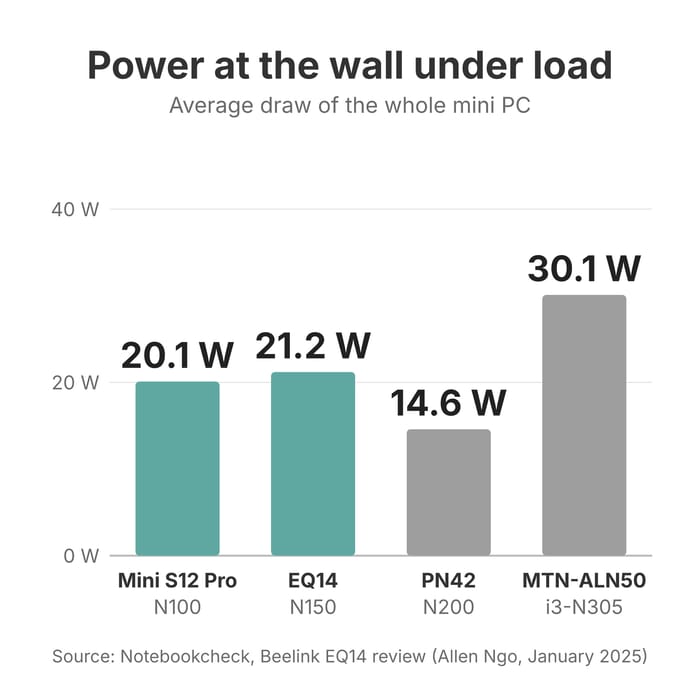
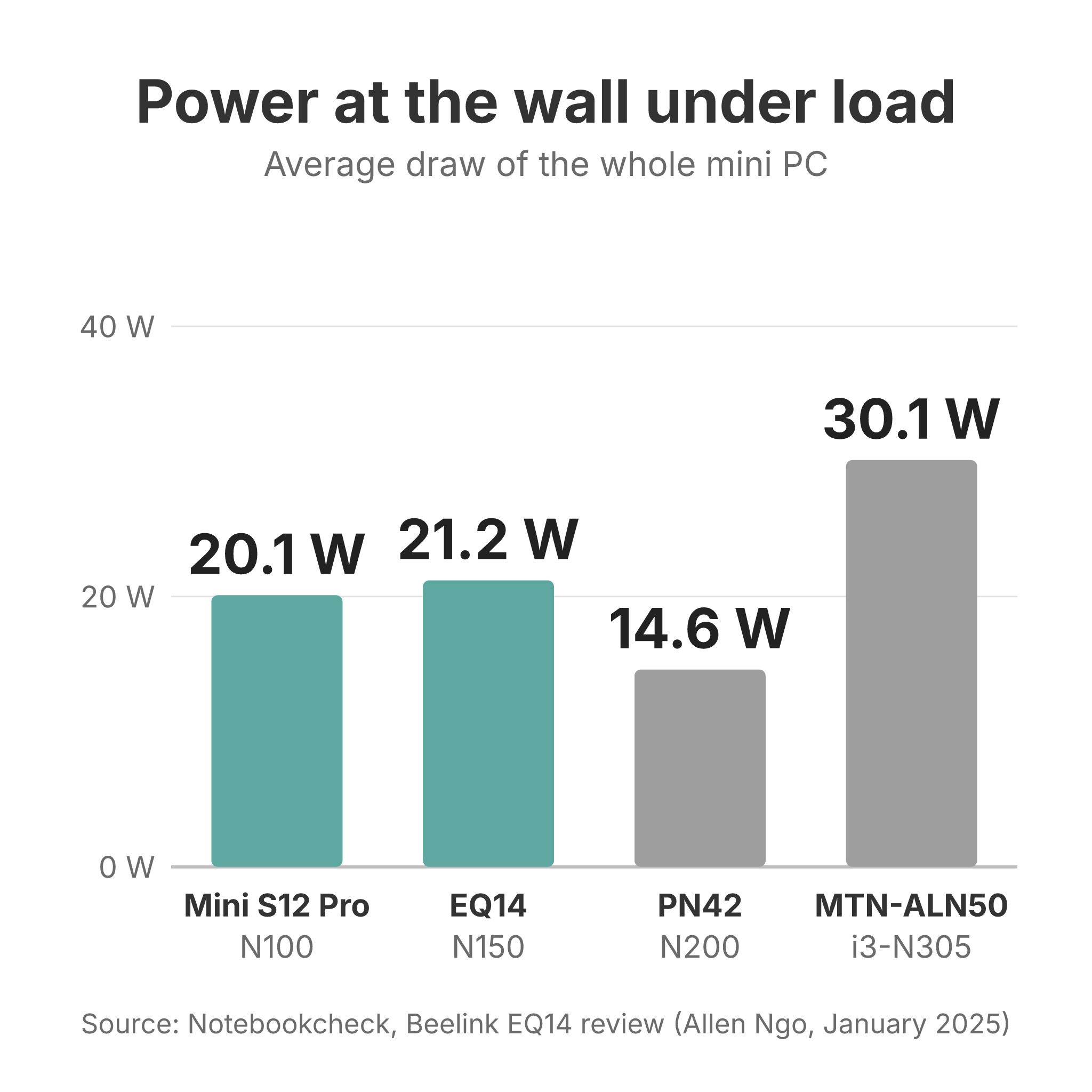
Notebookcheck measured both Beelink boxes at the wall. The N150 EQ14 averaged 8.9 W at idle and 21.2 W under load, with a 31.6 W peak. The N100 Mini S12 Pro averaged 8.8 W at idle and 20.1 W under load, with a 32.2 W peak. Ngo wrote that “Idling demands between 7 W and 10 W which is more than expected from an N-series CPU,” and that the EQ14 can reach 32 W for a moment at full load “before falling to 24 W about 30 seconds later.” The two boxes drew nearly the same power, and both drew more at idle than the 6 W base rating on the chips’ spec pages, because the wall figure covers the whole box. In the same Notebookcheck table, an Asus ExpertCenter PN42 with the N200 averaged 14.6 W under load.
Joerg at Number13 measured an N150 NiPoGi E1 running Proxmox with no monitor and powertop tuning at 4.6 W with no virtual machine running, and 5 to 6 W with a Home Assistant VM. With all four cores at 100 percent it drew 19.6 W. Noise depends on the box too: Notebookcheck measured the EQ14 at about 24 dB(A) under load, close to the room’s 22.5 dB(A), while the older Mini S12 Pro averaged 31.9 dB(A) under load. At around 9 W, a box that runs all day uses about 78 kWh a year, or about $15 at the US average electricity rate of 18.56 cents per kWh.
Matching the chip to the job
Home server and Proxmox
All four chips support Intel VT-x and VT-d, so Proxmox, Docker, and a few small virtual machines run on any of them in a home server. The four cores and the 16GB memory limit set the ceiling, so plan for containers and a few light VMs rather than several desktop VMs. In Number13’s test, the Proxmox VE 8.3 kernel was too old to recognize the N150’s graphics, and the newer 6.11 kernel package fixed it. The same switch cut measured power from 8.5 W to 5.9 W in that test. If you plan to pass the GPU to a VM for transcoding, install the newer kernel first.
Plex and Jellyfin with Quick Sync
Intel lists Quick Sync Video on the N95, N97, N100, and N150, and all four drive displays up to 4096 x 2160 at 60 Hz. Between the N100 and N150, the GPU differs only in clock speed, and Notebookcheck’s graphics tests found no measurable gain from it. Number13 found the N150’s graphics can “encode multiple H.264 or H.265 streams simultaneously in a power-efficient manner.” The N97’s faster GPU is the one step up in this group, and the N95’s 16-unit GPU is the one step down, which matters most when the server has to tone map HDR video for a non-HDR screen. Our Plex server guide explains when a server transcodes at all and how to avoid it.
A first Linux desktop
Any of these chips runs a current Linux desktop for web browsing, office work, and video. Use a current release rather than an older long-term one, since Number13’s Proxmox test showed that the N150 needed a newer kernel than an older base provided. Get 16GB if the box allows it, since a browser with many tabs open can fill 8GB.
A router or firewall
A pfSense or OPNsense box needs at least two network ports, and 2.5GbE ports leave room for a faster internet plan. The dual 2.5GbE version of the Beelink Mini S13 uses an N150, and the iKOOLCORE R2 has four 2.5GbE ports on an N95. Port counts and network chip choices are compared in our router guide.
When to step up to the N305 or N355
If the quad-core chips are too slow, a newer quad-core will not fix it. The eight-core Core i3-N305 scores 9,577 on PassMark, about 81 percent above the N100, and the Twin Lake Core 3 N355 scores 10,476, nearly double. Both still have one memory channel, so the graphics gain less than the CPU. They also use more power: Notebookcheck measured an N305 Maxtang box at 30.1 W under load against about 20 W for the N100 and N150 boxes. The N200 is not a step up for CPU work, since its PassMark average sits below the N100, though its 32-unit GPU is larger. For the next tier above these chips, see our Wildcat Lake comparison.
List prices for N100 and N150 boxes in late 2026
The cleanest way to see the price gap is to compare versions of the same model. List prices for the GMKtec NucBox G3 (N100) and G3 Plus (N150) with 8GB and 256GB are $179.99 and $229.99. GMKtec’s NucBox G2 and G2 Plus go the other way: $219.99 for the N100 and $209.99 for the N150, both with 12GB and 256GB. The fanless MeLE Quieter 4C lists at $339.99 with 8GB and 128GB on either chip. The Acemagic Vista V1 with 16GB and 512GB lists at about $199 with an N95, $219 with an N97, and $259 with an N150, and the Kamrui AK1 Plus lists at $269.99 with an N95 and $299.99 with an N100 or N97.
Across the fan-cooled configurations we track with 16GB of memory and 480 to 512GB of storage (current models only), the median list price is $219.99 for N100 boxes (17 configurations), $259.99 for N95 boxes (18), $299.97 for N97 boxes (5), and $329.99 for N150 boxes (15). Makers set these list prices at different times, so the medians show the spread in the catalog rather than what the chip itself adds. The same-model pairs above are the fairer comparison, and in them the N150 version lists from $10 below to $50 above the N100 version. Current prices for each model are on its product page.
Check that an N150 is an N150
Fake N150 boxes turned up on AliExpress in November 2026. One r/MiniPCs poster found that a mini PC sold as an N150 with 16GB was a 2016 Core i3-6006U with a firmware string edited to read “Intel(R) N150” and only 7.7 GiB of usable DDR3. To check, on Linux run lscpu and read the model name, and on Windows use CPU-Z or HWiNFO rather than Task Manager. They added that “if the processor type says Skylake, or the memory is DDR3, it is not an N100 or N150,” since neither chip supports DDR3. Buying a named brand from a store with an easy return policy lowers this risk.
Our picks
The comparison chart opens filtered to each chip: N100, N150, N97, or N95. The four boxes below cover a desktop, a router or home server, a silent setup, and a media server. Each card shows the list price, and current prices are on each product page.
An N100 box with upgradeable memory
The Beelink Mini S12 Pro is the N100 box Notebookcheck measured against the N150 EQ14, and it drew about 1 W less under load and scored about 6 percent higher in Cinebench R23 multi-core. It has upgradeable memory, two HDMI ports, Wi-Fi 6, and a VESA mount, and it lists at $229 with 16GB and 500GB.
Beelink MINI S12 Pro
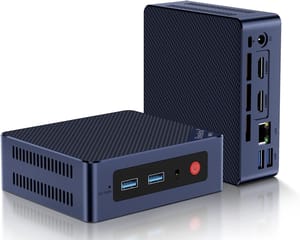
- +Scored about 6 percent higher than an N150 box in Notebookcheck's Cinebench R23 multi-core test
- +16GB in an upgradeable slot
- +dual HDMI
- +Wi-Fi 6
- -DDR4 memory
- -Gigabit Ethernet only
- -louder fan than the newer EQ14 in Notebookcheck's tests
An N150 box with two 2.5GbE ports
The dual 2.5GbE version of the Beelink Mini S13 suits a router, firewall, or home server that needs two fast network ports. It has 16GB of DDR4 in one slot, an M.2 SATA drive, and a second M.2 slot for an NVMe drive. It lists at $350.
Beelink Mini S13
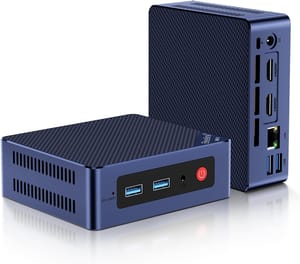
- +Two 2.5GbE ports
- +16GB of upgradeable DDR4
- +second M.2 slot
- +three 10Gbps USB-A ports
- -One HDMI port on this version
- -stock drive is SATA
- -no USB-C
A fanless N150 box
The MeLE Quieter 4C has no fan, so it makes no noise at all, and it comes in both N100 and N150 versions at similar list prices. The 16GB and 512GB N150 version lists at $529.99, much more than a fan-cooled box with the same chip.
MeLE Quieter 4C
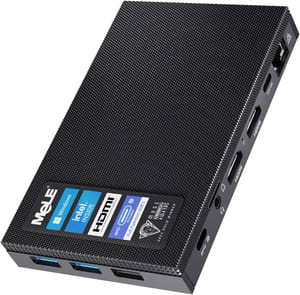
- +Silent fanless design
- +VESA mount for the back of a monitor
- +two USB-C ports
- +triple 4K output
- -High list price for an N150
- -Wi-Fi 5 and Gigabit Ethernet only
- -passive cooling limits sustained load
An N97 box for less
The N97 version of the KAMRUI EssenX E2 has the lowest N97 list price in our catalog ($149), with 8GB and 256GB. Its stronger GPU helps with media server transcoding, and the memory slot takes up to 16GB.
KAMRUI Essenx E2
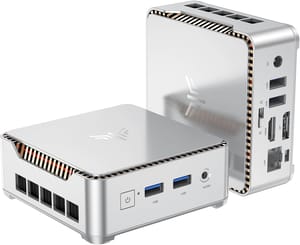
- +Fastest quad-core chip in this group
- +24-unit GPU at 1.2 GHz
- +upgradeable memory
- +low list price
- -Ships with only 8GB
- -one HDMI port
- -Wi-Fi 5
- -Gigabit Ethernet
- -SATA drive
Choosing between them
The N100 and N150 are close enough that the rest of the mini PC decides which one to buy. Compare the memory type and whether it can be upgraded, the network ports, the cooling, and the list price, and treat the chip name as a tie-breaker. An N95 box is fine for office work and a light server, but skip it if you plan to transcode video or play light games, where its smaller GPU falls behind. The N97 is the one quad-core chip with a measurable lead, and it suits a media server in a box with a fan. If none of the four is fast enough, move to an eight-core N305 or N355 rather than to another quad-core.


