

Thunderbolt 4 is easy to find on Intel mini PCs and Macs, and Thunderbolt 5 is still close to an Apple-only feature in this class. The table lists the models on sale now whose makers use the Thunderbolt name, with the port count and whether the port can power the machine. These ports are built to run Thunderbolt 3 and 4 accessories, and Thunderbolt 5 gear also connects at the older speed.
Mini PCs on sale with Thunderbolt 4 or 5
| Model | Thunderbolt ports | Power in over the port | Video over the port | Chip |
|---|---|---|---|---|
| Mac Studio (M5 Max) | 4 Thunderbolt 5 | Not listed | DisplayPort 2.1 | Apple M5 Max |
| Mac mini (M5 Pro) | 3 Thunderbolt 5 | Not listed | DisplayPort 2.1 | Apple M5 Pro |
| Mac mini (M6) | 3 Thunderbolt 4 | Not listed | DisplayPort 1.4 | Apple M6 |
| ASUS NUC 16 Pro | 2 Thunderbolt 4 | Not listed | DisplayPort 2.1 | Intel Panther Lake |
| ASUS NUC 15 Pro | 2 Thunderbolt 4 | Not listed | DisplayPort 2.1 | Intel Core 3 to Core Ultra 7 |
| ASUS NUC 15 Pro+ | 2 Thunderbolt 4 | Not listed | DisplayPort 2.1 | Intel Arrow Lake |
| ASUS NUC 14 Pro | 2 Thunderbolt 4 | Not listed | DisplayPort 1.4 | Intel Meteor Lake |
| MSI Cubi NUC AI+ 3MG | 2 Thunderbolt 4 | One port, up to 98W | DisplayPort 1.4, 4K at 60Hz | Intel Panther Lake |
| MSI Cubi NUC AI+ 2MG | 2 Thunderbolt 4 | One port, up to 100W | DisplayPort 2.1, 4K at 60Hz | Intel Lunar Lake |
| HP EliteDesk 8 Mini G1i | 1 Thunderbolt 4, second is optional | Up to 100W with conditions | Not listed | Intel Arrow Lake |
| HP Z2 Mini G1a | 2 Thunderbolt 4 | Direction not stated | DisplayPort 2.1 | AMD Ryzen AI Max+ PRO 395 |
| Khadas Mind 2 | 1 Thunderbolt 4, plus 1 USB4 | Yes | Not listed | Intel Meteor Lake |
| Beelink GTi14 Pro | 1 Thunderbolt 4 | Direction not stated | DisplayPort 1.4 | Intel Meteor Lake |
| ASUS ROG NUC 16 | 1 Thunderbolt 4 | Not listed | DisplayPort 2.1 | Intel Arrow Lake-HX Refresh |
| Beelink EQ mini 304 | 2 Thunderbolt 4 | Not listed | DisplayPort 1.4 | Intel Core 3 304 |
| Beelink EQi 304 | 2 Thunderbolt 4 | Not listed | DisplayPort alt mode | Intel Core 3 304 |
| ORIGIMAGIC C7 | 2, sold as both Thunderbolt 4 and USB4 | Not listed | Rated up to 8K at 60Hz | Intel Core 3 100U |
“Not listed” means the maker’s spec page does not give that detail for the port, and “Direction not stated” means it names Power Delivery without saying whether power flows in or out. Without a listed power input, expect to use the power adapter. The chips span a few years: the Meteor Lake models use late-2023 silicon, and Intel’s newest here are Panther Lake and Wildcat Lake (the Core 3 304), both from 2026.
Apple’s desktops have more ports than any Windows box here. The Mac mini has three on the back, the M5 Max Mac Studio has four, and the M5 Ultra Mac Studio has six (four on the back and two on the front). No Windows model in the table has more than two built in, and the HP EliteDesk reaches two only if the optional Flex IO card is chosen when the machine is ordered. Moving three devices off a Mac mini onto one of these boxes means adding a Thunderbolt dock or hub.
Picks for a Thunderbolt desk
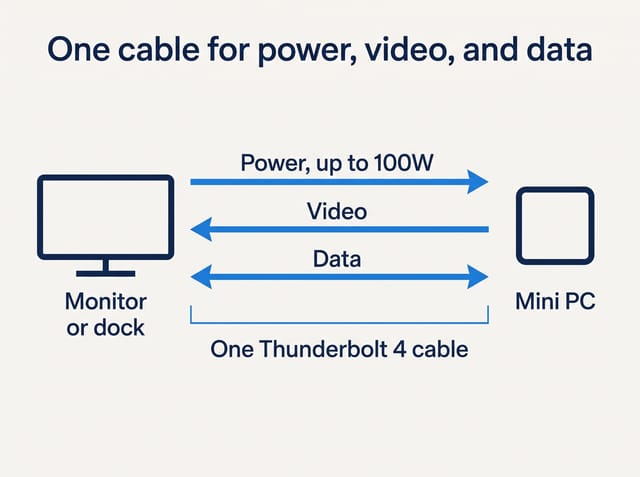
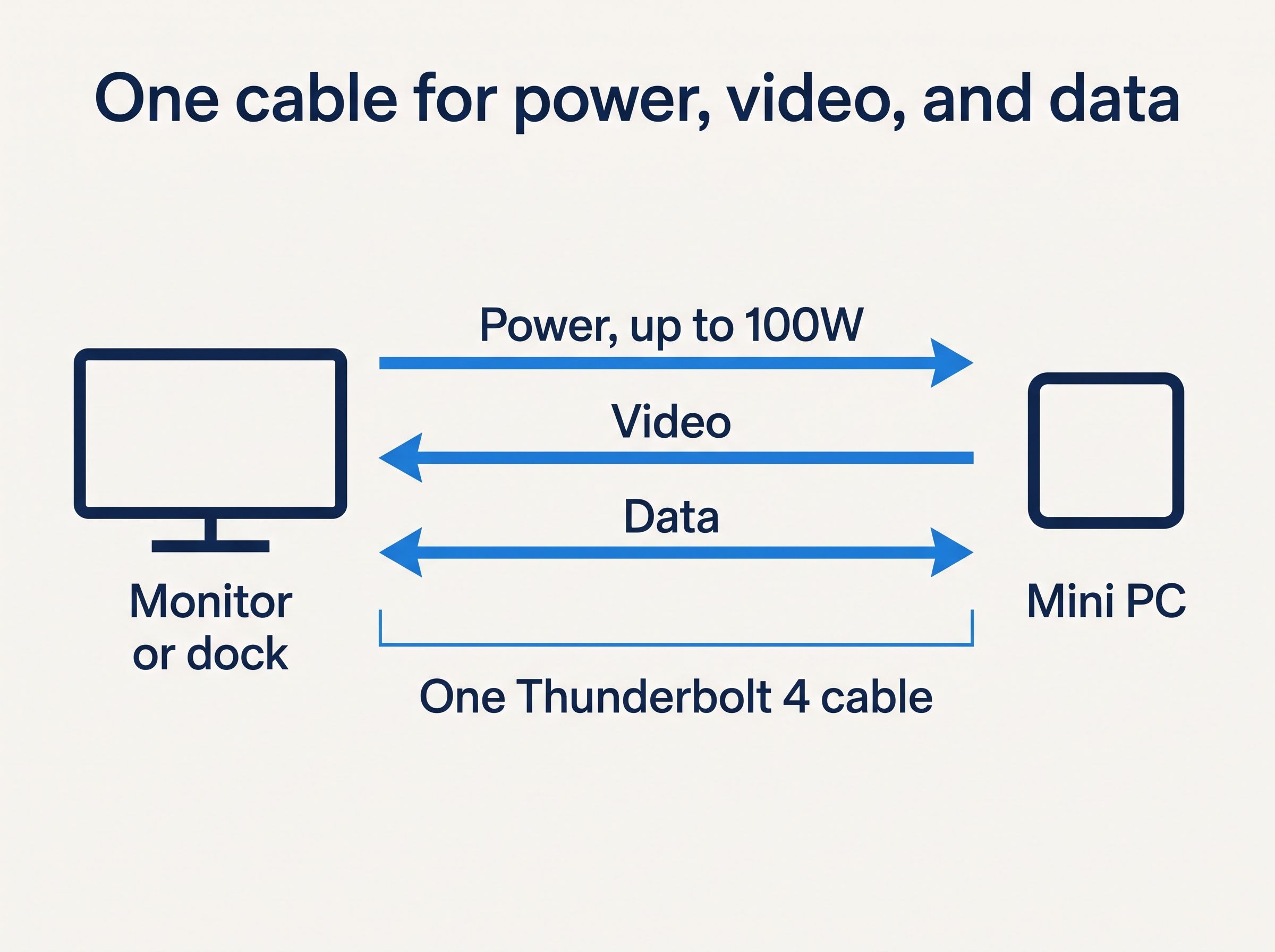
One cable for power, video, and data
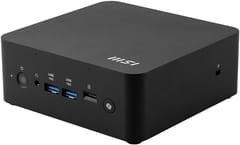
MSI Cubi NUC AI+ 2MG
Editor's ChoiceThe MSI 2MG is the box closest to the single-cable setup that Mac laptop owners already know. MSI’s spec sheet lists two rear Thunderbolt 4 ports, and one of them accepts up to 100W. Your monitor or dock has to supply that much, so read the host charging figure on its spec sheet and keep the power adapter handy for the first boot. It ships with 32GB of on-package memory, which is enough for office work but can never be upgraded. ITPro counted the lack of memory and storage expansion against it, along with the price and DisplayPort output only through USB-C.
The lowest list price with power over Thunderbolt
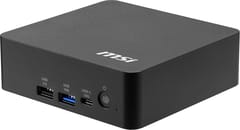
MSI Cubi NUC AI+ 3MG
Budget PickThe 3MG is the newer Panther Lake sibling. The Core Ultra 5 322 barebone kit lists under $500 and has socketed memory, and MSI rates one Thunderbolt port for up to 98W. You supply the memory, the SSD, and the operating system, and memory prices have climbed, so add those up before you compare it with a complete machine. You will likely want a dock, since it has no audio jack and only two USB-A ports. Tom’s Hardware called MSI “slightly stingy with ports” and found better value in less established brands.
Two Thunderbolt ports and parts you choose
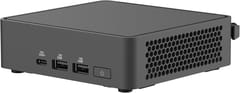
The NUC 15 Pro has two rear Thunderbolt 4 ports with DisplayPort 2.1 and two HDMI ports. Power comes from a DC adapter of 90W or 120W, and ASUS lists no power input over USB-C. Digital Citizen measured 90 watts at the wall under full load on the Core Ultra 7 255H and gave it 4 out of 5. Most versions are barebones kits, where you bring the memory, SSD, and operating system.
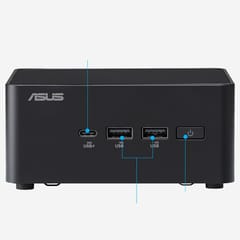
ASUS NUC 16 Pro
VersatileLevel1Techs plugged an RTX 6000 in a Thunderbolt 5 enclosure into a Core Ultra X7 358H NUC 16 Pro under Linux, and it was detected at once at 40 Gbps. The link stopped there because Panther Lake has no built-in Thunderbolt 5, and a maker would have to add an external chip. The review recommends kernel 7, since sleep and resume did not behave on 6.19.
A business desk with an HP monitor
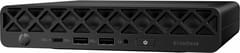
HP EliteDesk 8 Mini G1i
Best for EnterpriseThe EliteDesk 8 Mini G1i runs power, video, and data over one Thunderbolt 4 cable only with a 35W processor and a selected HP display, according to HP’s datasheet. The Ultra 7 265T in this configuration is a 35W chip, so it qualifies. One owner in an r/MiniPCs thread reports that the G1i needs 100W at first power-up and beeps an error when connected to a U4025QW monitor. Test any non-HP screen before relying on it. This configuration lists above $1,800, which makes it a machine for offices buying HP’s support and security tools.
Staying on macOS, or needing Thunderbolt 5

The M5 Pro Mac mini has three Thunderbolt 5 ports at up to 120 Gbps, and the M6 models have three Thunderbolt 4 ports at 40 Gbps, per Apple’s specs. The M5 Pro suits a shelf of Thunderbolt 5 gear, or anyone who could stay on macOS. Memory and storage are fixed at purchase, and our Mac mini buying guide covers the full cost. Adam Talks Tech notes that the Thunderbolt 5 docks in his roundup are “backwards compatible with Thunderbolt 3 and Thunderbolt 4 computers,” so a Thunderbolt 5 dock bought now can also serve a Thunderbolt 4 machine. On the Windows side, the closest thing to Thunderbolt 5 is the MINISFORUM MS-02 Ultra, whose ports carry the USB4 v2 label.
The cheap complete boxes
Three machines list under $500 with memory and storage included. The Beelink EQi 304 and EQ mini 304 share a chip and add 10GbE. On the EQi, CNX Software found the ports “were not reliable” with NVMe enclosures and could not get an eGPU dock working on either port. Lon.TV had better luck with a Thunderbolt drive, but an older Thunderbolt 3 drive locked the system up a couple of times. The ORIGIMAGIC C7 has two Thunderbolt 4 ports on an older Core 3 100U, with little independent testing behind it, and ORIGIMAGIC describes the same ports as both USB4 and Thunderbolt 4. If Thunderbolt is the reason you are buying, the MSI and ASUS kits are the safer spend.
USB4 boxes run many of the same accessories, with fewer guarantees
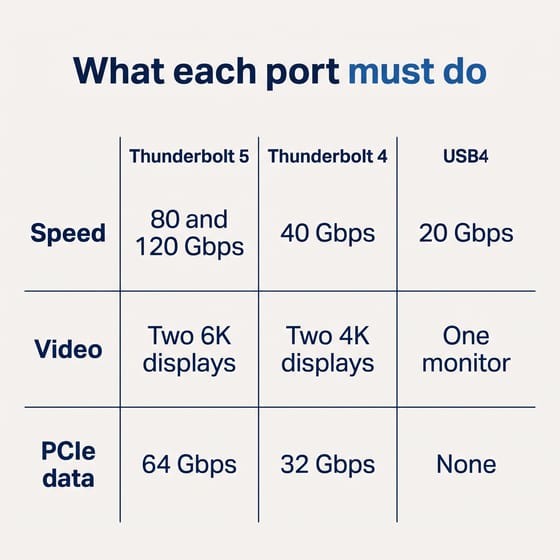
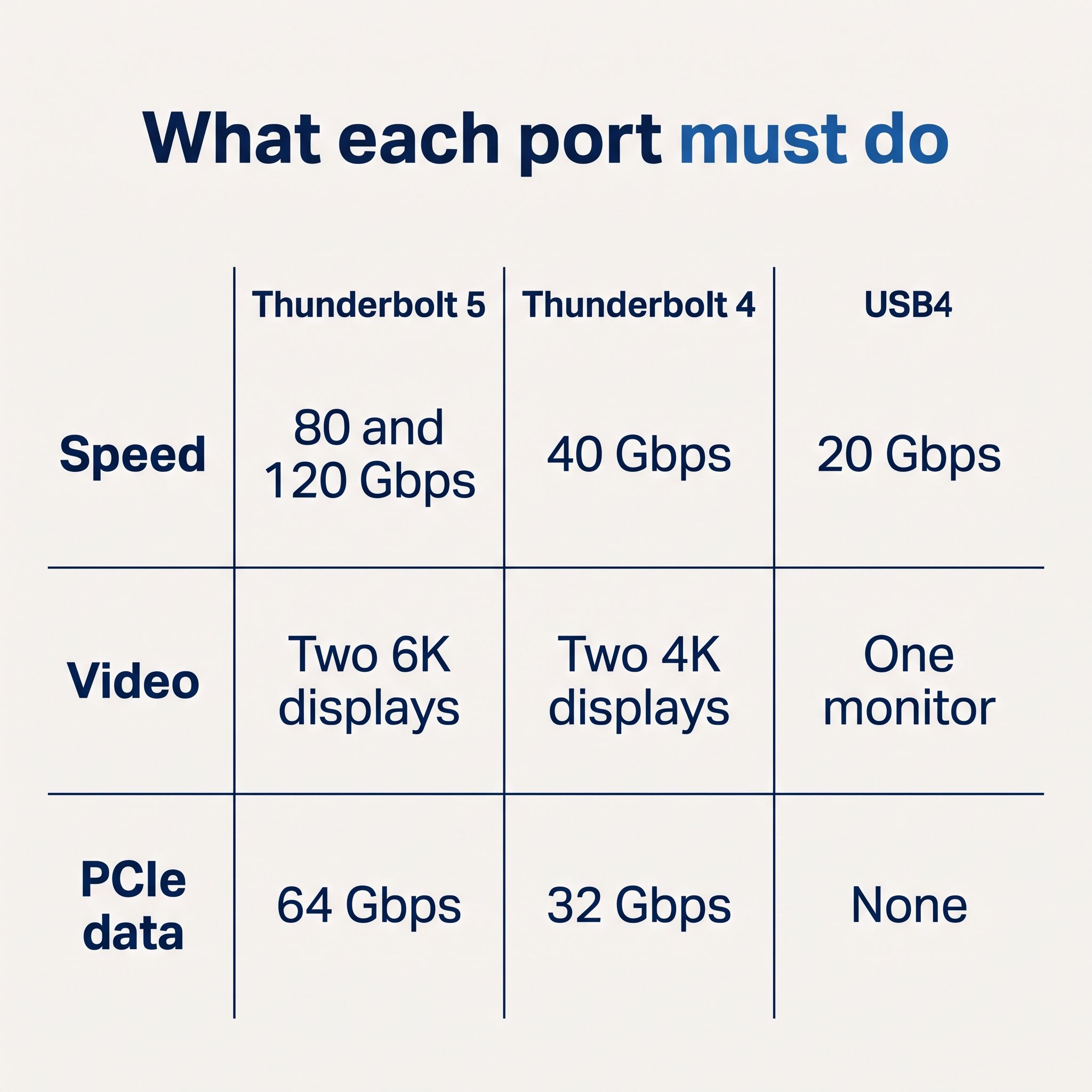
Thunderbolt and USB4 share the USB-C plug. The difference is in what each one must do, which Intel’s Thunderbolt guide sets out like this:
| Required of the PC | Thunderbolt 5 | Thunderbolt 4 | USB4 |
|---|---|---|---|
| Speed | 80 and 120 Gbps | 40 Gbps | 20 Gbps |
| Video | Two 6K displays | Two 4K displays | One monitor |
| PCIe data | 64 Gbps | 32 Gbps | None |
| Power for accessories | 15W | 15W | 7.5W |
| Certification | Yes | Yes | No |
| Wakes from sleep on a dock | Yes | Yes | No |
Those are minimums. A USB4 port can go well past them, and many mini PC USB4 ports run at 40 Gbps. Thunderbolt 3 support is optional for a USB4 computer, so an older dock or drive is the accessory most worth checking.
These four mini PCs sell their ports as USB4:
- MINISFORUM MS-01: two USB4 ports at 40 Gbps, with no power delivery on them
- MINISFORUM MS-02 Ultra: two USB4 v2 ports at 80 Gbps plus one USB4 port
- GEEKOM GT1 Mega: two USB4 ports
- Beelink SER8: one USB4 port
ServeTheHome found that the MS-02 Ultra’s 80 Gbps ports run on Intel’s Thunderbolt 5 controller and called them “Thunderbolt 5 ports in all but name.” MINISFORUM does not advertise them as Thunderbolt 5, which ServeTheHome reads as a sign they have no official certification, so a buyer gets the speed without Intel’s guarantee.
Match the port to the accessory you own
Docks gain the most from the Thunderbolt name, since Intel requires a Thunderbolt 4 computer to wake from sleep on a Thunderbolt dock, which saves reaching behind the desk. For an external SSD, speed matters most, and CNX Software measured about 3,100 MB/s reads from a Thunderbolt enclosure on a 40 Gbps port. If you are moving from a Mac, reformat those drives or copy the files first, because Windows has no built-in support for Apple’s APFS format.
A graphics card is the exception, because Thunderbolt and USB4 give up more of its speed than a dedicated connector does. Our OCuLink, USB4, and MCIO guide covers that choice, and a buyer planning an external card should start there. For several screens, the triple-monitor setup guide covers the docks and cables.
How to check a model that is not listed
Read the ports line on the maker’s spec page and look for the word Thunderbolt with a version number. “USB-C 40Gbps” or “USB4” means it is a USB4 port, whatever a store listing’s headline says. If you want to take power through the port, look for “PD-in” or a wattage marked as input. A bare “PD” does not say which direction the power flows.
The comparison chart can narrow the field first. Its USB4 or Thunderbolt filter shows every configuration with either port, so it includes both groups above, and each product page then gives the exact port. A first-time buyer who is unsure whether any of this matters can start with our five questions for a first mini PC.
Decide by what is already on your desk
Our pick for a Thunderbolt desk is the MSI 2MG, because one cable can carry power, video, and data, and it arrives ready to use. The 3MG barebone kit does the same job for someone who already has memory and an SSD. The ASUS NUC 15 Pro suits a buyer who is happy to leave the power adapter plugged in and wants to choose the parts, and Linux users have direct testing on the NUC 16 Pro. The Mac mini remains the answer for Thunderbolt 5 accessories or for anyone keeping macOS. Plain USB-C and USB 3 devices do not need any of this, and a USB4 box will run them.


