

Beelink sells more than 20 mini PC models at once, and the names do not tell you much. An EQR7 and a SER5 MAX can share a chip, the H 255 SER9 Pro can be slower than a plain SER9, and the Mini S boxes do not appear in Beelink’s store menu at all.
Current Beelink models at a glance
Each row shows one main configuration; most models come in several. Prices are list prices, and current prices are on each product page.
| Line | Model | Chip | RAM and storage | List price |
|---|---|---|---|---|
| EQ | EQ mini (N150) | Intel N150 | 12GB / 500GB | $310 |
| EQ | EQ mini (Core 3 304) | Core 3 304 | 12GB / 512GB | $429 |
| EQ | EQ14 | Intel N150 | 16GB / 512GB | $229 |
| EQi | EQi 304 | Core 3 304 | 16GB / 512GB | $469 |
| EQi | EQi13 | Core i5-13420H | 16GB / 500GB | $539 |
| EQi | EQi13 Pro | Core i7-13620H | 32GB / 1TB | $539 |
| EQi | EQi12 | Core i3-1220P | 24GB / 512GB | $329 |
| EQR | EQR5 | Ryzen 3 7330U | 16GB / 500GB | $379 |
| EQR | EQR6 | Ryzen 5 6600H | 16GB / 500GB | $400 |
| EQR | EQR7 | Ryzen 7 7735U | 24GB / 500GB | $539 |
| SER | SER5 MAX (7735HS) | Ryzen 7 7735HS | 24GB / 500GB | $479 |
| SER | SER8 | Ryzen 7 8845HS | 24GB / 1TB | $799 |
| SER | SER9 PRO+ | Ryzen 7 H 255 | 24GB / 1TB | $689 |
| SER | SER9 Max | Ryzen 7 H 255 | 64GB / 1TB | $1,149 |
| SER | SER9 | Ryzen AI 7 H 350 | 32GB / 1TB | $880 |
| SER | SER10 MAX | Ryzen AI 9 HX 470 | 32GB / 1TB | $1,399 |
| GTi | GTi13 | Core i9-13900HK | 32GB / 1TB | $809 |
| GTi | GTi14 | Core Ultra 9 185H | 32GB / 1TB | $1,069 |
| GTi | GTi14 Pro | Core Ultra 9 185H | 32GB / 1TB | $1,099 |
| GTi | GTi15 Ultra | Core Ultra 9 285H | 64GB / 1TB | $1,249 |
| GTR | GTR9 Pro | Ryzen AI Max+ 395 | 128GB / 2TB | $4,349 |
| ME | ME Mini | Intel N150 or N95 | 12GB / 64GB | $269 |
| Mini S | Mini S13 | Intel N150 | 16GB / 512GB | $400 |
| Mini S | Mini S12 Pro | Intel N100 | 16GB / 500GB | $229 |
| Mini S | Mini S12 | Intel N95 | 8GB / 256GB | $159 |
To sort every Beelink configuration by price, performance, or ports, the comparison chart opens filtered to Beelink mini PCs. Its other filters stack on top, so you can narrow the list to Beelink boxes with 10GbE or with memory you can upgrade.
How the Beelink lines differ
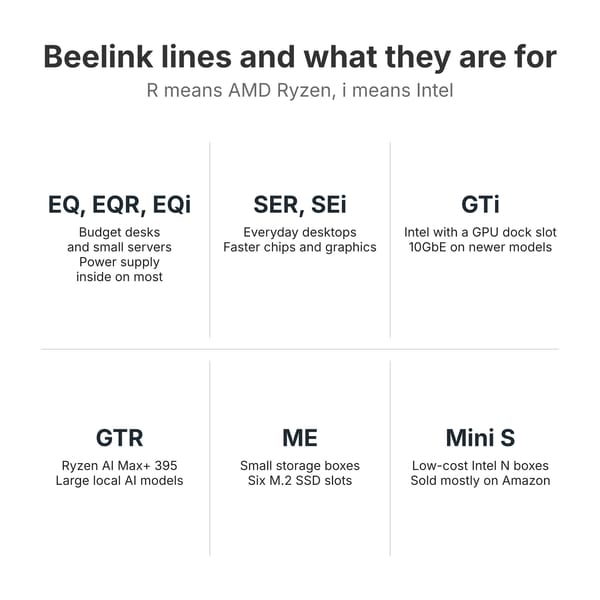
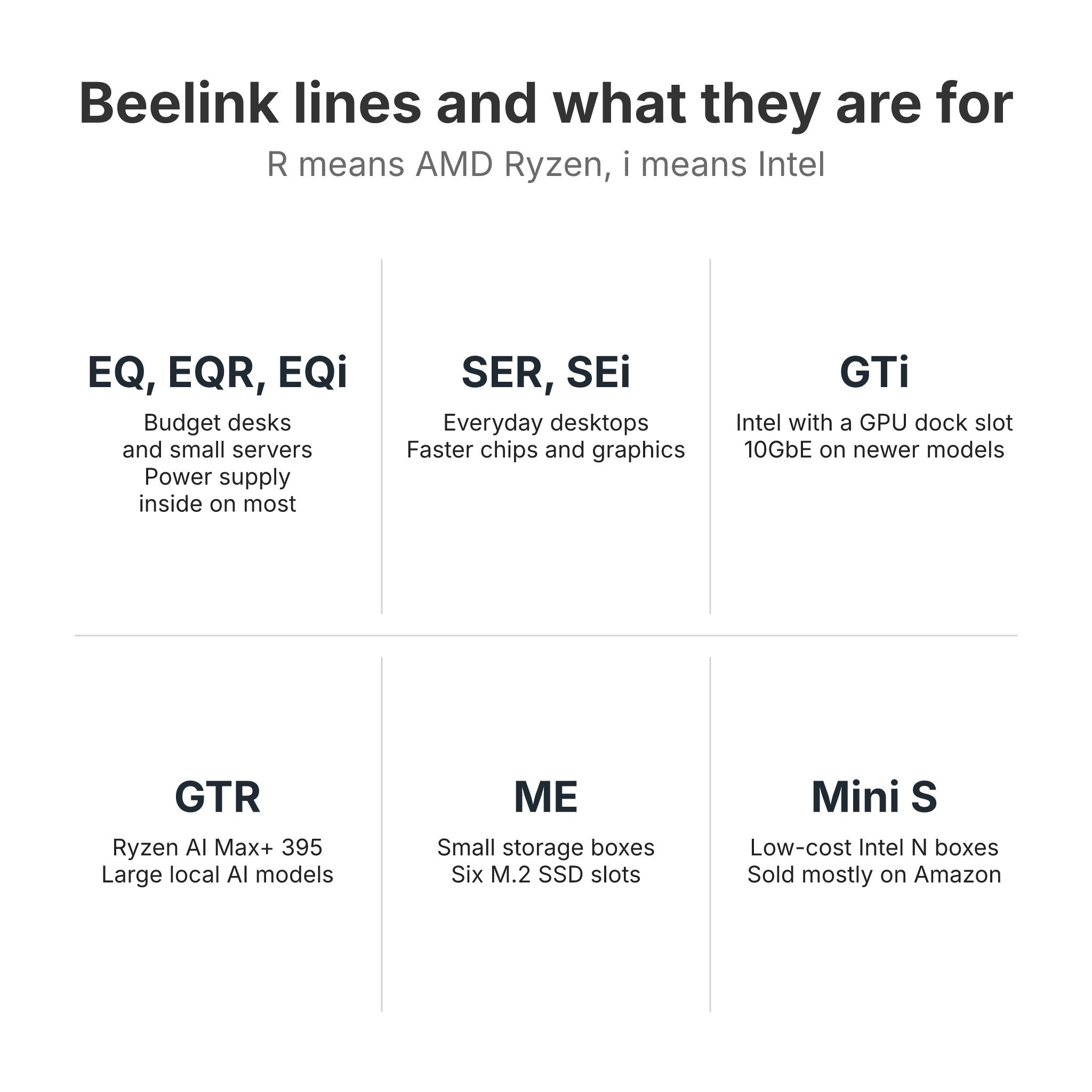
Beelink’s store groups its PCs into three menus: a GT series, an SE series, and an EQ series, with the ME storage boxes under a separate NAS menu. The letters inside each name add one more layer. An “R” means an AMD Ryzen chip and an “i” means Intel, so the SER9 is a Ryzen box and the SEi14 is its Intel cousin, while the EQR7 and EQi13 are the Ryzen and Intel boxes of the budget line. The number roughly tracks the chip generation, not a ranking across lines: an EQR7 is not newer or faster than a SER8.
EQ, EQR, and EQi boxes for budget desks and small servers
The EQ boxes are Beelink’s cheaper desktops. Most of them have the power supply inside the case, so a single AC cord runs to the wall instead of a power brick. The plain EQ models use Intel’s low-power chips. The EQ14 and the N150 build of the EQ mini are Intel N150 boxes for browsing, office work, and 4K video. The newer Core 3 304 builds, the EQ mini (Core 3 304) and the EQi 304, add a 10GbE port and two Thunderbolt 4 ports. Beelink’s own store now sells the EQ mini only with a Core 3 304, 12GB of soldered LPDDR5, and a built-in 45W supply; the N150 build sells through retailers.
The EQR boxes take older AMD laptop chips. Beelink lists the EQR5 with a Ryzen 5 5500U or Ryzen 3 7330U, the EQR6 a Ryzen 5 6600H, and the EQR7 a Ryzen 7 7735U, all with dual Ethernet. The EQi boxes do the same with Intel: the EQi12 with 12th-generation Core chips, and the EQi13 and EQi13 Pro with 13th-generation Core H chips. The current EQR6 and EQR7 have soldered memory that cannot be upgraded. One owner in a Reddit thread comparing the SER5 MAX and EQR7, u/reckless150681, summed up the gap between the two: the EQR7 “only supports two displays while SER5 Max has three,” and the EQR7 has the internal power supply while the SER5 MAX uses an external one.
A quiet desk PC that never runs games, or a small always-on server, is the work these boxes do well. On most of them the memory is fixed, and the graphics go no further than video playback and office work.
SER and SEi boxes for everyday desktops
The SE series holds Beelink’s mainstream desktops: slightly larger boxes with faster chips, better cooling, and USB4 on the newer models. The SER8 runs a Ryzen 7 8845HS or 8745HS with Radeon 780M graphics and DDR5 slots up to 64GB. The SER9 PRO+ is the H 255 box that Beelink’s store lists as the SER9 Pro, and reviewers tested it under that name. The PRO+ and the SER9 Max both use the Ryzen 7 H 255: the PRO+ has 32GB or 24GB of soldered LPDDR5X, while the Max has two DDR5 slots and a 10GbE port. The SER9 carries the Ryzen AI 9 HX 370 or Ryzen AI 7 H 350 with soldered memory, and the SER10 MAX moves to the 12-core Ryzen AI 9 HX 470 with DDR5 slots and 10GbE.
NotebookCheck’s SER9 Pro review warned buyers, “don’t be fooled by the ‘Pro’ naming as the regular SER9 is essentially the same experience, if not faster,” because the plain SER9 can ship with the faster HX 370. The SER5 MAX (7735HS) is a current box with a Ryzen 7 7735HS or 7735U and soldered memory, closer to the EQR7 than to the old SER5 line, and it sells through Amazon and other retailers rather than the SE menu on Beelink’s store. In the same Reddit thread, u/Retired_Hillbilly336 pointed out that it is “not sold on the official Beelink website” and called both the SER5 MAX and the EQ series a “cost cutting model not in the same category as current SE/GT series.”
These boxes fit a home office, a family desktop, Linux, and light gaming on the Radeon graphics. They cost more: in the table, the SER9 and SER10 MAX list at $880 and $1,399, against $229 to $539 for the EQ boxes, and the SER9 PRO+ and SER9 lock you into the memory they ship with.
GTi and GTR boxes at the high end
The GT series is Beelink’s top tier, with Intel GTi boxes for expansion and the AMD GTR9 Pro for AI. The GTi boxes, the GTi13, GTi14, GTi14 Pro, and GTi15 Ultra, are large Intel machines with the power supply inside (145W on the GTi14 Pro and GTi15 Ultra), two DDR5 slots, and a PCIe x8 slot on the bottom for Beelink’s EX GPU dock, which takes a full desktop graphics card. The GTi14 Pro and GTi15 Ultra add two 10GbE ports. Their built-in graphics are for office work and older games, so a GTi makes sense mainly for a buyer who plans to add the dock and a graphics card, or who needs the 10GbE ports for a home server.
The GTR9 Pro pairs AMD’s Ryzen AI Max+ 395 with 128GB of soldered LPDDR5X, and the built-in Radeon 8060S graphics can use most of that memory to hold a large language model. At a $4,349 list price it costs more than three SER10 MAX boxes, so it only makes sense for running large language models at home.
ME boxes for SSD storage
The ME Mini is a cube about 4 inches on each side with an Intel N150 (or N95 on some builds), soldered memory, dual 2.5GbE, and six M.2 slots for SSDs. It is a small network storage box rather than a desktop. Beelink also sells larger ME Pro two-bay models that take hard drives.
Mini S boxes for low-cost office work
The Mini S boxes, the Mini S12, Mini S12 Pro, and Mini S13, are Intel N95, N100, and N150 machines for browsing, office work, and video, with one memory slot on most builds. Beelink’s store menu does not list them, and they sell mostly through Amazon. They do the same work as the EQ14, and which one costs less changes from week to week.
SER or EQ
A SER and an EQ box can share a chip, as the SER5 MAX and EQR7 do, and then the differences are physical. The EQR7 has the power supply inside, two 2.5GbE ports, and support for two displays. The SER5 MAX has an external brick, one 2.5GbE port, support for three displays, and a mounting bracket in the box.
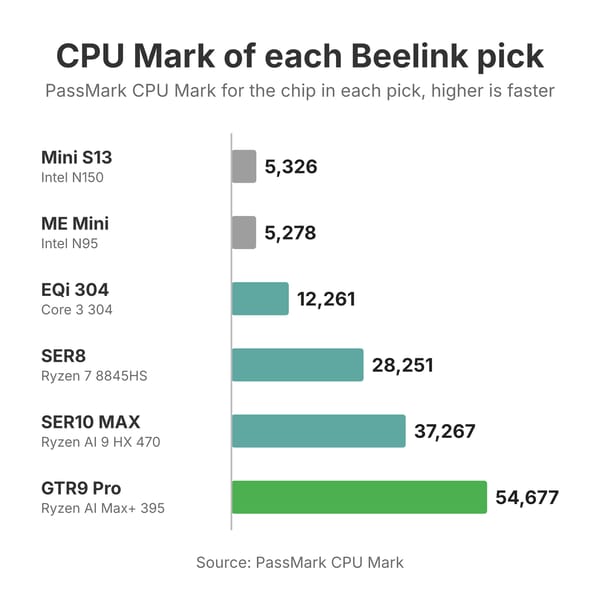
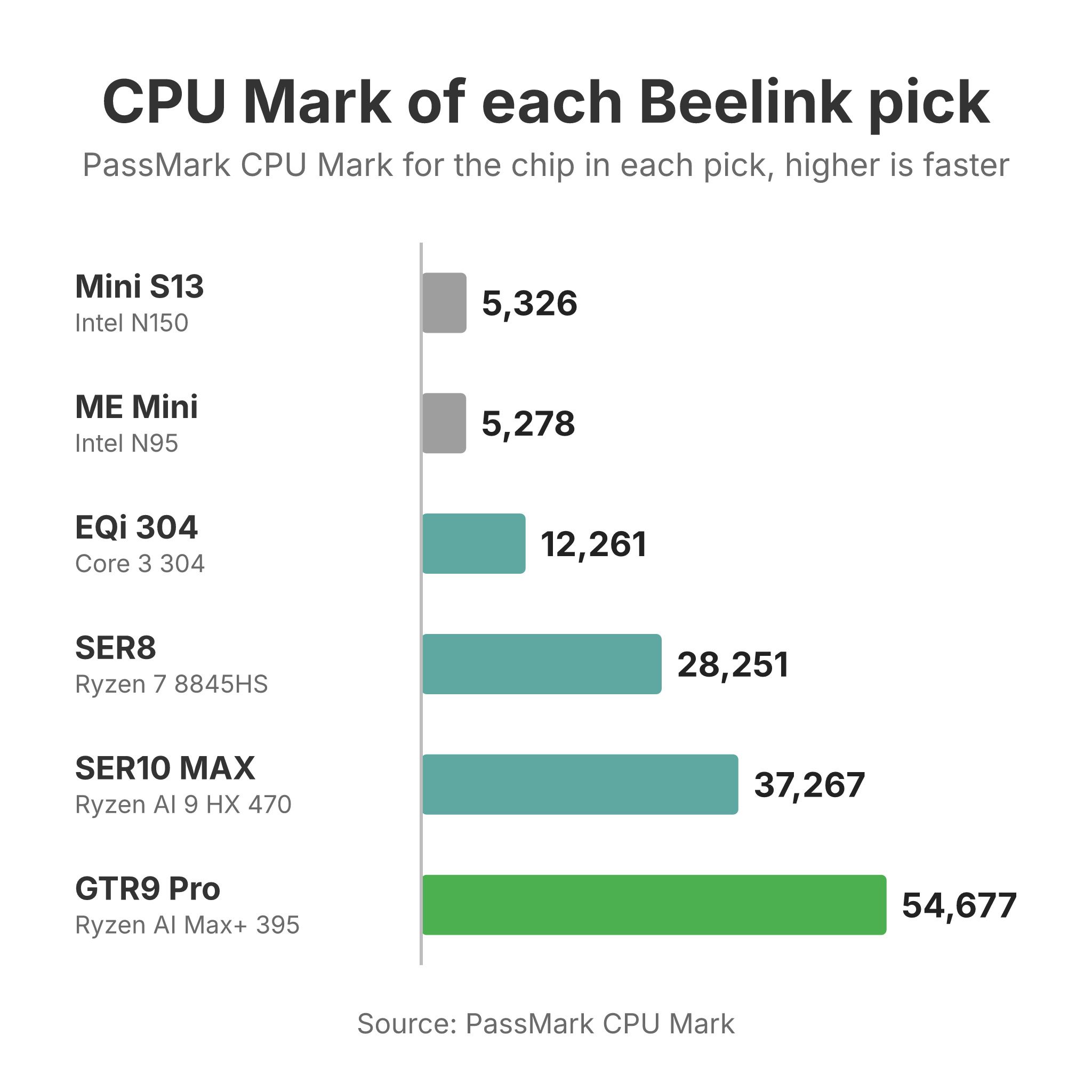
Spending more on a SER buys a faster chip. The SER8 lists about $260 above the EQR7, and its Ryzen 7 8845HS scores 28,251 in PassMark’s CPU Mark against 20,093 for the EQR7’s Ryzen 7 7735U. Its Radeon 780M is also a generation newer than the EQR7’s Radeon 680M. So an EQ box is the better buy for two Ethernet ports, no power brick, or the lowest price, while a SER earns its price as a main desktop, for games, or with a third monitor.
Older Beelink models
Older Beelink boxes stay on sale through retailers after they leave Beelink’s store. The SER5, SER5 (5500U), SER5 Pro, and the original SER5 MAX run Ryzen 5000 chips from 2021; the SER6 6900HX, SER6 MAX, and SER7 step up to Ryzen 6000 and 7000. The Intel side has the SEi12, the SEi14 Core Ultra 5 125H build, and the GTi12 Ultra. At the bottom sit the SER3 with Ryzen 3000 chips and the original Mini S with an N5095. The EQ12 has been replaced by the EQ14, and the GTR7 is no longer sold.
In an r/MiniPCs thread on Chinese mini PCs as home servers, u/QGRr2t wrote that a SER5 with a Ryzen 5500U had hosted Proxmox with about 15 containers and virtual machines for “what must be a 2.5 years now” and “hasn’t missed a beat.” A Ryzen 5000 box is fine as a used server or a second PC, but at a new-box price the current EQ and SER models offer newer graphics and faster storage slots.
Which Beelink to buy for each job
A small office or family desktop
The Mini S13 is our budget pick, an N150 box. Alun Taylor at IT Pro ran it for twelve hours with the CPU and graphics at full load, found no throttling and an almost silent fan, and concluded that “as a workhorse for HTPC, thin client or NAS use it has a lot to offer and is solid value.” It has two M.2 slots and two HDMI ports. Taylor measured the stock drive at 510 MB/s read and called it slow, noting that affordable laptops run three or four times as fast. The box also has no USB-C port, and its single DDR4 slot tops out at 16GB. The Mini S12 Pro lists lower with the older N100, which PassMark scores within 1% of the N150. If you need USB-C or a power supply inside the case, the EQ14 and the N150 EQ mini cover the same work.
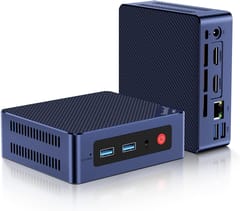
Beelink Mini S13
Budget PickA home server with fast networking
The EQi 304 pairs Intel’s Core 3 304 with a 10GbE port, a 2.5GbE port, and two Thunderbolt 4 ports, with the power supply inside. Jean-Luc Aufranc at CNX Software ran it under Windows 11 Pro and measured 5.7 to 6.2 watts at idle and 38.2 to 38.5 dBA against a room at 36.4 to 37.0 dBA. Alastair Jennings at TechRadar wrote that “when connected to my 10GbE network, it felt right at home.” EVO Tech’s review called its speed for the money “devastatingly bad levels of performance” next to cheaper Ryzen 7 7735HS boxes, and Hassan Mujtaba at Wccftech moved Windows off the built-in UFS storage to an M.2 drive after “major hiccups.” Buy it for the 10GbE port; without a 10GbE switch or NAS, the EQR7 with dual 2.5GbE costs about the same and has a faster chip.
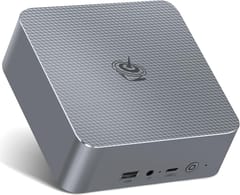
Beelink EQi 304
VersatileAn all-SSD network storage box
The ME Mini holds six M.2 SSDs in a cube about 4 inches on each side. Liliputing’s review measured 294 MB/s per 2.5GbE port, close to the link’s limit, and NAS Compares rated it 8.8 out of 10. Five of the six slots run at PCIe 3.0 x1, which caps each drive’s speed. Level1Techs said the platform looks “weird and unbalanced” on paper, and NAS Compares flagged heat building up in the base under sustained load. The card below is the N95 build with 12GB of memory and 64GB of onboard storage for the operating system. Its M.2 slots come empty, so budget for SSDs on top.
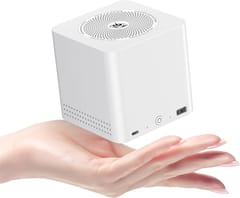
Beelink ME Mini
Most CompactFor a deeper look at storage boxes, see our guide to using a mini PC as a NAS.
A quiet everyday desktop or first Linux PC
The SER8 is our pick for most desks. It has a Ryzen 7 8845HS, Radeon 780M graphics, USB4, and two DDR5 slots, which matters while memory prices are high, because you can buy a smaller build now and add RAM later. PC Perspective measured 32 dBA from about 18 inches and called that excellent. Wendell at Level1Techs praised its Linux support and a 15 watt desktop idle. Tom Lawrence of Lawrence Systems said, “I was shocked at how well it worked right out of the box.” Its wireless is weak. Mark Pickavance at TechRadar said the Wi-Fi “would disconnect without warning,” and Beelink ships newer units with updated antennas. Plan on Ethernet if the router is close. Our Linux mini PC guide covers other boxes that run Linux well.
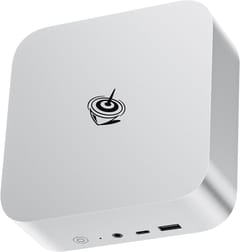
Light gaming and heavier work
The SER10 MAX is the fastest Beelink with memory you can upgrade. Sayem Ahmed at Tom’s Hardware measured Cyberpunk 2077 at 51 FPS on its Steam Deck preset at 1080p and 30 FPS on High, and wrote, “In everyday use, I was not wanting for any more power than what was already on offer here.” ETA Prime called it “a really quiet and cool machine.” Robtech found the HX 470’s gain over the SER9’s HX 370 stayed in the low single digits, and ETA Prime wished for faster soldered LPDDR5X because the DDR5 slots hold the graphics back. The SER9 PRO+ is the cheaper route to the same class of Radeon 780M gaming as the SER8, with Beelink rating it at 32dB and GSMArena, which reviewed it as the SER9 Pro, finding the fan inaudible in a typical office under full load, but its memory is fixed. For more options, see our gaming mini PC guide.
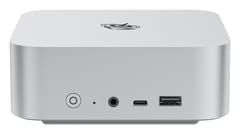
Beelink SER10 MAX
Best PerformanceLocal AI models
The GTR9 Pro is the one Beelink built for large language models. Patrick Kennedy at ServeTheHome ran it with 96GB set aside as graphics memory and measured 39 to 41 dBA under sustained AI loads, and ETA Prime compared the Radeon 8060S to “an RTX 4060 laptop or even an RX 7600 non-XT desktop GPU.” Beyond the price, RandomGaminginHD saw the 10GbE connection drop in one game, Arc Raiders, until he unplugged the PC, which matters for anyone who uses it as a server. Our local LLM mini PC guide compares it with other Ryzen AI Max+ 395 machines.
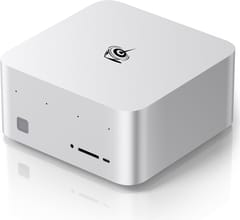
Beelink GTR9 Pro
AI CapableMemory, prices, and support
Memory and SSD prices rose through 2026, and Beelink’s prices rose with them. NotebookCheck’s Allen Ngo noted that the GTi15 Ultra shipped at about $1,220 with 64GB and 1TB, nearly twice the GTi13 Ultra’s launch price, and blamed “the escalating demand for RAM and SSD.” When the SER10 MAX launched, Liliputing’s Brad Linder wrote that “if you don’t already have RAM lying around, good luck finding cheap memory to use in this mini PC.” Our article on the DRAM price spike covers the wider market.
Higher memory prices make soldered memory a bigger decision. The current EQ mini, EQR6, EQR7, SER5 MAX (7735HS), SER9, SER9 PRO+, GTR9 Pro, and ME Mini all have soldered memory, and so do the 16GB build of the EQi 304 and the LPDDR5 builds of the EQi13. The EQ14, SER8, SER9 Max, SER10 MAX, every GTi, and the Mini S12 Pro have slots, as do the Mini S12 and Mini S13 apart from their 12GB builds, which have soldered LPDDR5. Buy a soldered model with the memory you will need in three years, because there is no adding to it later.
In the same r/MiniPCs home server thread, one owner of a GMKtec and a Beelink reported both running fine for about two years, with the caveat “No BIOS updates from either company though.” The internal power supply on the EQ and GTi boxes is also a trade-off for always-on use. Fabio of the Italian blog incastropc.com, who runs five mini PCs at home on Linux, wrote in another thread that “if an internal PSU dies, the whole box goes back for repair,” while a dead external brick costs a few euros to replace. In that thread, another owner reported running an EQ14 as a Jellyfin server around the clock for two years.
Choosing a Beelink
The SER8 is the safest desktop, the EQi 304 or EQR7 is the small server, and the Mini S13 is the low-cost office box. Step up to a SER10 MAX for games and heavy work, to a GTi only for the GPU dock or dual 10GbE, and to the GTR9 Pro only for large AI models. Check the memory type on the product page before you buy, since the same model name can cover soldered and slotted builds.


